🎃 Halloween Sale — Scary Good Deals, Up to 20% OFF! Don't be spooked by these prices — grab them before they disappear at midnight.
The Grid is a versatile WordPress grid-building plugin that helps you present blog posts, pages, portfolio items, WooCommerce products, and custom post types in attractive, responsive layouts. Its visual grid builder, customizable design options, and collection of ready-made skins make it easier to create content displays that complement your website's style. Whether you manage a blog, portfolio, online store, creative agency website, or content-rich publication, The Grid provides flexible tools for organizing information into visually appealing layouts that work across different screen sizes.
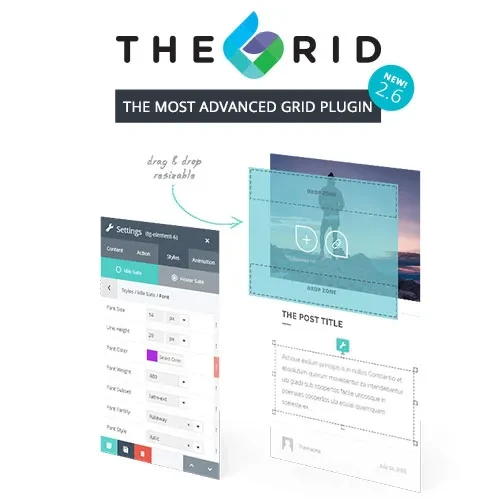
The Grid – Responsive WordPress Grid Plugin
The Grid is a versatile WordPress grid-building plugin that helps you present blog posts, pages, portfolio items, WooCommerce products, and custom post types in attractive, responsive layouts. Its visual grid builder, customizable design options, and collection of ready-made skins make it easier to create content displays that complement your website's style.
Whether you manage a blog, portfolio, online store, creative agency website, or content-rich publication, The Grid provides flexible tools for organizing information into visually appealing layouts that work across different screen sizes.
Visual Grid Builder: Create and customize grid layouts through an intuitive visual interface.
Multiple Layout Styles: Choose from Masonry, Justified, and traditional Grid layouts.
WooCommerce Integration: Present online store products in customized grid designs.
Custom Post Type Support: Display portfolios, galleries, and other supported WordPress content types.
40+ Predefined Skins: Start with a selection of ready-made designs and adapt them to your website.
AJAX Filtering and Loading: Support interactive content filtering and smoother content browsing.
Load More and Infinite Scroll: Give visitors additional ways to explore grid items without navigating through multiple pages.
Responsive Design: Adapt grid presentations for desktop computers, tablets, and mobile devices.
Shortcode Support: Place configured grids in supported areas of your website using shortcodes.
Customization Options: Adjust layouts and visual styles to suit your content and website design.
The Grid helps transform standard content listings into structured visual displays. Use it to arrange blog articles, featured pages, portfolio projects, product collections, and other supported content in a layout that makes browsing more engaging.
Different websites require different presentation styles. The Grid offers Masonry, Justified, and standard Grid layouts, allowing you to select a format that suits your content, image dimensions, and overall design.
The collection of more than 40 predefined skins gives you a starting point for designing content grids. Select a suitable style and customize available settings to maintain a consistent appearance across your website.
For online stores, The Grid can organize products into visually appealing collections. Customized product grids can help shoppers browse product catalogs and discover items more easily. Available product information and display options may depend on your configuration and WooCommerce setup.
AJAX-based filtering, load-more functionality, and infinite scrolling can make large content collections easier to explore. These options provide alternatives to conventional page-by-page browsing, where supported by the selected grid configuration.
Beyond blog posts, The Grid can be used to showcase supported custom post types, including portfolio entries and other structured content. This flexibility makes it useful for designers, agencies, publishers, and businesses with different content presentation needs.
Feature | The Grid | Basic Grid Plugins |
|---|---|---|
Visual grid builder | Visual layout customization | Varies by plugin |
Layout styles | Masonry, Justified, and Grid | May offer fewer layouts |
Predefined skins | 40+ skins, as described | Depends on the plugin |
WooCommerce integration | Product grid support | Depends on the plugin |
Custom post types | Supported content types | Varies by plugin |
AJAX and infinite scroll | Available options | May require additional tools |
Responsive layouts | Designed for multiple screen sizes | Depends on implementation |
Get Support
Please Sign In to contact our support.