🎃 Halloween Sale — Scary Good Deals, Up to 20% OFF! Don't be spooked by these prices — grab them before they disappear at midnight.
Social Chat by QuadLayers is a WordPress plugin designed to help businesses communicate with website visitors through WhatsApp. By adding a convenient WhatsApp chat button to your website, you can make it easier for customers to ask questions, explore products, request services, and contact your team. The plugin is suitable for WooCommerce stores, service providers, freelancers, agencies, and business websites that want to offer a more direct communication channel. With supported customization options and WhatsApp contact integration, Social Chat can help bring customer inquiries closer to your existing website workflow.
Social Chat by QuadLayers – WhatsApp Chat Plugin for WordPress
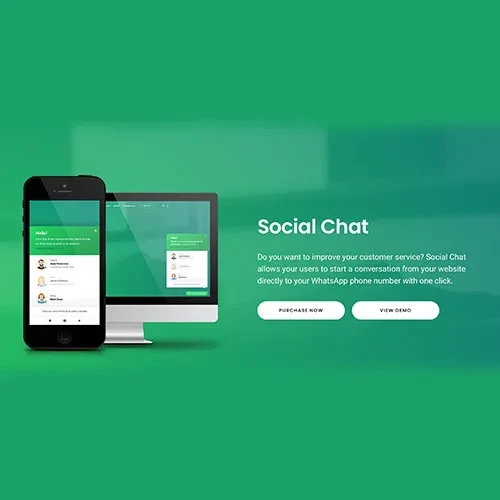
Social Chat by QuadLayers is a WordPress plugin designed to help businesses communicate with website visitors through WhatsApp. By adding a convenient WhatsApp chat button to your website, you can make it easier for customers to ask questions, explore products, request services, and contact your team.
The plugin is suitable for WooCommerce stores, service providers, freelancers, agencies, and business websites that want to offer a more direct communication channel. With supported customization options and WhatsApp contact integration, Social Chat can help bring customer inquiries closer to your existing website workflow.
Whether you need to answer pre-sales questions, provide product information, or handle general customer inquiries, Social Chat by QuadLayers offers a practical approach to connecting website visitors with your business through WhatsApp.
WhatsApp Chat Integration: Add a WhatsApp contact button to help visitors start conversations with your business.
Customizable Chat Button: Personalize available button settings, including appearance, text, and placement, according to your website design.
Multiple Agent Options: Where supported by your plugin version, configure multiple contact numbers or agents for different customer service needs.
Pre-Filled Messages: Make it easier for visitors to begin a conversation with an initial message, where this feature is available.
WooCommerce Integration: Support customer communication around products and shopping inquiries, subject to the plugin's available integrations.
Mobile-Friendly Experience: Provide a convenient way for smartphone and tablet users to contact your business.
Straightforward Configuration: Manage supported chat settings from your WordPress dashboard.
Customer Engagement Support: Give potential customers a direct communication channel for questions before and after a purchase.
Customers often want answers before deciding to purchase a product or service. Social Chat by QuadLayers helps connect website visitors with your business through WhatsApp, offering an alternative to traditional contact forms and email inquiries.
Visitors can use the configured chat button to initiate a conversation through WhatsApp. This can be useful for product questions, service requests, order-related inquiries, and general customer support.
A chat button should be easy to identify without interfering with the website's main content. Social Chat provides a WhatsApp-oriented contact experience, with available customization options allowing you to align the button with your website's design.
Depending on the installed version, settings may include button text, colors, position, or other appearance options. Review the current documentation to confirm the exact customization features available.
Businesses sometimes need different contact points for sales, support, and general inquiries. Where the installed version supports multiple agents or contact numbers, you can organize the available WhatsApp contacts around your business requirements.
For example, an online store might use one contact for product inquiries and another for customer service. Clear labels help visitors choose the appropriate contact and reduce confusion.
For WooCommerce websites, direct messaging can provide another way for shoppers to ask questions about products before placing an order.
A WhatsApp contact option may be useful for product specifications, availability questions, delivery inquiries, and general purchase assistance. The exact placement and checkout-related functionality depend on the plugin version and its supported WooCommerce integration.
Many customers browse websites on smartphones. A convenient WhatsApp contact option can make it easier for mobile visitors to reach your business without searching for contact details manually.
After installation, test the chat button on different screen sizes to ensure it does not cover important navigation elements, product controls, or other interactive content.
Social Chat can complement your broader customer communication strategy by offering a familiar messaging channel. To use it effectively, provide clear contact labels, monitor incoming inquiries, and establish realistic response expectations.
A chat plugin can make communication more convenient, but it does not automatically guarantee higher sales or faster customer service. Results depend on response quality, availability, product information, and the overall customer experience.
Feature | Social Chat by QuadLayers | Generic Chat Plugins |
|---|---|---|
WhatsApp-focused communication | Primary use case | Depends on the plugin |
Customizable chat button | Options vary by version | Varies |
Multiple agents or contacts | Available where supported | Varies |
WooCommerce use cases | Depends on integration | Varies |
Mobile visitor support | WhatsApp-oriented contact workflow | Depends on implementation |
Live messaging platform | Opens WhatsApp rather than necessarily providing an on-site inbox | May offer an on-site chat system |
Setup requirements | WordPress and WhatsApp configuration | Depends on the service |
This comparison is a general overview. Verify the current feature list and compatibility requirements before choosing a plugin.
Get Support
Please Sign In to contact our support.