🎃 Halloween Sale — Scary Good Deals, Up to 20% OFF! Don't be spooked by these prices — grab them before they disappear at midnight.
Social Auto Poster is a WordPress social media automation plugin designed to simplify content sharing and promotion across connected social media platforms. It helps website owners automatically publish new posts, schedule content for later, and distribute website updates without manually sharing every article on each network. Whether you manage a blog, business website, online store, news portal, or content-driven platform, Social Auto Poster can help streamline your social media workflow and maintain a more consistent publishing routine.
Social Auto Poster – WordPress Social Media Automation Plugin
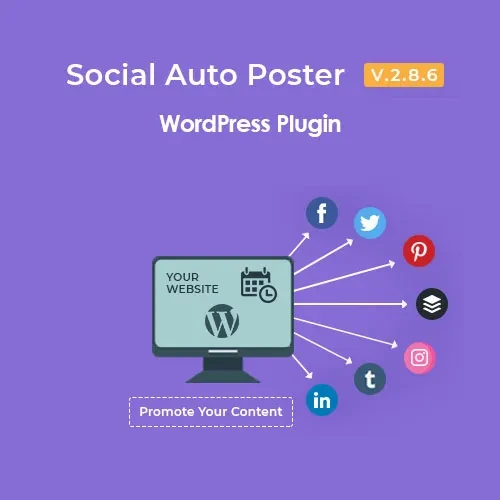
Social Auto Poster is a WordPress social media automation plugin designed to simplify content sharing and promotion across connected social media platforms. It helps website owners automatically publish new posts, schedule content for later, and distribute website updates without manually sharing every article on each network.
Whether you manage a blog, business website, online store, news portal, or content-driven platform, Social Auto Poster can help streamline your social media workflow and maintain a more consistent publishing routine.
Automatic Social Media Posting – Share WordPress content automatically across connected social media accounts.
Post Scheduling – Plan social media publications ahead of time to support a consistent posting schedule.
Multi-Network Publishing – Distribute website content across multiple supported social platforms.
WordPress Content Sharing – Share newly published posts and website updates through connected accounts.
Custom Social Post Messages – Personalize the text accompanying your shared content to suit different social networks.
Image and Media Sharing – Include supported images and media in social media publications.
Category-Based Auto Posting – Configure content-sharing preferences based on selected WordPress categories, where supported.
Post Re-Publishing – Reshare eligible existing content to give older articles additional visibility.
Social Account Management – Manage connected social media accounts and publishing settings from your WordPress workflow.
Content Publishing Automation – Reduce repetitive manual tasks involved in distributing website content.
Promoting every new WordPress article manually can take valuable time. Social Auto Poster helps simplify this process by automating supported publishing tasks and allowing you to manage content distribution from your website.
Planning posts ahead of time can make social media management easier. Scheduling functionality helps you organize upcoming publications and maintain a planned content calendar.
Reach audiences across supported social media platforms by connecting your accounts and configuring publishing preferences. Available networks and features depend on the plugin version and current platform integrations.
Create suitable messages for shared content rather than relying on the same generic text everywhere. Custom post messages can help make your updates more relevant to the audience and platform.
Older blog posts and evergreen resources may still be valuable to your audience. Post re-publishing functionality can help bring selected content back into circulation, subject to the plugin's available options.
Feature | Social Auto Poster | Manual Posting |
|---|---|---|
Automatic content sharing | Supported features can automate publishing | Requires manual effort |
Advance scheduling | Available scheduling features | Depends on each platform |
Multiple social networks | Manage supported integrations | Often requires switching between platforms |
Custom post messages | Configurable options may be available | Written manually for each update |
Content re-publishing | Available features may support resharing | Must be handled manually |
Workflow efficiency | Helps reduce repetitive tasks | Can take more time as content grows |
Download the plugin package from your chosen source.
Sign in to your WordPress administration dashboard.
Navigate to Plugins → Add New Plugin → Upload Plugin.
Upload the plugin ZIP file and select Install Now.
Activate the plugin after installation.
Open the plugin settings and connect the supported social media accounts.
Configure publishing preferences, scheduling options, and custom messages.
Test the publishing workflow with a suitable WordPress post.
Note: The exact installation and account-connection steps may vary depending on the plugin version and its supported integrations.
Before installing Social Auto Poster, review the package's licensing terms, supported WordPress and PHP versions, and available update and support arrangements. Social media integrations may also depend on platform APIs, account permissions, and authentication requirements.
For a production website, verify that the version you choose is compatible with your current WordPress setup and the social networks you intend to use.
Get Support
Please Sign In to contact our support.