🎃 Halloween Sale — Scary Good Deals, Up to 20% OFF! Don't be spooked by these prices — grab them before they disappear at midnight.
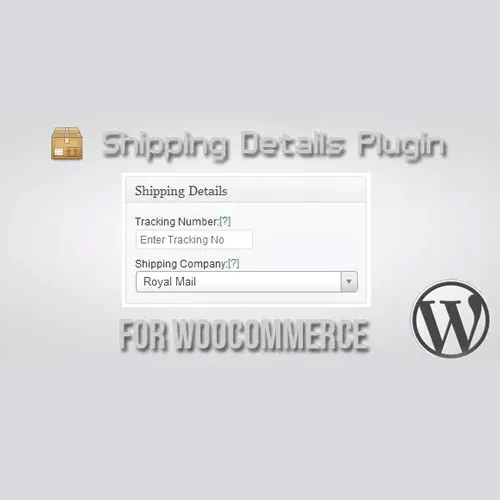
Shipping Details Plugin for WooCommerce is a practical WooCommerce extension that helps store owners manage and share shipment information directly from their online store. Add tracking numbers, carrier information, and shipment details to orders so customers can more easily follow their purchases after checkout. By making delivery information accessible through order-related communications and customer account areas, the plugin can improve post-purchase transparency and reduce repetitive questions about shipment status.
Shipping Details Plugin for WooCommerce (GPL Licensed) Shipping Details Plugin for WooCommerce is a practical WooCommerce extension that helps store owners manage and share shipment information directly from their online store. Add tracking numbers, carrier information, and shipment details to orders so customers can more easily follow their purchases after checkout. By making delivery information accessible through order-related communications and customer account areas, the plugin can improve post-purchase transparency and reduce repetitive questions about shipment status.
The package available through 5ivecode.com is distributed under applicable GNU General Public License (GPL) terms and includes lifetime free updates and limited email support, subject to the applicable offering. ✨ Feature Highlights 📦 Add Shipment Tracking Details – Attach tracking numbers and shipment information to WooCommerce orders. 🚚 Multiple Courier Options – Configure different shipping carriers and add custom carrier information where required. 🔗 Tracking Links – Provide customers with convenient access to available shipment-tracking destinations. 📧 Customer Notifications – Send order-related notifications containing shipping information when tracking details are added, according to your configured WooCommerce workflow. 👤 Customer Account Visibility – Make relevant tracking information available from customers' order history or account area where supported. ⚙️ Simple Administration – Manage shipment information alongside your regular WooCommerce order workflow. 🛒 WooCommerce Integration – Designed to work within the existing WooCommerce order-management environment. 💬 Fewer Delivery-Status Questions – Giving customers access to tracking information can reduce the need for repeated manual status requests. 🔄 Lifetime Free Updates – The package available through 5ivecode.com includes lifetime free updates under the applicable offering terms. 📖 Detailed Overview After placing an order, customers naturally want to know when their package will arrive and where it is in the delivery process. Without accessible tracking information, they may need to contact the store repeatedly for updates. Shipping Details Plugin for WooCommerce provides a convenient way to attach shipment information to WooCommerce orders.
Store administrators can add tracking numbers and courier details so customers have useful delivery information available after their purchase. 📦 Add Tracking Information to Orders When an order is ready for shipment, administrators can add the relevant tracking information to the order. This creates a central location for shipment details within the WooCommerce order workflow. Depending on the configured setup, tracking numbers can be accompanied by carrier information or tracking destinations. 🚚 Manage Different Shipping Carriers Online stores may use several logistics providers depending on destination, product type, shipping method, or fulfillment location.
The plugin supports workflows involving multiple carriers and can accommodate custom courier information where the available settings allow it. This provides greater flexibility than relying on a single predefined shipping provider. 📧 Keep Customers Informed Customers should not have to contact support simply to ask whether their package has shipped. By including available shipment information in customer-facing order communications, stores can make delivery updates easier to access.
Automatic notifications depend on the plugin configuration and the underlying WooCommerce/WordPress email system. 👤 Improve the Post-Purchase Experience The customer relationship does not end when checkout is completed. Clear shipping information can make the period between purchase and delivery more transparent. When customers can access relevant tracking information from their account or order communications, they have a clearer understanding of what is happening with their order. ⚙️ Simplify Order Administration Rather than maintaining tracking information separately from WooCommerce, administrators can work with shipment details as part of their existing order-management process.
This can help keep order and delivery information organized and reduce repetitive manual communication. 📊 Comparison Table Feature Shipping Details Plugin Without a Dedicated Tracking Workflow Tracking Numbers ✅ Add tracking information to orders ⚠️ May require manual handling Multiple Carriers ✅ Supports multiple/custom carrier workflows ⚠️ Depends on existing setup Customer Tracking Access ✅ Can display relevant shipment details ❌ Often requires manual communication Order-Based Management ✅ Works alongside WooCommerce orders ⚠️ May involve separate systems Customer Notifications ✅ Supports shipping-information notifications ⚠️ Often requires manual updates Post-Purchase Transparency ✅ Improves access to delivery details ⚠️ Limited without additional tools Administrative Efficiency ✅ Centralizes shipment information ⚠️ More manual work GPL Distribution ✅ GPL-based distribution through 5ivecode.com ⚠️ Depends on provider
Get Support
Please Sign In to contact our support.