Exclusive Coupon — Use Code SAVE10 for Instant Savings! Apply at checkout for your special discount. Limited uses — grab it while you can.
reCaptcha for WooCommerce helps protect WooCommerce stores from automated bots, spam submissions, fake registrations, and suspicious checkout activity by adding Google reCAPTCHA verification to important customer-facing forms. The plugin gives store administrators control over which WooCommerce forms require verification, helping distinguish genuine visitors from automated activity while keeping the checkout and account experience straightforward.
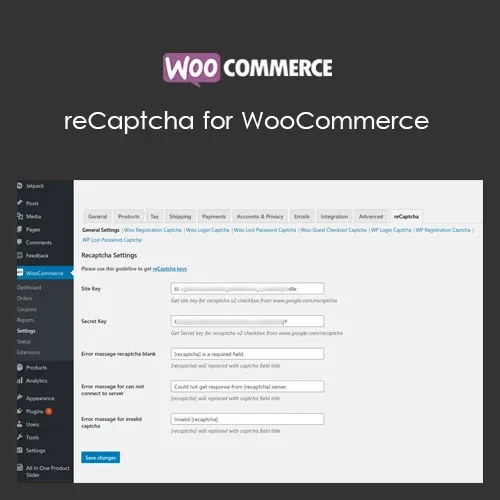
reCaptcha for WooCommerce – WooCommerce Spam & Bot Protection Plugin (GPL Licensed) reCaptcha for WooCommerce helps protect WooCommerce stores from automated bots, spam submissions, fake registrations, and suspicious checkout activity by adding Google reCAPTCHA verification to important customer-facing forms. The plugin gives store administrators control over which WooCommerce forms require verification, helping distinguish genuine visitors from automated activity while keeping the checkout and account experience straightforward. This GPL-licensed version provides access to the available premium functionality without conventional license activation. It can be used across multiple websites according to the applicable GPL terms, with updates provided through your 5ivecode.com account. Key Features of reCaptcha for WooCommerce Multiple Google reCAPTCHA Versions: Supports commonly used Google reCAPTCHA configurations, including v2 checkbox, v2 invisible, and v3 where supported. WooCommerce Form Protection: Add CAPTCHA verification to important areas such as login, registration, checkout, password recovery, and other supported forms. Simple Configuration: Connect the plugin with your Google reCAPTCHA credentials through the WordPress dashboard without modifying code manually. Bot & Spam Prevention: Help reduce automated registrations, spam submissions, suspicious login attempts, and unwanted checkout activity. Custom Verification Messages: Configure clear messages to inform visitors when CAPTCHA verification is unsuccessful. WooCommerce Integration: Designed to work within the WooCommerce environment alongside compatible themes and extensions. Responsive Experience: CAPTCHA functionality is designed to work across desktops, tablets, and mobile devices. Multilingual Compatibility: Suitable for multilingual WooCommerce websites using compatible translation plugins and configurations. Selective Protection: Choose which supported forms should require CAPTCHA verification instead of applying protection unnecessarily across the entire website. What’s Included Original reCaptcha for WooCommerce plugin ZIP package Available premium functionality without standard license activation GPL-based usage across multiple websites Updates provided through 5ivecode.com Plugin package prepared for WordPress installation Support Notice: Direct support from the original developers is not included with this distribution. Available updates and assistance are provided through 5ivecode.com. About the Developer reCaptcha for WooCommerce is designed as a WooCommerce security extension for integrating Google reCAPTCHA verification into supported WooCommerce forms and reducing automated or suspicious activity. GPL License Information The plugin is distributed under the GNU General Public License (GPL) v3.0. GPL licensing allows users to use, study, modify, and redistribute licensed software according to the applicable license conditions. If you plan to redistribute or modify the software, review the GPL terms and any separate requirements associated with Google reCAPTCHA or other third-party services. Installation Instructions Download the recaptcha-woocommerce.zip package from your 5ivecode.com account. Log in to your WordPress administrator dashboard. Navigate to Plugins → Add New → Upload Plugin. Select the reCaptcha for WooCommerce ZIP package. Install and activate the plugin. Open the plugin's reCAPTCHA settings from the WooCommerce/WordPress administration area. Enter the required Google reCAPTCHA site key and secret key. Select the WooCommerce forms where CAPTCHA protection should be enabled. Save your configuration. Test the protected forms from the storefront to confirm that verification is working correctly.
Get Support
Please Sign In to contact our support.