🎃 Halloween Sale — Scary Good Deals, Up to 20% OFF! Don't be spooked by these prices — grab them before they disappear at midnight.
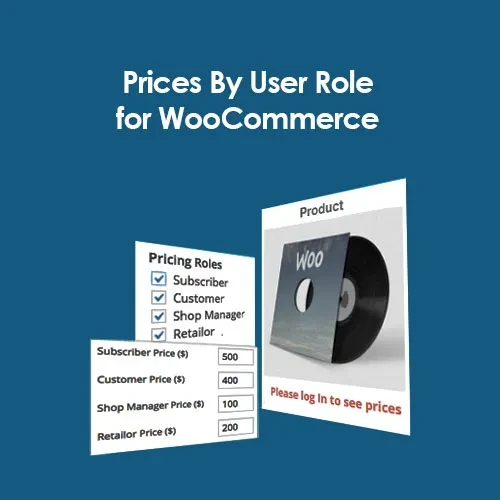
Prices By User Role for WooCommerce provides an easy way to create customer-specific pricing within your online store. Store administrators can assign unique product prices to different WordPress user roles, making it possible to build separate pricing levels for wholesalers, retailers, members, registered customers, or other customer groups. The plugin can also control which users are allowed to view product prices and purchase products. You can hide prices or disable the Add to Cart option for selected roles, making it particularly useful for B2B stores, wholesale websites, private shopping areas, and membership-based businesses.
Prices By User Role for WooCommerce (GPL) Feature Highlights 👥 Role-based product pricing — assign different prices according to customer roles. 💰 Flexible customer pricing — create wholesale, retail, member, and other pricing levels. 🔒 Price visibility controls — hide product prices or the Add to Cart button from selected users. 📊 Dynamic pricing rules — manage different pricing structures without custom programming. ⚡ WooCommerce integration — works directly with your existing WooCommerce store. 🌍 Ideal for B2B and wholesale stores — suitable for membership websites and customer-specific pricing. 📱 Responsive compatibility — designed to work smoothly with modern WooCommerce themes. 🚀 GPL licensed — flexible site usage with lifetime updates. Detailed Overview Prices By User Role for WooCommerce provides an easy way to create customer-specific pricing within your online store. Store administrators can assign unique product prices to different WordPress user roles, making it possible to build separate pricing levels for wholesalers, retailers, members, registered customers, or other customer groups. The plugin can also control which users are allowed to view product prices and purchase products. You can hide prices or disable the Add to Cart option for selected roles, making it particularly useful for B2B stores, wholesale websites, private shopping areas, and membership-based businesses. With role-specific pricing managed directly through WooCommerce, store owners can create a flexible pricing strategy without having to manually modify product prices for individual customers. Comparison Table Feature Prices By User Role Standard WooCommerce Role-Based Pricing ✔️ Different prices for customer roles ❌ Standard product pricing Price Visibility Control ✔️ Hide prices by role ❌ Not included Multiple Pricing Levels ✔️ Multiple customer groups ❌ Limited Add to Cart Restrictions ✔️ Role-based control ❌ Not available by default GPL License ✔️ Unlimited usage ❌ Restricted Installation Guide Download Prices By User Role for WooCommerce (GPL) from 5ivecode.com. Sign in to your WordPress administration area. Navigate to Plugins → Add New → Upload Plugin. Upload the plugin ZIP package. Select Install Now and activate the plugin. Open WooCommerce → Settings → Pricing by User Role. Create pricing rules for the required customer roles. Save the settings and test the pricing with different user accounts.
Get Support
Please Sign In to contact our support.