🎃 Halloween Sale — Scary Good Deals, Up to 20% OFF! Don't be spooked by these prices — grab them before they disappear at midnight.
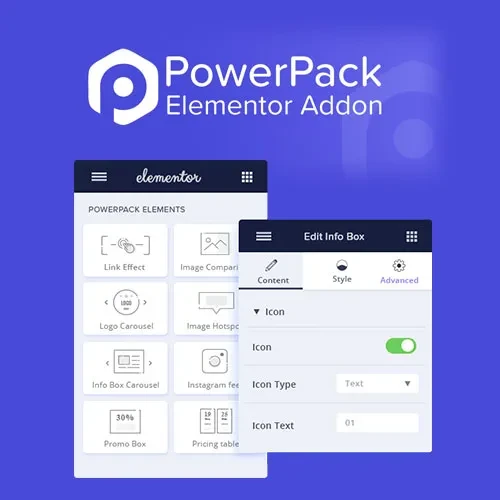
PowerPack Elements for Elementor is a feature-rich addon designed to extend the Elementor page builder with additional widgets, creative design elements, and customization options. It helps WordPress website owners and designers build professional-looking pages with more flexibility while working within Elementor's visual editing environment. Whether you are developing a business website, portfolio, online store, blog, or agency website, PowerPack Elements provides additional design tools for presenting content, showcasing images, building layouts, and enhancing page functionality. Its collection of widgets and responsive design controls can help streamline website creation and support a consistent visual experience across different devices.
PowerPack Elements for Elementor – Advanced WordPress Widgets and Design Addon
PowerPack Elements for Elementor is a feature-rich addon designed to extend the Elementor page builder with additional widgets, creative design elements, and customization options. It helps WordPress website owners and designers build professional-looking pages with more flexibility while working within Elementor's visual editing environment.
Whether you are developing a business website, portfolio, online store, blog, or agency website, PowerPack Elements provides additional design tools for presenting content, showcasing images, building layouts, and enhancing page functionality. Its collection of widgets and responsive design controls can help streamline website creation and support a consistent visual experience across different devices.
Advanced Elementor Widgets – Extend Elementor with additional widgets for building and customizing website pages.
Creative Design Elements – Enhance page layouts with visual components and styling options for different design requirements.
Content Carousel Widgets – Present selected content in carousel layouts where supported by the available widgets.
Image and Gallery Widgets – Display images and visual collections using customizable presentation options.
Advanced Form Widgets – Add supported form-related elements to create more flexible page layouts and user interaction experiences.
WooCommerce Widgets – Customize supported online store content and product presentations on compatible WooCommerce websites.
Post and Content Widgets – Display blog posts and other supported content in organized layouts.
Popup and Off-Canvas Elements – Create supported popup or off-canvas content experiences for additional information and interface elements.
Customizable Widget Presets – Use available preset designs to simplify widget styling and maintain a consistent appearance.
Responsive Design Controls – Adjust supported layout and styling settings for desktop, tablet, and mobile screens.
Display Conditions – Configure element visibility using the display rules available in your installed version.
Seamless Elementor Integration – Access supported addon widgets within the Elementor editing workflow.
PowerPack Elements adds design components that can help you create distinctive website sections without building every element from scratch. Use the available widgets to organize content, improve presentation, and customize page layouts according to your project requirements.
Image, gallery, and carousel widgets provide additional ways to present visual content and featured information. These elements can be useful for portfolios, product highlights, service showcases, and editorial websites.
Post and content widgets help you display supported website content in structured layouts. Depending on the widget configuration, you can organize content to make important information easier for visitors to browse.
For compatible WooCommerce websites, supported store widgets can help customize product-related content and improve how items are presented. The available elements depend on the installed addon version and its WooCommerce integration.
Supported form widgets, popups, and off-canvas elements can provide additional ways to present information and support visitor interaction. Configure these elements to suit your website's layout and usability requirements.
Responsive controls help you adjust supported widget settings for different screen sizes. Preview your pages on desktop, tablet, and mobile devices to ensure content remains readable and easy to navigate.
This addon can be useful for:
WordPress website designers and developers
Freelance web designers
Digital marketing agencies
Business and corporate websites
WooCommerce store owners
Portfolio and creative websites
Bloggers and online publishers
Website owners seeking additional Elementor widgets
Log in to your WordPress administration dashboard.
Navigate to Plugins → Add New Plugin.
Search for PowerPack Elements for Elementor if it is available through your installation source, or upload the plugin package obtained from the relevant provider.
Install and activate the addon.
Ensure Elementor is installed and activated, along with WooCommerce if you intend to use supported store widgets.
Open a page using the Elementor editor.
Browse the available PowerPack widgets and add the required elements to your layout.
Customize widget content, styling, and responsive settings.
Configure supported display conditions or interactive elements as needed.
Preview the finished page across different devices before publishing.
Installation requirements, widget availability, licensing, and compatibility may vary depending on the addon version and the other plugins installed on your website
Get Support
Please Sign In to contact our support.