Exclusive Coupon — Use Code SAVE10 for Instant Savings! Apply at checkout for your special discount. Limited uses — grab it while you can.
The PayPal Pro Payment Module for WooCommerce enables merchants to accept major credit and debit card payments directly through their WooCommerce checkout using PayPal Pro. Customers can complete the payment process without being redirected to the PayPal website, creating a more integrated checkout flow. The plugin supports features such as PayPal Pro API integration, refunds, voids, recurring payments through supported WooCommerce Subscriptions setups, and multiple currencies. Available from 5ivecode.com with lifetime free updates and limited email support.
PayPal Pro Payment Module for WooCommerce – GPL Payment Gateway Plugin
The PayPal Pro Payment Module for WooCommerce enables merchants to accept major credit and debit card payments directly through their WooCommerce checkout using PayPal Pro. Customers can complete the payment process without being redirected to the PayPal website, creating a more integrated checkout flow.
The plugin supports features such as PayPal Pro API integration, refunds, voids, recurring payments through supported WooCommerce Subscriptions setups, and multiple currencies. Available from 5ivecode.com with lifetime free updates and limited email support.
Direct Store Checkout – Allow customers to enter their payment details and complete eligible card transactions without leaving your website.
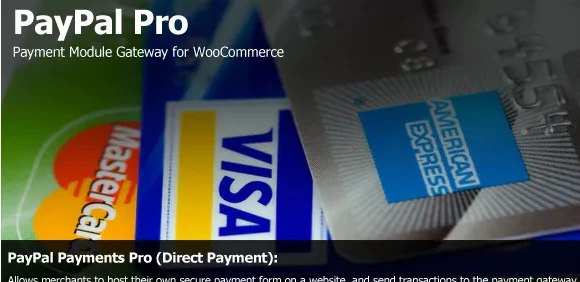
Major Card Support – Accept supported credit and debit cards, including Visa, Mastercard, American Express, Discover, and other cards enabled by your PayPal Pro account.
PayPal Pro API Integration – Connect your WooCommerce store with PayPal Pro for payment processing through the gateway API.
Secure Payment Workflow – Supports SSL-enabled checkout environments and PayPal's payment infrastructure. PCI DSS responsibilities depend on your hosting, configuration, integration method, and overall store environment.
Refund and Void Management – Manage supported refunds and transaction voids from the WooCommerce administration area.
Recurring Payment Support – Can work with compatible WooCommerce Subscriptions configurations for recurring billing.
Multiple Currency Support – Process supported currencies according to your PayPal Pro account and WooCommerce configuration.
GPL Licensing – Install and use the GPL-licensed plugin across multiple WooCommerce stores and applicable client projects according to GPL terms.
The PayPal Pro Payment Module for WooCommerce is designed for stores that want to provide a card-based checkout experience while keeping customers on their own website.
Instead of sending shoppers to an external PayPal checkout page, the PayPal Pro gateway can provide an on-site payment workflow where supported card details are entered during WooCommerce checkout. This can help create a more consistent experience between the store's product pages, cart, and payment step.
The plugin also provides administrative functionality for supported refunds and voids, while compatible WooCommerce Subscriptions configurations can be used for recurring billing. Multi-currency capabilities depend on the currencies supported by your PayPal Pro account and store configuration.
Feature | PayPal Pro Payment Module | Standard PayPal Checkout |
|---|---|---|
Checkout Location | Payment can be completed on the store | Customers may be redirected to PayPal |
Card Payments | Supported through PayPal Pro | Supported according to PayPal checkout options |
PayPal Pro API | Yes | No |
Recurring Billing | Supported with compatible subscription setup | Depends on the PayPal integration and subscription configuration |
Refunds | Supported through WooCommerce for compatible transactions | Available according to the PayPal integration |
Multiple Currencies | Supported currencies | Supported currencies |
Checkout Experience | Integrated with WooCommerce checkout | Uses PayPal's checkout flow |
Obtain the PayPal Pro Payment Module for WooCommerce GPL plugin from 5ivecode.com.
Log in to your WordPress administration dashboard.
Navigate to Plugins → Add New → Upload Plugin and upload the plugin ZIP file.
Activate the plugin after installation.
Open WooCommerce → Settings → Payments and select the PayPal Pro payment method.
Enter the PayPal Pro credentials and API information required by your account.
Configure supported payment options, currencies, and other available gateway settings.
Save the configuration.
Perform test transactions using the appropriate testing or sandbox environment before accepting live payments.
Get Support
Please Sign In to contact our support.