🎃 Halloween Sale — Scary Good Deals, Up to 20% OFF! Don't be spooked by these prices — grab them before they disappear at midnight.
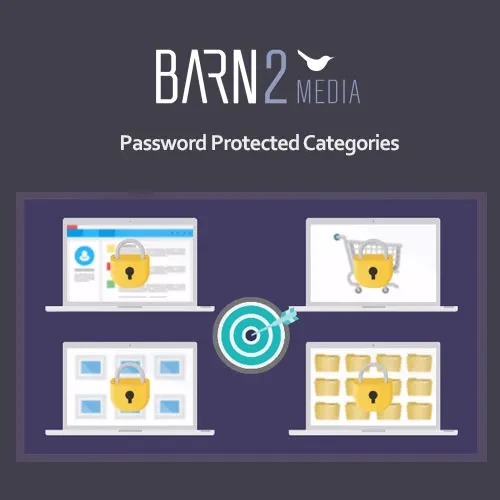
Password Protected Categories is a WordPress access-control plugin designed to restrict groups of content at the category level. Instead of protecting individual posts or products one by one, you can apply access rules to an entire category and manage who can view the associated content. The plugin can be useful for WooCommerce private product catalogs, wholesale stores, customer-only sections, membership websites, client portals, internal resources, and restricted content areas.
Password Protected Categories (GPL) Password Protected Categories is a WordPress access-control plugin designed to restrict groups of content at the category level. Instead of protecting individual posts or products one by one, you can apply access rules to an entire category and manage who can view the associated content. The plugin can be useful for WooCommerce private product catalogs, wholesale stores, customer-only sections, membership websites, client portals, internal resources, and restricted content areas. Depending on the supported configuration, access can be controlled using passwords, user roles, or private visibility settings. Protected areas can also be excluded from selected site discovery locations, helping merchants keep restricted content away from normal navigation and search interfaces. The package available through 5ivecode.com is distributed under the GNU General Public License (GPL) and includes lifetime free updates with limited email support, subject to the applicable offering terms. ✨ Feature Highlights 🔐 Protect complete categories with password-based access 👥 Restrict categories according to supported user roles 👤 Limit content to logged-in or authorized users 🛍️ Apply protection to WooCommerce product categories 📝 Protect categories containing WordPress posts 🧩 Support selected custom post type content 🙈 Hide restricted categories from supported menus, widgets, and search areas 🎨 Customize the password-protection interface with your branding 💬 Add customized messages for visitors 🏪 Create private WooCommerce product catalogs 🤝 Useful for wholesale and customer-specific product areas 🌐 Suitable for WordPress multisite environments where supported ♾️ GPL-based usage according to the applicable license terms 🔄 Lifetime free updates and limited email support from 5ivecode.com 📖 Detailed Overview Managing restricted content can become difficult when every individual post or product has to be protected separately. Password Protected Categories provides a category-level approach, allowing administrators to establish access rules for groups of related content. Once a category has been configured, visitors can be required to provide the appropriate password or meet the configured access conditions before viewing protected content. 🔐 Category-Level Protection Instead of applying restrictions individually to dozens or hundreds of posts, products, or other content items, category-based protection lets you manage access from a centralized location. This can be particularly useful when an entire collection of content should have the same visibility rules. 🛍️ WooCommerce Product Protection WooCommerce store owners can use category-level restrictions for product collections that should only be available to selected customers. Common examples include: Wholesale product catalogs Distributor-only products Customer-specific collections Private product ranges Members-only products Internal product catalogs Limited-access promotional collections 👥 Role-Based Access Where supported by the plugin configuration, access can be controlled according to WordPress user roles. This can be useful when different groups of registered users need different levels of access. For example, a private category could be made available only to users assigned to a particular role. 🙈 Restricted Content Visibility Protected categories can be configured to remain out of selected navigation and discovery areas, such as menus, widgets, or search results, depending on the plugin's functionality and configuration. This provides a cleaner experience for visitors who should not normally see restricted content. Important: Hiding a category from navigation or search should not be treated as a complete security mechanism by itself. For sensitive information, access restrictions and the site's overall WordPress security configuration should be properly tested. 🎨 Branded Access Page The password-entry experience can be customized to better match the visual identity of your website. Add appropriate branding, messaging, and styling so the restricted area feels like part of the main site. 🧩 WordPress Content Flexibility The plugin can be useful beyond WooCommerce. Depending on the supported post types and configuration, category-based protection can also be applied to standard WordPress content and compatible custom post type structures.
Get Support
Please Sign In to contact our support.