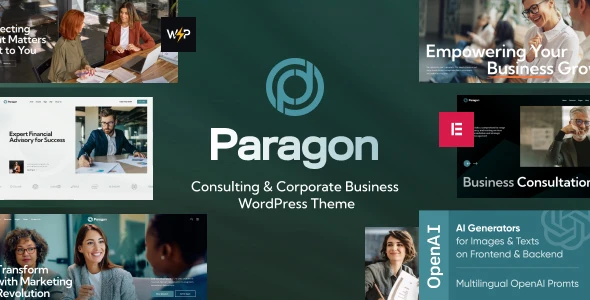
What is Paragon – Consulting & Corporate Business WordPress Theme?
Paragon – Consulting & Corporate Business WordPress Theme
Paragon is a versatile and professionally designed WordPress theme developed for business consultants, corporate organizations, financial professionals, digital agencies, startups, and B2B service providers. It offers a structured and elegant website foundation to communicate your business expertise, promote services, present successful projects, introduce team members, and build customer confidence. Whether you are creating a website for your own company or developing websites for clients, Paragon provides a flexible starting point for establishing a strong professional online presence.
Feature Highlights
Professional Corporate Design: Build an impressive business website for consulting firms, agencies, startups, and established companies.
Business Service Presentation: Organize consulting solutions, professional services, company expertise, and business offerings into clear sections.
Conversion-Focused Layouts: Encourage visitors to request consultations, submit inquiries, and explore your business services.
Responsive Website Design: Deliver a consistent browsing experience across desktops, tablets, and smartphones.
Multi-Industry Flexibility: Adapt the theme for financial services, marketing agencies, technology businesses, management consultants, and corporate organizations.
Professional Trust Elements: Display customer feedback, company achievements, team expertise, credentials, and project experience.
Developer-Friendly Structure: Use it as a foundation for creating customized corporate websites and professional WordPress projects.
Lifetime Free Updates: Get lifetime free updates from 5ivecode.com, subject to product availability, compatibility, and applicable licensing terms.
Detailed Overview
Paragon – Consulting & Corporate Business WordPress Theme provides a professional website solution for businesses that want to communicate their expertise, services, and organizational strengths effectively.
A well-designed corporate website helps potential customers understand your business, discover available services, evaluate your experience, and connect with your team. Paragon offers a business-oriented design foundation that helps arrange these essential elements into an organized and engaging website.
This theme can be used for business consulting companies, financial advisors, corporate agencies, marketing firms, technology companies, management consultants, startups, professional service providers, and B2B organizations. Personalize your website with your brand identity, service descriptions, company profile, project galleries, team information, testimonials, and contact details.
Present your business offerings through clearly arranged content sections, explain your professional capabilities, highlight completed projects, and guide visitors toward important actions such as requesting a consultation or submitting an inquiry.
For WordPress developers and digital agencies, Paragon can serve as a convenient foundation for corporate website development. You can extend your projects with compatible plugins, additional functionality, custom content sections, CRM connections, analytics tools, booking features, and multilingual solutions according to client requirements.
For better SEO, GEO, and E-E-A-T performance, complement the theme with valuable business content, detailed service descriptions, original case studies, professional biographies, company credentials, informative articles, and customer success stories. Implement descriptive headings, internal links, structured data where relevant, and clear navigation. Search engine rankings and AI search visibility depend on content quality, technical optimization, website authority, and other factors rather than the theme alone.
Comparison Table
Feature | Paragon | Custom Development | Generic WordPress Theme |
|---|
Corporate Business Focus | ✓ | Requires planning | Varies |
Consulting Website Presentation | ✓ | Requires design | Varies |
Service and Solution Sections | ✓ | Requires development | Varies |
Project and Portfolio Content | ✓ | Requires setup | Varies |
Team and Company Information | ✓ | Requires planning | Varies |
Responsive Design Approach | ✓ | Requires implementation | Varies |
Brand Customization | ✓ | ✓ | ✓ |
Lifetime Free Updates | ✓ | Depends on provider | Depends on provider |
This comparison provides a general overview. Actual functionality, customization capabilities, and licensing conditions may differ between products.
Installation Guide
Prepare Your Website: Make sure WordPress is installed and create a full website backup before proceeding.
Review Compatibility: Check the product documentation for supported WordPress versions, PHP requirements, and recommended plugins.
Upload the Theme: Open your WordPress dashboard, navigate to Appearance → Themes, and upload the Paragon installation package.
Activate Paragon: Complete the installation and activate the theme from your WordPress dashboard.
Configure Required Plugins: Install and enable any additional plugins or companion components specified in the documentation.
Import Demo Content: If starter templates or demo files are provided, follow the available import instructions.
Personalize Your Website: Add your company logo, brand colors, business information, services, team profiles, project images, and contact details.
Review Before Launch: Test website navigation, contact forms, mobile layouts, loading speed, accessibility, and SEO settings before publishing.