Exclusive Coupon — Use Code SAVE10 for Instant Savings! Apply at checkout for your special discount. Limited uses — grab it while you can.
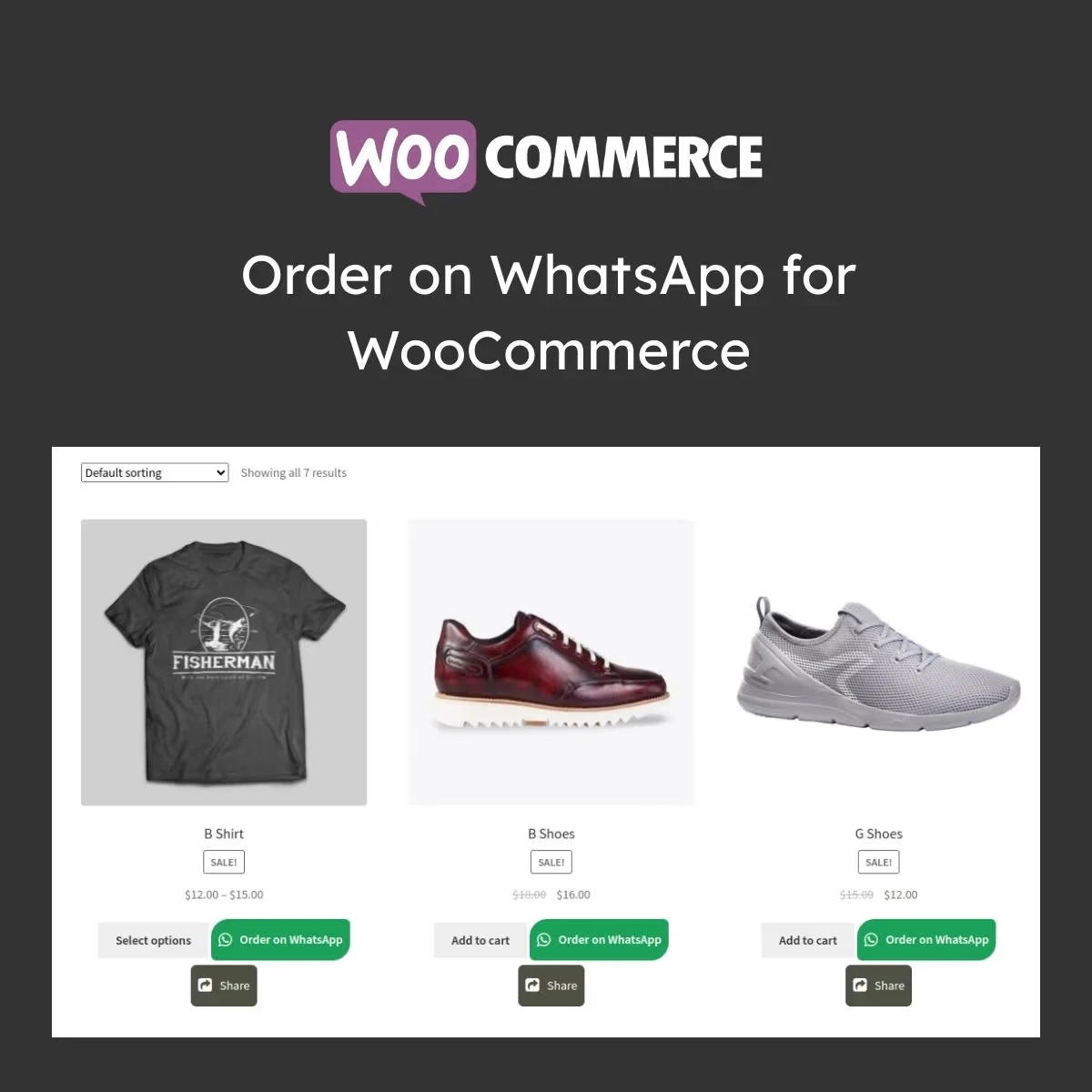
Order on WhatsApp for WooCommerce provides a convenient way for customers to contact your store and submit purchase requests through WhatsApp. By adding a WhatsApp ordering option to your WooCommerce products, the plugin can simplify the purchasing process, encourage direct customer communication, and create another sales channel for your online store.
Order on WhatsApp for WooCommerce Order on WhatsApp for WooCommerce provides a convenient way for customers to contact your store and submit purchase requests through WhatsApp. By adding a WhatsApp ordering option to your WooCommerce products, the plugin can simplify the purchasing process, encourage direct customer communication, and create another sales channel for your online store. 📲 Key Features ✔️ Add an Order via WhatsApp button to product pages ✔️ Send customers directly to a WhatsApp conversation ✔️ Works with WooCommerce products ✔️ Customize button labels and appearance ✔️ Responsive design for mobile, tablet, and desktop ✔️ Automatically include product and cart details in messages ✔️ Lightweight implementation designed for good performance ✔️ Easy integration with WordPress and WooCommerce themes 📘 Detailed Overview Order on WhatsApp for WooCommerce is designed for businesses that want to offer customers a faster and more personal way to place purchase requests. Rather than requiring every shopper to complete the standard checkout process, customers can use a WhatsApp button to start a conversation with the store. When a shopper selects the WhatsApp ordering option, relevant product information can be prepared within the message. The store owner can then communicate with the customer, answer questions, confirm product availability, discuss delivery details, and complete the order through the business's normal sales process. This approach can be particularly useful for businesses that prefer direct customer communication, including fashion stores, electronics retailers, food businesses, local shops, service providers, and other WooCommerce websites. The plugin is designed with a responsive and lightweight approach so customers can access the ordering option comfortably from mobile devices as well as desktop computers. It integrates with WooCommerce and can be used alongside many modern WordPress themes. 📊 Comparison Feature WhatsApp Ordering Standard Checkout Ordering Process ✅ Direct WhatsApp conversation ⚠️ Multiple checkout steps Customer Communication ✅ Direct interaction with the store ⚠️ Usually handled separately Setup ✅ Simple configuration ⚠️ Requires conventional checkout setup Mobile Experience ✅ Designed for mobile users ⚠️ Depends on checkout design Product Information ✅ Can be included in the WhatsApp message ✅ Available within checkout Customer Support ✅ Conversation-based assistance ⚠️ Separate communication may be required ⚙️ Installation Guide Download the Order on WhatsApp for WooCommerce ZIP package. Log in to your WordPress Dashboard. Navigate to Plugins → Add New. Select Upload Plugin and choose the ZIP file. Install and activate the plugin. Open the plugin settings and enter your business WhatsApp number. Configure the button text and visual appearance. Customize the product information included in the WhatsApp message. Save your settings. Visit a product page and test the WhatsApp ordering button. 🔐 Licensing Information This product is distributed under the GPL (General Public License), allowing usage across multiple websites in accordance with the applicable GPL terms. 5ivecode.com provides lifetime free updates and limited email assistance for installation and basic configuration.
Get Support
Please Sign In to contact our support.