🎃 Halloween Sale — Scary Good Deals, Up to 20% OFF! Don't be spooked by these prices — grab them before they disappear at midnight.
Ninja Tables Pro is a WordPress table-building solution designed to help website owners create, organize, customize, and display structured information in an easy-to-read format. It provides tools for presenting product details, pricing information, business directories, reports, comparisons, and other data through customizable tables. Whether you manage a business website, WooCommerce store, blog, directory, or data-focused website, Ninja Tables Pro can help you organize information into clear and accessible table layouts. Its features include responsive table designs, sorting and filtering, pagination, search functionality, CSV import and export, and WooCommerce product table support.
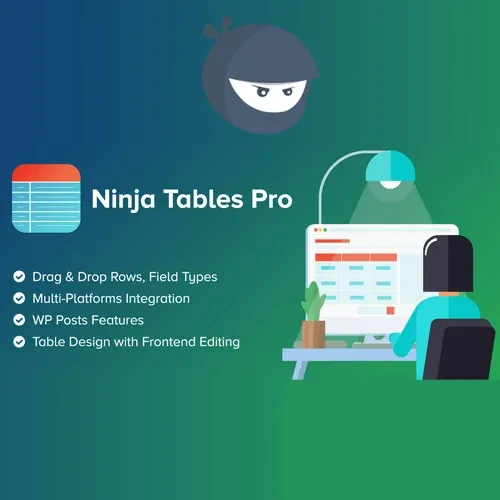
Ninja Tables Pro – Advanced WordPress Data Table Plugin
Ninja Tables Pro is a WordPress table-building solution designed to help website owners create, organize, customize, and display structured information in an easy-to-read format. It provides tools for presenting product details, pricing information, business directories, reports, comparisons, and other data through customizable tables.
Whether you manage a business website, WooCommerce store, blog, directory, or data-focused website, Ninja Tables Pro can help you organize information into clear and accessible table layouts. Its features include responsive table designs, sorting and filtering, pagination, search functionality, CSV import and export, and WooCommerce product table support.
By using structured tables, you can make information easier for visitors to browse, compare, and understand across different devices.
Advanced Data Tables – Create organized tables for displaying structured information across your website.
Responsive Table Design – Present table content in layouts designed to accommodate different screen sizes.
Drag-and-Drop Table Builder – Arrange supported table elements using a visual table-building interface.
Sorting and Filtering – Help visitors organize and narrow down table data using available sorting and filtering options.
Pagination – Divide larger datasets into manageable pages for easier navigation.
Search Functionality – Allow visitors to find relevant information within supported tables.
CSV Import and Export – Import or export table data using supported CSV workflows.
WooCommerce Product Tables – Display compatible WooCommerce product information in structured table layouts.
Custom Table Styling – Adjust supported colors, borders, spacing, and other visual properties to match your website.
Data Table Integration – Incorporate tables into supported WordPress pages and content areas.
Displaying large amounts of information in ordinary paragraphs can make content difficult to scan. Ninja Tables Pro provides a dedicated table-building workflow that helps website owners organize data into structured rows and columns.
Build tables for product specifications, service comparisons, pricing plans, contact directories, reports, and other structured content. A well-organized table can help visitors locate important details more quickly.
Sorting, filtering, pagination, and search features can make larger tables easier to explore. Depending on the table configuration, visitors can use these tools to find relevant entries without manually reviewing every row.
Responsive table options help present structured information on desktops, tablets, and mobile devices. Review your table settings and test longer rows or wide datasets to ensure that the information remains accessible on smaller screens.
CSV import and export options can help streamline table data management. Import supported datasets to populate tables and export data when needed for compatible workflows.
Always review imported data for formatting issues, missing values, and incorrect column mappings before publishing it.
For compatible WooCommerce websites, product table functionality can provide an alternative way to present product information. Structured product listings can help visitors compare available items and browse relevant details.
The exact product fields and purchasing options depend on the installed version and configuration.
Use available styling controls to align tables with your website's design. Consistent typography, spacing, borders, and colors can improve readability and create a more cohesive browsing experience.
Add supported tables to relevant website pages or content areas. This makes it easier to present structured information alongside product descriptions, articles, service details, and other website content.
Get Support
Please Sign In to contact our support.