🎃 Halloween Sale — Scary Good Deals, Up to 20% OFF! Don't be spooked by these prices — grab them before they disappear at midnight.
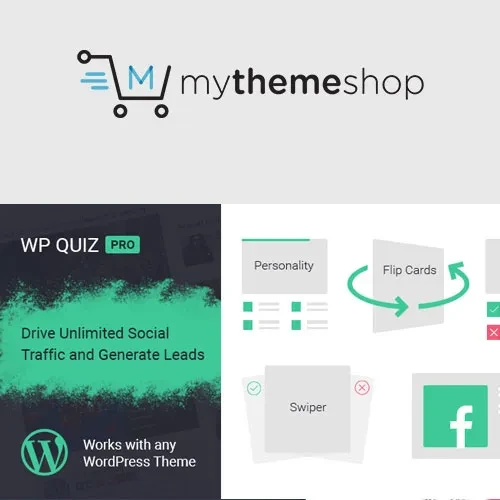
MyThemeShop WP Quiz Pro is a WordPress quiz plugin designed to help website owners create interactive quizzes, trivia challenges, personality tests, polls, and surveys. It provides tools for building engaging quiz experiences that encourage visitors to participate, explore website content, and share their results with others. Whether you manage a blog, entertainment website, educational platform, online magazine, or business website, WP Quiz Pro can help you introduce interactive content that complements your publishing strategy. With multiple quiz formats, customizable questions, image-based quizzes, scoring options, timers, and analytics features, you can create a variety of activities for your audience.
MyThemeShop WP Quiz Pro – WordPress Quiz and Interactive Content Plugin
MyThemeShop WP Quiz Pro is a WordPress quiz plugin designed to help website owners create interactive quizzes, trivia challenges, personality tests, polls, and surveys. It provides tools for building engaging quiz experiences that encourage visitors to participate, explore website content, and share their results with others.
Whether you manage a blog, entertainment website, educational platform, online magazine, or business website, WP Quiz Pro can help you introduce interactive content that complements your publishing strategy. With multiple quiz formats, customizable questions, image-based quizzes, scoring options, timers, and analytics features, you can create a variety of activities for your audience.
Multiple Quiz Types – Create different quiz formats to suit your website's content and audience.
Trivia Quizzes – Build knowledge-based quizzes that challenge visitors with questions on different subjects.
Personality Quizzes – Create quizzes that present results based on users' responses.
Polls and Surveys – Collect visitor opinions and feedback through interactive question formats.
Interactive Quiz Builder – Organize questions, answers, and quiz settings using the available quiz creation interface.
Multiple Question Formats – Use supported question types to create varied and engaging quiz experiences.
Image-Based Questions – Incorporate images into supported quiz formats to make questions more visually appealing.
Quiz Results and Scoring – Present quiz outcomes and scores according to the configured quiz rules.
Social Sharing – Encourage visitors to share quiz content or results through supported sharing options.
Responsive Quiz Designs – Display quizzes in layouts designed for different screen sizes and devices.
Timer Support – Add time-based challenges to supported quizzes where timer functionality is available.
Quiz Analytics – Review available quiz performance information to better understand audience participation.
Develop trivia challenges that test visitors' knowledge of topics such as entertainment, sports, history, technology, or general knowledge. These quizzes can add an interactive element to blog posts and other published content.
Build personality-style quizzes that guide visitors through a series of questions and present outcomes based on their answers. These formats can be useful for entertainment websites, lifestyle blogs, and interactive content campaigns.
Use supported poll and survey formats to collect audience opinions, preferences, or feedback. Interactive questions can help make content more engaging while giving website owners insight into visitor responses.
Enhance questions with visual content where supported. Image-based quizzes can be useful for identification challenges, visual trivia, educational activities, and entertainment-focused websites.
Quiz scoring helps present results based on visitors' answers, while timer functionality can introduce a time-based challenge for supported quiz formats. These features provide additional ways to structure interactive activities and encourage visitors to complete a quiz.
Interactive quizzes can give visitors content they want to share with friends and followers. With supported social-sharing functionality, you can make quiz participation more shareable and potentially increase the reach of your website content.
Quiz analytics can help you examine available participation and performance information. Use these insights to identify which quiz topics attract interest and refine future interactive content according to your website's goals.
This plugin may be suitable for:
Blogs and online magazines
Entertainment and trivia websites
Educational and learning platforms
Lifestyle and personality-test websites
Digital publishers and content creators
Marketing and audience engagement campaigns
Community websites
WordPress website owners seeking interactive content
Log in to your WordPress administration dashboard.
Navigate to Plugins → Add New Plugin.
Search for the plugin if available through your installation source, or upload the installation package obtained from the relevant provider.
Install and activate MyThemeShop WP Quiz Pro.
Open the quiz creation interface provided by the plugin.
Select a supported quiz format, such as trivia, personality quizzes, or polls.
Add your questions, answer choices, images, and scoring settings as required.
Configure available timer, result, and sharing options.
Publish the quiz and test it on desktop and mobile devices.
Review the available analytics after visitors begin participating.
Installation, activation, licensing, and feature availability may vary depending on the plugin version and provider.
Get Support
Please Sign In to contact our support.