What is MyThemeShop Newsmag WordPress Theme?
MyThemeShop Newsmag – News, Newspaper & Magazine WordPress Theme
✨ Feature Highlights of MyThemeShop Newsmag WordPress Theme
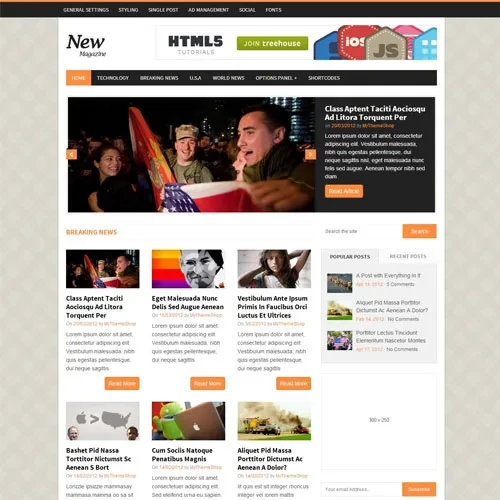
✅ Professional Editorial Layouts – Create attractive online newspapers, digital magazines, and content-driven publishing websites with organized page designs.
✅ SEO & Structured Data Support – Features search-engine-friendly code and schema markup to help search engines interpret your published articles.
✅ Advertising & Affiliate Monetization – Dedicated advertisement positions make it easier to display promotional banners, AdSense advertisements, and affiliate content.
✅ Flexible Category Sections – Organize homepage content into different sections with category-based blocks and customizable content arrangements.
✅ Mobile-Responsive Presentation – Provides a comfortable reading experience across smartphones, tablets, laptops, and desktop screens.
✅ WooCommerce Compatibility – Expand your publishing website with an online shop for merchandise, subscriptions, and digital products.
✅ Customizable Theme Settings – Manage typography, color combinations, and supported page layouts through the theme options panel without requiring coding skills.
✅ Lifetime Free Updates – Access future theme package updates, with limited email support from 5ivecode.com.
📖 Detailed Product Overview
MyThemeShop Newsmag WordPress Theme is a feature-rich publishing theme developed for online newspapers, digital magazines, news portals, and editorial content websites. Its organized page structures and content-focused presentation help publishers display articles, headlines, and featured stories in an appealing and easy-to-navigate format.
Newsmag provides flexible category arrangements that allow website owners to organize different topics and publication sections. Its responsive design helps readers access content conveniently from various devices, while its typography and layout customization options offer greater control over the website's appearance.
For publishers interested in generating online revenue, the theme offers advertising placement options suitable for AdSense and affiliate promotions. It also includes SEO-oriented features, schema markup support, and WooCommerce compatibility to support different publishing and business requirements.
Distributed under the GNU General Public License (GPL), the package from 5ivecode.com provides customization flexibility and unlimited website usage. It also includes lifetime free updates and limited email assistance.
📊 MyThemeShop Newsmag – Feature Comparison
Feature | Newsmag Theme | Basic WordPress Themes |
|---|
Newspaper & Magazine Layouts | ✔ Editorial-focused page structures | ✘ Standard blog layouts |
Advertising & Affiliate Options | ✔ Dedicated promotional positions | ✘ Requires additional configuration |
Category-Based Organization | ✔ Flexible homepage content sections | ✘ Limited content arrangements |
SEO & Schema Support | ✔ Structured markup integration | ✘ Basic SEO features |
Website Performance | ✔ Performance-focused design | ✘ May contain unnecessary resources |
GPL & Updates | ✔ GPL distribution with lifetime updates | ✘ May require recurring update fees |
⚙️ Installation Guide
Log in to your 5ivecode.com account and download the MyThemeShop Newsmag GPL theme ZIP package.
Open your WordPress administration dashboard.
Navigate to Appearance → Themes → Add New.
Click Upload Theme and select the downloaded Newsmag ZIP file.
Press Install Now to install the theme.
Once installation is complete, click Activate.
If demo content is provided, import it to get started with a sample news portal layout.
Access the Theme Options Panel to configure typography, colors, advertising areas, and category sections.
Install and configure WooCommerce if you plan to sell products, merchandise, or digital downloads.