What is MyThemeShop Emerald WordPress Theme?
MyThemeShop Emerald – Multipurpose WordPress Theme
✨ Feature Highlights of MyThemeShop Emerald WordPress Theme
✅ Versatile Website Design – Suitable for creating blogs, online magazines, creative portfolios, and professional business websites.
✅ Search Engine Optimization Support – Features structured code and schema markup to help search engines understand your website content.
✅ Advertising & Affiliate Monetization – Includes dedicated advertising spaces for displaying promotional banners and affiliate campaigns.
✅ WooCommerce Integration – Create an online shopping platform with theme-styled product displays and store pages.
✅ Responsive & High-Resolution Display – Delivers an adaptable design across smartphones, tablets, desktops, and retina screens.
✅ Flexible Design Settings – Personalize website colors, font styles, and page arrangements through the theme customization options.
✅ Performance-Focused Structure – Uses a lightweight design approach to support faster page loading and improved website performance.
✅ Lifetime Free Updates – Receive ongoing theme package updates, along with limited email support from 5ivecode.com.
📖 Detailed Product Overview
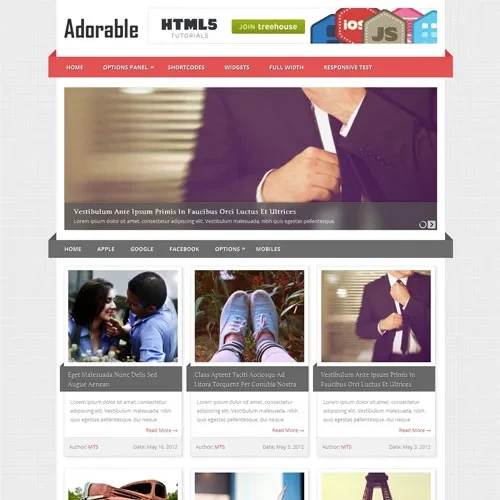
MyThemeShop Emerald WordPress Theme is a versatile website design solution created for bloggers, digital publishers, creative professionals, and business owners. Its refined appearance, well-organized layouts, and attractive typography help present website content in a professional and visually appealing manner.
Emerald combines flexible customization settings with useful features for website management and monetization. Whether you are publishing articles, showcasing creative projects, promoting business services, or building an online store, this theme provides a flexible starting point for different website requirements.
The theme also offers SEO-oriented features, schema markup support, advertising placement options, and WooCommerce compatibility. Its responsive layout helps maintain a consistent browsing experience across different screen sizes.
Distributed under the GNU General Public License (GPL), the package available from 5ivecode.com provides customization flexibility, unlimited website usage, and lifetime free updates, along with limited email assistance.
📊 MyThemeShop Emerald – Feature Comparison
Feature | Emerald Theme | Basic WordPress Themes |
|---|
Multipurpose Layouts | ✔ Flexible designs for different niches | ✘ Restricted layout choices |
Advertising & Affiliate Options | ✔ Dedicated promotional areas | ✘ Additional setup may be needed |
SEO & Schema Features | ✔ Structured markup support | ✘ Limited built-in features |
WooCommerce Compatibility | ✔ Styled shop layouts | ✘ Limited store integration |
Website Performance | ✔ Lightweight design approach | ✘ May contain unnecessary assets |
GPL & Updates | ✔ GPL distribution with lifetime updates | ✘ May involve recurring update costs |
⚙️ Installation Guide
Sign in to your 5ivecode.com account and download the MyThemeShop Emerald GPL theme ZIP package.
Open your WordPress administration dashboard.
Navigate to Appearance → Themes → Add New.
Select Upload Theme to upload the downloaded ZIP file.
Click Install Now and wait until the installation is completed.
Select Activate to apply Emerald to your WordPress website.
If demo content is included, import it to use the sample website layout as a starting point.
Open the Theme Options Panel to configure your preferred colors, fonts, and page layouts.
Install and configure WooCommerce if you want to add shopping functionality to your website.