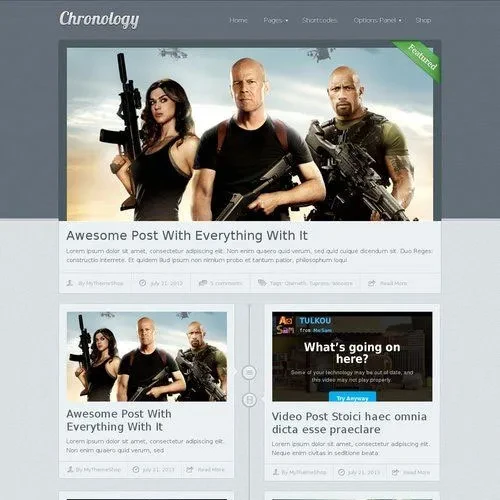
MyThemeShop Chronology provides a collection of flexible design tools and publishing features for bloggers, journalists, writers, and digital storytellers.
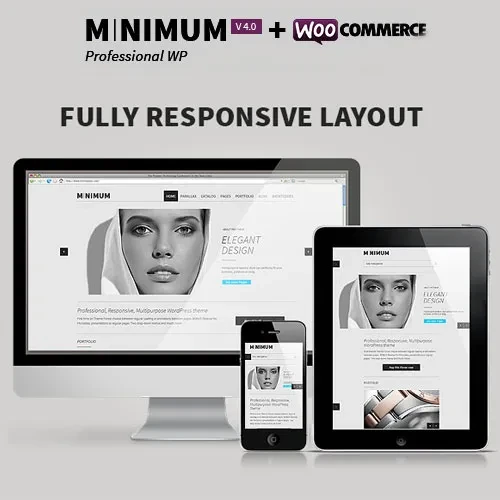
Responsive Website Layout – Automatically adjusts page elements to provide a comfortable viewing experience on desktops, tablets, and smartphones.
SEO-Friendly Structure – Developed with search engine accessibility and optimized content presentation in mind.
Quick Demo Import – Get your website started by importing ready-made demo content through a simple one-click process.
Custom Widget Options – Enhance different website areas with configurable widgets and additional content elements.
Advanced Theme Settings Panel – Manage important design preferences and website configurations from a centralized dashboard.
Translation-Ready Framework – Prepare your website for multilingual publishing and audiences from different regions.
Flexible Color Customization – Personalize website elements with a variety of colors to match your preferred design.
Custom CSS Editor – Add your own styling rules to modify the appearance of website components.
Performance-Oriented Design – Developed with attention to efficient loading and overall website performance.
Typography Customization – Adjust font appearance and text presentation to create a consistent reading experience.
Google Fonts Compatibility – Choose from supported Google Fonts to personalize headings and website text.
Custom Header Settings – Modify header elements and layout according to your website requirements.
Flexible Footer Configuration – Organize footer content and adjust its appearance to complement your website.
Custom Blog Layouts – Configure article presentation and blog display settings to suit your publishing style.
Social Media Connectivity – Connect your website with social networking platforms to extend content sharing opportunities.
Fixed Header Functionality – Keep the main navigation header accessible as visitors move through your pages.
Personalized Navigation Menus – Organize website links into convenient navigation structures.
Built-In Advertisement Management – Configure and manage advertising placements through the integrated ad management system.
Contact Form Compatibility – Provide visitors with a convenient way to send messages and inquiries.
Mailchimp Integration – Connect newsletter marketing functionality to support email subscriber management.
Child Theme Compatibility – Extend website styling and functionality using a separate child theme.
Custom Homepage Sections – Arrange homepage content areas to create a layout that suits your publishing needs.
Engaging Hero Section – Build an attractive introductory area to highlight featured stories and important website content.
About Section Customization – Introduce your publication, personal background, editorial team, or website purpose.
Portfolio Presentation – Showcase selected projects, creative work, and professional achievements.
Homepage Blog Display – Feature articles and published stories in a dedicated homepage section.
Custom Footer Widgets – Add useful information, links, and other content elements to footer areas.
Configurable Sidebar Widgets – Personalize sidebars with additional content and supporting website elements.
Shortcode Functionality – Insert supported content components and design elements using available shortcodes.
Call-to-Action Area – Create dedicated sections that encourage readers to explore content or perform specific actions.
Custom Gallery Section – Organize and showcase photographs and other visual materials.
Pricing Information Display – Present pricing details, subscription plans, or service packages in a structured layout.
Testimonial Presentation – Highlight reader feedback, customer reviews, and other testimonials.
Instagram Feed Integration – Incorporate Instagram-related content into your website presentation.
Related Article Recommendations – Display similar posts to help readers discover additional stories and publications.
Author Profile Section – Include writer biographies and contributor information alongside published content.
Newsletter Subscription Form – Give readers an option to subscribe to your newsletter and receive future updates.
Multiple Publishing Formats – Present content using Standard, Video, Audio, Gallery, Link, and Quote post formats.
Chronological Timeline Display – Organize published articles and stories along a timeline based on their chronological order.
Flexible Timeline Layouts – Adjust the timeline presentation to match your preferred website appearance.
Timeline Color & Typography Settings – Personalize timeline colors and font styles for a consistent visual design.