Exclusive Coupon — Use Code SAVE10 for Instant Savings! Apply at checkout for your special discount. Limited uses — grab it while you can.
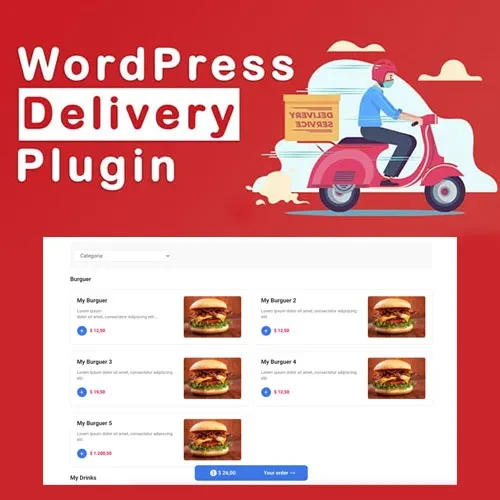
MyD Delivery Pro is a feature-rich WordPress delivery management solution designed for restaurants, courier businesses, logistics companies, and WooCommerce stores. It helps businesses organize delivery operations, manage drivers, define service areas, monitor orders, and keep customers informed throughout the delivery process. With tools for delivery tracking, driver assignment, zone-based pricing, notifications, and WooCommerce integration, MyD Delivery Pro can help simplify day-to-day delivery workflows and provide a better customer experience.
MyD Delivery Pro – WordPress Delivery & Logistics Plugin MyD Delivery Pro is a feature-rich WordPress delivery management solution designed for restaurants, courier businesses, logistics companies, and WooCommerce stores. It helps businesses organize delivery operations, manage drivers, define service areas, monitor orders, and keep customers informed throughout the delivery process. With tools for delivery tracking, driver assignment, zone-based pricing, notifications, and WooCommerce integration, MyD Delivery Pro can help simplify day-to-day delivery workflows and provide a better customer experience. The plugin is available through 5ivecode.com under the GPL license, with lifetime free updates and limited email support. Feature Highlights Real-Time Delivery Tracking – Allow customers and administrators to follow delivery progress and order status. Driver Management – Organize delivery drivers and assign orders according to your workflow. Delivery Zones & Pricing – Create service areas and apply different delivery charges based on location. WooCommerce Integration – Connect delivery management with WooCommerce orders. Automated Notifications – Send delivery-related updates to customers and drivers through supported email or SMS integrations. Multi-Restaurant & Multi-Vendor Support – Suitable for food delivery platforms and marketplace-style businesses. Responsive Interface – Designed to work across desktops, tablets, and mobile devices. Flexible Configuration – Adjust delivery settings, pricing, drivers, and operational preferences to match your business requirements. Detailed Overview MyD Delivery Pro provides a centralized system for managing delivery operations from a WordPress website. Restaurants can use it to coordinate food deliveries, while eCommerce businesses can connect their WooCommerce orders with their delivery workflow. Courier and logistics businesses can also use the available management tools to organize drivers and delivery areas. Instead of handling delivery information through multiple disconnected systems, businesses can bring important delivery activities into their WordPress environment. Key areas of delivery management include: Delivery order organization Driver assignment Delivery zone configuration Location-based pricing Order status monitoring Customer notifications Driver communication WooCommerce order synchronization Multi-vendor delivery workflows Real-Time Delivery Tracking Keeping customers informed can make the delivery experience more transparent. With the available tracking functionality, customers can monitor the progress of their orders while administrators can keep track of delivery activity. This can be particularly useful for: Food delivery businesses Online retailers Courier services Local delivery companies Multi-vendor marketplaces Driver Management Managing multiple drivers becomes easier when delivery assignments are organized from a centralized system. Administrators can use the plugin's driver management features to organize delivery personnel and associate delivery orders with the appropriate driver. This can help businesses maintain a clearer overview of which deliveries are pending, assigned, or in progress. Delivery Zones & Pricing Different locations may require different delivery charges. MyD Delivery Pro allows businesses to establish delivery zones and configure pricing according to their operating model. This can be useful when creating: Local delivery areas City-based delivery zones Different pricing regions Distance or location-based charges Restaurant-specific service areas Marketplace delivery locations WooCommerce Integration For WooCommerce store owners, connecting delivery operations with online orders can make fulfillment more organized. MyD Delivery Pro can be used alongside WooCommerce to help manage delivery-related information after customers place orders. This allows businesses to build a workflow connecting: Customer Order → Delivery Assignment → Driver → Delivery Progress → Customer Updates Multi-Restaurant & Multi-Vendor Support Businesses operating food delivery marketplaces or multi-vendor websites can benefit from delivery management features designed for multiple sellers or restaurants. This makes the plugin suitable for projects such as: Restaurant marketplaces Food ordering platforms Multi-vendor WooCommerce stores Local delivery marketplaces Courier networks Community delivery services Automated Customer Notifications Keeping customers updated is an important part of delivery management. Supported notification functionality can be used to provide updates regarding order and delivery progress through email or SMS-based communication, depending on the configured integrations. Notifications can help reduce uncertainty and keep customers informed throughout the fulfillment process. Comparison: MyD Delivery Pro vs Generic Delivery Plugins Feature MyD Delivery Pro Generic Delivery Plugins Delivery Tracking ✔ Available △ Varies WooCommerce Integration ✔ Supported △ May require add-ons Driver Management ✔ Included △ Often Limited Delivery Zones ✔ Configurable △ Depends on Plugin Location-Based Pricing ✔ Supported △ Limited Multi-Restaurant Support ✔ Suitable ✖ Often Not Available Customer Notifications ✔ Supported △ Varies Responsive Interface ✔ Yes △ Depends on Plugin GPL Licensing ✔ GPL Licensed △ Varies Installation Guide Obtain the MyD Delivery Pro ZIP package from 5ivecode.com. Log in to your WordPress administration panel. Go to Plugins → Add New → Upload Plugin. Upload the MyD Delivery Pro ZIP file. Select Install Now. Activate the plugin after installation. Configure your delivery zones, pricing rules, drivers, and other available options. Connect the plugin with WooCommerce if you are running an online store. Configure supported notification services. Begin managing your delivery workflow.
Get Support
Please Sign In to contact our support.