🎃 Halloween Sale — Scary Good Deals, Up to 20% OFF! Don't be spooked by these prices — grab them before they disappear at midnight.
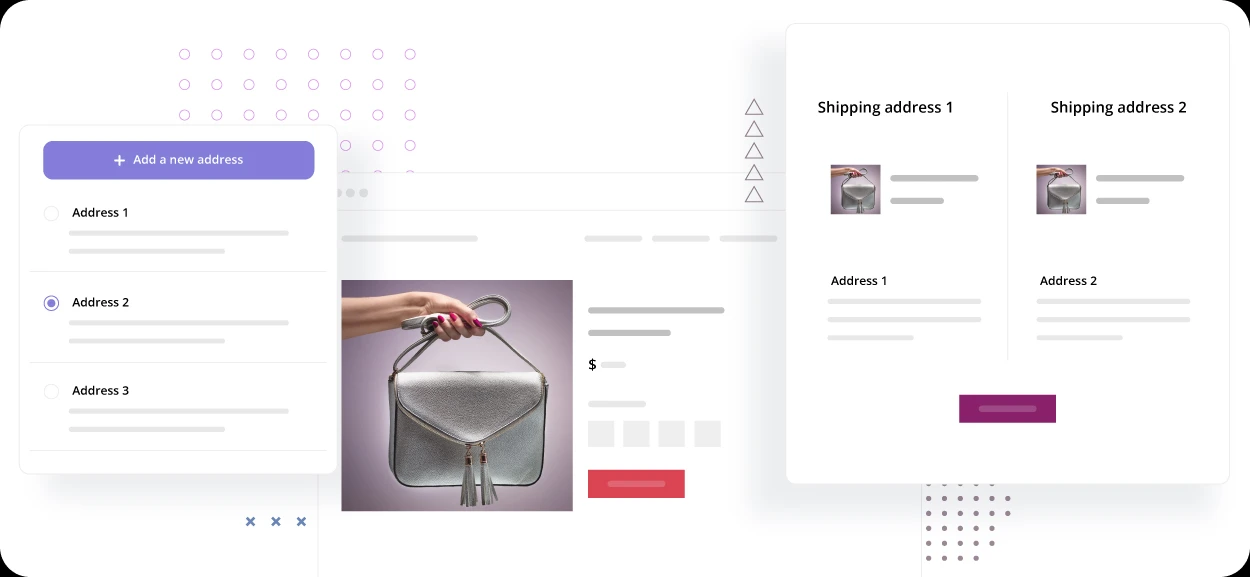
Multiple Shipping Addresses for WooCommerce Pro extends the standard WooCommerce checkout by allowing customers to distribute products from a single shopping cart across multiple delivery addresses. This can be especially useful for gift orders, family purchases, corporate gifting, wholesale customers, and bulk orders where products need to be delivered to different locations. Instead of creating several separate orders, customers can organize their items and assign them to the appropriate destinations during checkout.
Multiple Shipping Addresses for WooCommerce Pro – GPL Plugin Multiple Shipping Addresses for WooCommerce Pro extends the standard WooCommerce checkout by allowing customers to distribute products from a single shopping cart across multiple delivery addresses. This can be especially useful for gift orders, family purchases, corporate gifting, wholesale customers, and bulk orders where products need to be delivered to different locations. Instead of creating several separate orders, customers can organize their items and assign them to the appropriate destinations during checkout.
The plugin is available through 5ivecode.com under GPL distribution terms, with updates and limited email support provided according to the applicable product terms. ✨ Feature Highlights Multiple Delivery Addresses – Send products from one order to different destinations. Quantity-Based Item Distribution – Assign different quantities of the same product to separate addresses where supported. Multiple Address Management – Save and manage frequently used shipping destinations.
WooCommerce Checkout Integration – Add multi-address functionality directly to the purchasing workflow. Corporate & Bulk Ordering – Useful for businesses distributing products to employees, customers, branches, or clients. Shipping Method Compatibility – Designed to work alongside supported WooCommerce shipping methods and configurations.
Easy Customer Interface – Provides a straightforward way to organize products and delivery destinations. Performance-Friendly Design – Built to add the required functionality without unnecessarily complicating the shopping experience. 📖 Detailed Overview WooCommerce normally processes an order around a single shipping destination. This can become inconvenient when a customer wants to purchase several products but needs each item—or groups of items—sent to different locations.
Multiple Shipping Addresses for WooCommerce Pro addresses this use case by extending the checkout workflow with multi-destination shipping functionality. For example, a customer could purchase several gifts and send them to different family members, or a company could place a larger order and distribute products to employees at multiple addresses. How It Can Help Your Store Customers can potentially: Select multiple delivery addresses Assign products to different destinations Divide quantities between shipping locations Reuse previously saved addresses Complete multiple deliveries from a single shopping session This can make the purchasing process more convenient and reduce the need for customers to repeat the same checkout process for every destination.
Ideal Use Cases The plugin can be particularly useful for: 🎁 Holiday and gift purchases 🏢 Corporate gifting 📦 Bulk orders 👨👩👧👦 Family purchases 🛍️ Multi-recipient shopping 🏬 Businesses delivering products to multiple locations The exact behavior of shipping calculations, taxes, discounts, and third-party shipping integrations can depend on the plugin configuration and the other WooCommerce extensions installed on your website.
Feature Multiple Shipping Addresses Pro Standard WooCommerce Multiple Shipping Destinations
✅ Supported
❌ Typically one destination per order Split Products Between Addresses
✅ Supported
❌ Not available by default Split Product Quantities
✅ Supported where configured
❌ Not available by default Saved Shipping Addresses
✅ Multiple addresses can be managed
⚠️ Standard address functionality Corporate Gifting
✅ Well suited for multi-recipient orders
⚠️ Usually requires separate orders Multi-Recipient Checkout
✅ Designed for this workflow
❌ Not included by default WooCommerce Integration
✅ Built for WooCommerce
✅ Native WooCommerce checkout Customer Convenience
✅ One shopping session for multiple destinations
⚠️ Separate orders may be necessary
Get Support
Please Sign In to contact our support.