Exclusive Coupon — Use Code SAVE10 for Instant Savings! Apply at checkout for your special discount. Limited uses — grab it while you can.
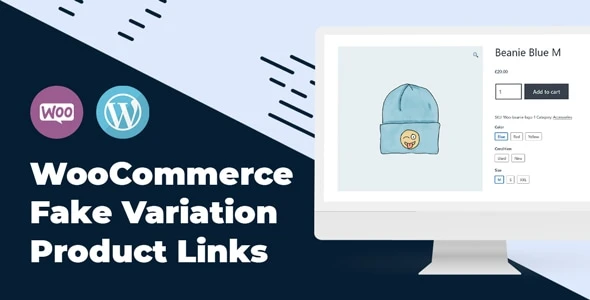
MT WooCommerce Fake Variation Links is a WooCommerce-focused plugin that helps store owners create clickable variation-style links for product options without having to maintain separate duplicate products for every option. It can be useful for stores selling products with multiple colors, sizes, styles, or similar choices where quick navigation between related options improves the shopping experience. The plugin provides customizable link presentation, responsive layouts, and options for placing variation links through supported shortcodes or widgets. It is designed to work alongside WooCommerce and can help keep product catalogs more organized while giving shoppers an easier way to move between available product options.
MT WooCommerce Fake Variation Links – Clickable WooCommerce Variation Navigation MT WooCommerce Fake Variation Links is a WooCommerce-focused plugin that helps store owners create clickable variation-style links for product options without having to maintain separate duplicate products for every option. It can be useful for stores selling products with multiple colors, sizes, styles, or similar choices where quick navigation between related options improves the shopping experience. The plugin provides customizable link presentation, responsive layouts, and options for placing variation links through supported shortcodes or widgets. It is designed to work alongside WooCommerce and can help keep product catalogs more organized while giving shoppers an easier way to move between available product options. The plugin is distributed through 5ivecode.com as a GPL package with lifetime updates and limited support, according to the supplied product information. Feature Highlights Clickable Variation Links – Create navigational links for related product variations without maintaining duplicate product entries for each option. WooCommerce Integration – Designed to work with WooCommerce product catalogs and existing store layouts. Custom Link Styling – Adjust supported visual settings such as colors, typography, and hover effects to better match your storefront. Responsive Layout – Variation links are designed to remain usable across desktop, tablet, and mobile screen sizes. Shortcodes & Widgets – Place variation links in supported areas of your website using available shortcodes or widgets. Improved Product Navigation – Give customers a convenient way to move between related product choices. Translation Ready – Suitable for multilingual WooCommerce websites when used with compatible translation tools such as WPML. GPL Licensed – The supplied package is distributed under the GPL with the stated lifetime update offering. Detailed Overview Create Clickable Links for Product Options WooCommerce stores can become difficult to manage when closely related product options are created as separate products. MT WooCommerce Fake Variation Links provides an alternative approach by allowing related variation-style choices to be presented as clickable links. For example, a store could use links to help shoppers move between related color, size, or style options without presenting every option as an entirely separate catalog item. Simplify Product Navigation Variation links can provide customers with a more direct browsing experience. Instead of returning to a category page and searching for another related product, shoppers can use the available links to navigate between connected options. This can be particularly useful for catalogs containing many visually or functionally related products. Customize the Link Appearance Store owners can customize supported styling options to make the links fit their website design. Depending on the plugin version and configuration, available options may include: Link colors Font appearance Hover behavior General link presentation Placement within supported layouts Matching variation links to the site's existing design can make them feel like a natural part of the product page. WooCommerce-Based Product Integration The plugin is intended for WooCommerce stores and works around WooCommerce product structures rather than requiring an entirely separate storefront system. This makes it suitable for online shops that already use WooCommerce and want to improve navigation between related products or options. Shortcodes and Widgets Where supported by the installed version, shortcodes and widgets can make it easier to place variation links in different areas of a WordPress website. Possible placement areas may include: Product pages Category layouts Custom page sections Widget areas Other supported shortcode locations Always verify the exact shortcode names, widget availability, and placement options against the plugin version you are installing.
Get Support
Please Sign In to contact our support.