🎃 Halloween Sale — Scary Good Deals, Up to 20% OFF! Don't be spooked by these prices — grab them before they disappear at midnight.
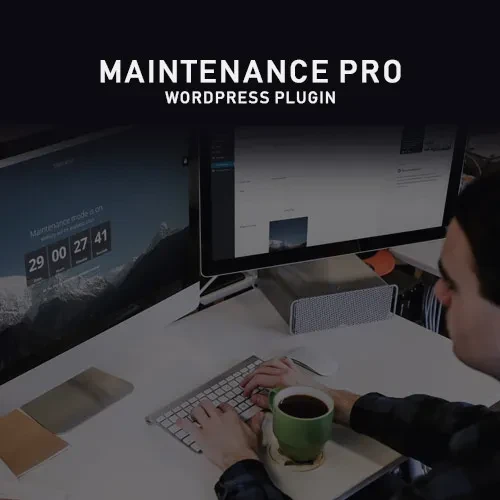
Maintenance PRO for WordPress is a website maintenance solution that helps administrators manage temporary downtime, website redesigns, and pre-launch campaigns. It allows you to display a customized maintenance or coming soon page instead of leaving visitors with an unfinished website or a generic error message. Designed for developers, agencies, bloggers, and business owners, Maintenance PRO offers customization options for creating a professional visitor experience while work is being completed behind the scenes. Features such as countdown timers, contact forms, subscriber collection, role-based access, and SEO settings can help you communicate with visitors and prepare your audience for a website launch.
Maintenance PRO – WordPress Maintenance Mode and Coming Soon Plugin
Maintenance PRO for WordPress is a website maintenance solution that helps administrators manage temporary downtime, website redesigns, and pre-launch campaigns. It allows you to display a customized maintenance or coming soon page instead of leaving visitors with an unfinished website or a generic error message.
Designed for developers, agencies, bloggers, and business owners, Maintenance PRO offers customization options for creating a professional visitor experience while work is being completed behind the scenes. Features such as countdown timers, contact forms, subscriber collection, role-based access, and SEO settings can help you communicate with visitors and prepare your audience for a website launch.
Whether you are updating an existing website, developing a new project, or preparing a redesigned online store, Maintenance PRO provides tools to manage your website's public-facing appearance during the process.
Maintenance Mode: Display a dedicated page while your website undergoes updates or maintenance.
Coming Soon Mode: Create a pre-launch page to introduce an upcoming website.
Customizable Design: Personalize the page with your logo, colors, images, and messages.
Countdown Timer: Display a countdown to an expected launch or reopening.
Subscriber and Contact Forms: Collect visitor inquiries or email subscriptions using supported form functionality.
Role-Based Access: Allow selected logged-in users or user roles to access the website when configured.
Multilingual Compatibility: Support multilingual website workflows with compatible translation plugins.
SEO Settings: Configure available metadata and search-related settings for the maintenance page.
Custom Styling: Adjust the page appearance using supported design options and custom CSS where available.
WordPress Integration: Manage the plugin through your WordPress administration dashboard.
Choose an appropriate mode according to your website's current needs. Maintenance mode is useful during updates, repairs, or redesigns, while coming soon mode can help introduce a new website or service before its public launch.
Create a maintenance page that matches your brand identity. Depending on the available settings, you can add your business logo, background images, colors, headings, and explanatory messages.
A customized page helps visitors understand that your website is temporarily unavailable rather than permanently offline.
Build anticipation by displaying a countdown to your planned launch or reopening. A countdown can provide visitors with a clearer expectation of when your website may become available again.
For the best experience, use a realistic launch date and update the timer if your schedule changes.
Use supported subscription or contact form functionality to collect visitor interest while your website is being developed. This can help businesses build an audience, gather inquiries, and communicate with potential customers before launch.
Confirm the available form integrations and email delivery requirements in your installed version.
Keep the website available to authorized users while displaying a maintenance page to other visitors. This can be useful for administrators, developers, and content editors who need to test changes before making the website public.
Review the access settings carefully to ensure that private or unfinished content is not exposed unintentionally.
For websites serving international audiences, multilingual compatibility can help maintain a consistent experience across translated pages. Compatibility with WPML or other translation plugins should be verified against the specific plugin version and your website configuration.
Configure supported metadata and search-related settings for your maintenance or coming soon page. Search engine behavior depends on the page response, indexing directives, and broader website configuration.
During temporary maintenance, ensure the site communicates the appropriate status to search engines. For a long-term pre-launch page, configure indexing according to your launch and SEO strategy.
Fine-tune the appearance of your maintenance page using available styling controls. Where supported, custom CSS can help developers adjust spacing, typography, backgrounds, and other visual details to match the site's branding.
Use a coming soon page to communicate upcoming changes, introduce a new service, or invite visitors to subscribe for updates. Combining clear messaging with a countdown and contact options can help make the pre-launch period more useful for your business.
Feature | Maintenance PRO | Basic Maintenance Plugins |
|---|---|---|
Maintenance mode | Supported | Commonly available |
Coming soon mode | Supported | Depends on the plugin |
Branding customization | Advanced customization options | Often more limited |
Countdown timer | Listed as a feature | May require an add-on |
Subscriber and contact forms | Supported functionality | Depends on the plugin |
Role-based access | Listed as a feature | Varies by plugin |
Multilingual workflows | Compatibility should be verified | Depends on the plugin |
SEO configuration | Listed as a feature | Varies by plugin |
Custom styling | Supported options | Depends on the plugin |
Get Support
Please Sign In to contact our support.