🎃 Halloween Sale — Scary Good Deals, Up to 20% OFF! Don't be spooked by these prices — grab them before they disappear at midnight.
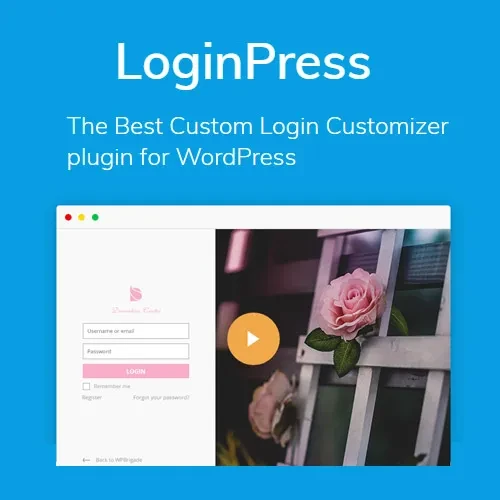
LoginPress Pro is a WordPress login customization solution that helps website owners create personalized login experiences while maintaining a consistent brand identity. It provides design and styling options for WordPress login screens, allowing you to customize the appearance of login forms and related authentication pages. Whether you manage a business website, membership platform, online store, learning portal, or client dashboard, LoginPress Pro can help you create a more professional login interface. With options for custom backgrounds, logos, form styling, typography, registration pages, and password recovery screens, you can tailor the authentication experience to suit your website's design.
LoginPress Pro – WordPress Login Page Customization Plugin
LoginPress Pro is a WordPress login customization solution that helps website owners create personalized login experiences while maintaining a consistent brand identity. It provides design and styling options for WordPress login screens, allowing you to customize the appearance of login forms and related authentication pages.
Whether you manage a business website, membership platform, online store, learning portal, or client dashboard, LoginPress Pro can help you create a more professional login interface. With options for custom backgrounds, logos, form styling, typography, registration pages, and password recovery screens, you can tailor the authentication experience to suit your website's design.
By replacing the default WordPress login appearance with a branded interface, you can create a more consistent experience for users, customers, and members.
WordPress Login Customization: Personalize the appearance of your WordPress login screen.
Custom Login Page: Create a login interface that matches your website's visual identity.
Login Screen Branding: Incorporate your brand elements into the authentication experience.
Custom Backgrounds: Adjust background images and colors using available design settings.
Custom Logo: Display your website or business logo on the login screen.
Login Form Styling: Customize the appearance of login form elements.
Registration Page Customization: Style registration screens to complement your website.
Password Reset Screen Customization: Personalize the password recovery interface.
Social Login Integration: Connect supported social login functionality where available.
Login Page Templates: Use available templates to simplify login page design.
Responsive Design: Create a login interface intended to work across different screen sizes.
Branding and Typography Controls: Adjust fonts, text styles, and other visual elements.
Customize the standard WordPress login experience to better match your website's design. Instead of relying entirely on the default login screen, you can use the available controls to create a more polished interface for your users.
Create a login page that reflects your website's branding and presentation style. This is particularly useful for membership websites, business portals, online stores, and websites where users regularly sign in.
Maintain visual consistency by incorporating your brand identity into the login screen. A consistent interface can help users recognize your website and create a more cohesive experience.
Personalize the login page background using supported image and color settings. You can choose a background that complements your logo, website colors, and overall visual style.
Display your business or website logo on the login screen. Using the appropriate logo can help reinforce your brand identity and make the login page feel like a natural extension of your website.
Adjust the appearance of login form elements using the available styling options. Depending on the plugin version, these controls may help you refine form backgrounds, borders, buttons, and other visual details.
Create a registration interface that matches the design of your login page. Consistent styling across registration and login screens can make the account creation process feel more unified.
The available registration customization options may depend on your WordPress configuration and any additional registration plugins you use.
Personalize the password recovery screen to maintain consistent branding throughout the authentication process. A matching design helps users recognize that they are still interacting with your website when recovering account access.
Social login integration can simplify authentication by allowing users to sign in through supported third-party services. Check the documentation for your specific LoginPress Pro version to confirm the available providers and any additional configuration requirements.
Use available templates as a starting point for designing your login screen. Templates can reduce the effort required to build a layout from scratch and help you create a suitable appearance more quickly.
Create a login interface intended to adapt to desktops, tablets, and mobile devices. Test your customized page on different screen sizes to ensure that form fields, buttons, logos, and text remain accessible.
Refine fonts, text appearance, and other visual elements to align the login page with your site's existing design system. Consistent typography and color choices can improve readability and create a more professional presentation.
Get Support
Please Sign In to contact our support.