🎃 Halloween Sale — Scary Good Deals, Up to 20% OFF! Don't be spooked by these prices — grab them before they disappear at midnight.
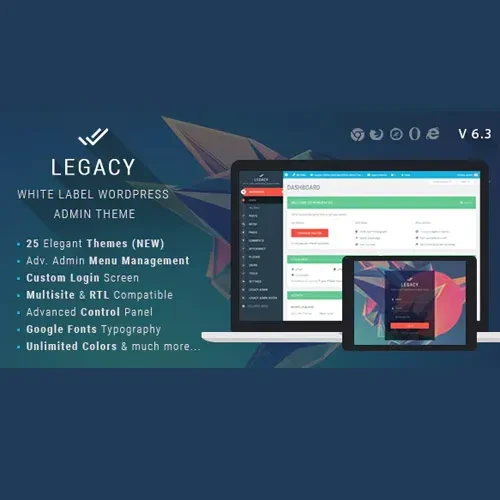
Legacy – White Label WordPress Admin Theme is a WordPress customization solution designed for agencies, freelancers, developers, and businesses that want to create a branded and professional administration experience. It offers white-label branding options that help replace standard WordPress visual elements with your own identity, giving clients and team members a more consistent dashboard experience. With features for login page customization, admin menu management, role-based dashboard settings, and interface styling, Legacy helps you tailor the WordPress backend to suit your workflow. It is particularly useful for professionals who build and maintain WordPress websites for clients and want to deliver a polished administrative environment alongside the public-facing website.
Legacy – White Label WordPress Admin Theme
Legacy – White Label WordPress Admin Theme is a WordPress customization solution designed for agencies, freelancers, developers, and businesses that want to create a branded and professional administration experience. It offers white-label branding options that help replace standard WordPress visual elements with your own identity, giving clients and team members a more consistent dashboard experience.
With features for login page customization, admin menu management, role-based dashboard settings, and interface styling, Legacy helps you tailor the WordPress backend to suit your workflow. It is particularly useful for professionals who build and maintain WordPress websites for clients and want to deliver a polished administrative environment alongside the public-facing website.
White Label Branding: Customize supported WordPress branding elements to reflect your business or agency identity.
Custom Login Page: Personalize the WordPress login screen with available branding and design settings.
Role-Based Dashboard Controls: Configure dashboard visibility and access options according to supported user roles.
Clean Admin Interface: Simplify the dashboard by reducing unnecessary visual elements and distractions.
Admin Menu Customization: Rename, rearrange, or hide supported dashboard menu items.
Multisite Support: Use supported customization features in compatible WordPress multisite environments.
Flexible Design Options: Adjust available colors, typography, and interface elements to match your branding.
Developer-Friendly Customization: Use the plugin's available extension and configuration options for suitable WordPress projects.
Performance-Conscious Design: Customize the administration interface while aiming to keep the dashboard responsive.
The default WordPress dashboard may not match the branding of an agency or business that delivers websites to clients. Legacy helps customize supported administration elements so that the backend can better reflect your organization's visual identity.
This is useful for agencies managing multiple client projects, freelancers delivering custom websites, and businesses that want a consistent internal administration experience.
Create a more personalized first impression by adjusting supported elements of the WordPress login screen. Branding options can help align the login experience with your website's logo, colors, and overall design.
A customized login page can make a client website feel more cohesive while retaining the familiar WordPress administration workflow.
A WordPress dashboard can become crowded as additional plugins and features are installed. Legacy provides admin menu customization options that can help simplify navigation.
Depending on the available settings, you can rename, reorder, or hide selected menu items to make frequently used tools easier to find and reduce unnecessary clutter for clients or staff.
Different users often require different levels of access to the WordPress backend. Legacy's advertised role-based options help tailor the administration experience to supported user roles.
For example, a client who manages website content may not need to see every administrative menu used by a developer. Remember that hiding dashboard elements is not a substitute for proper WordPress permissions and security controls.
Use the available customization settings to adapt supported dashboard colors, typography, and other interface elements. A consistent visual style can help reinforce your agency's identity and create a more organized environment for website administrators.
For agencies and developers working across multiple WordPress projects, white-label customization can help standardize the administrative experience. The product is advertised as supporting WordPress multisite, but the available controls may vary depending on the installed version and network configuration.
Legacy focuses on the WordPress administration area and supported login-page elements. It is intended to customize the backend experience rather than replace your public-facing theme.
Always test the plugin alongside your active theme and other plugins to confirm that the desired administrative changes work correctly.
Feature | Legacy | Standard WordPress Dashboard |
|---|---|---|
Custom branding | Supported options | Standard WordPress branding |
Login screen customization | Available options | Requires a separate solution or custom development for additional branding |
Admin menu management | Supported customization | Standard menu configuration |
Role-based dashboard controls | Advertised feature | Depends on WordPress permissions and other tools |
Interface styling | Customization options | Primarily standard admin styling |
Agency-focused presentation | Designed for branded client experiences | Standard administration experience |
Get Support
Please Sign In to contact our support.