🎃 Halloween Sale — Scary Good Deals, Up to 20% OFF! Don't be spooked by these prices — grab them before they disappear at midnight.
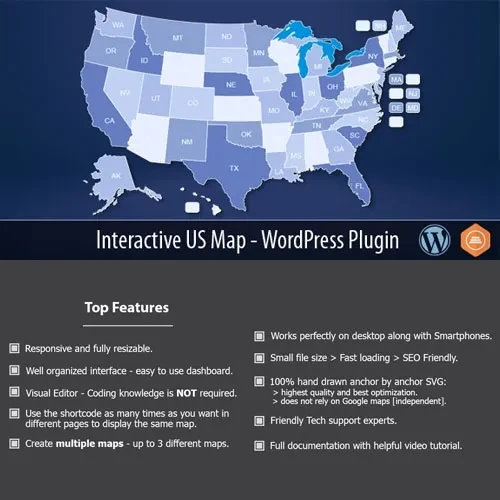
Interactive US Map for WordPress is a mapping solution designed to help website owners present United States geographic information in an engaging, interactive format. It allows visitors to explore state-level information through clickable map areas, visual indicators, and configurable display options, depending on the features available in the installed version. Businesses, publishers, agencies, and organizations can use an interactive map to present regional services, sales information, location directories, demographic statistics, and other state-specific content.
Interactive US Map – WordPress Plugin for Dynamic Map Displays
Interactive US Map for WordPress is a mapping solution designed to help website owners present United States geographic information in an engaging, interactive format. It allows visitors to explore state-level information through clickable map areas, visual indicators, and configurable display options, depending on the features available in the installed version.
Businesses, publishers, agencies, and organizations can use an interactive map to present regional services, sales information, location directories, demographic statistics, and other state-specific content.
Available through 5ivecode.com, the product is described as including GPL licensing, lifetime updates, and limited email support, subject to the seller's current terms.
Interactive United States Map – Present a clickable map of the US with selectable states and supported geographic areas.
Custom Map Styling – Adjust available colors, hover effects, tooltips, and popup settings to complement your website design.
Clickable State Links – Direct visitors from individual states to relevant pages, posts, external URLs, or other supported destinations.
Geographic Data Visualization – Represent information such as regional sales, population figures, and other statistics through color-coded map areas when supported.
Performance-Conscious Design – Use the plugin's available rendering options to display geographic information efficiently.
Responsive Map Layout – Provide a map experience adapted to desktop, tablet, and mobile screen sizes.
Shortcode and Widget Placement – Embed maps in supported WordPress pages, posts, widget areas, and other suitable locations.
Product Updates – Receive updates according to the terms of the package offered by 5ivecode.com.
Geographic information can be easier to understand when visitors can explore it visually. Interactive US Map – WordPress Plugin provides a way to display state-level information without relying exclusively on static images or lengthy written explanations.
Depending on the available features, administrators can customize individual states, assign links, display additional information through tooltips, and use different colors to distinguish geographic data. These options can help visitors find regional services, explore business locations, or compare information across states.
The plugin may be useful for travel websites, franchise directories, business networks, real estate platforms, regional sales reports, educational resources, and websites presenting US-focused statistics.
Shortcode and widget support can make it easier to place the map within an existing WordPress design. Before installation, check the plugin documentation for supported map customization options, data formats, and compatibility requirements.
Feature | Interactive US Map Plugin | Static Image Map |
|---|---|---|
User interaction | Supports clickable map areas and hover effects, as available | Usually displays a fixed image |
State customization | Configurable state appearance and links | Changes may require graphic editing |
Information display | Tooltips and popups, if supported | Information typically requires separate links or text |
Geographic data | Color-based visualization when available | Requires a separately prepared graphic |
Responsive presentation | Depends on the plugin's responsive implementation | Depends on image sizing and page layout |
WordPress integration | Shortcodes or widgets, as described | Usually inserted as an image |
Get Support
Please Sign In to contact our support.