🎃 Halloween Sale — Scary Good Deals, Up to 20% OFF! Don't be spooked by these prices — grab them before they disappear at midnight.
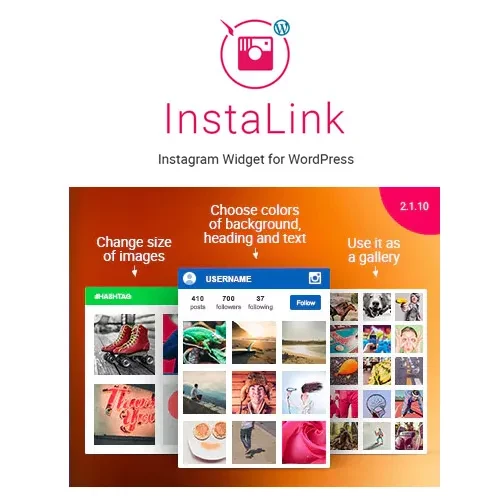
Instagram Widget for WordPress helps website owners showcase Instagram content directly on their websites. With configurable feed layouts and display options, it can provide a visual way to highlight social posts, promote brand updates, and connect website visitors with an Instagram presence. Whether you manage a blog, online store, portfolio, or business website, an Instagram feed can add visual interest and help visitors discover your social content without leaving your site.
Instagram Widget – WordPress Instagram Feed Plugin
Instagram Widget for WordPress helps website owners showcase Instagram content directly on their websites. With configurable feed layouts and display options, it can provide a visual way to highlight social posts, promote brand updates, and connect website visitors with an Instagram presence.
Whether you manage a blog, online store, portfolio, or business website, an Instagram feed can add visual interest and help visitors discover your social content without leaving your site.
Instagram Feed Display: Showcase supported Instagram content within your WordPress website.
Flexible Layouts: Use available grid, slider, or widget-style layouts to suit your website design.
Responsive Presentation: Configure feed displays for desktop, tablet, and mobile screens.
Feed Connection Options: Connect an Instagram account using the authentication or connection methods supported by your plugin version.
Display Customization: Adjust available settings such as the number of photos, columns, spacing, and layout styles.
Social Content Integration: Bring selected Instagram content into relevant website sections.
Page Builder Support: Depending on the plugin, shortcodes or supported widgets may allow placement within page builders.
GPL Licensing: Review the applicable license terms for permissions covering use, modification, and redistribution.
An Instagram feed can help make a website more visual by displaying selected social media content alongside its regular pages and posts. Instead of adding every image manually, a compatible feed plugin can provide a centralized way to manage the display.
This can be useful for brands that regularly publish product photos, lifestyle images, creative work, or business updates.
Different website designs benefit from different presentation styles. Depending on the plugin's available options, you may be able to display Instagram content in a grid, slider, or widget area.
A grid can suit portfolio pages and product-related sections, while a slider can be useful when horizontal space is limited.
The plugin is described as offering settings for photo counts, columns, and spacing. These options can help you match the feed's appearance to your WordPress theme and maintain a consistent visual design.
When configuring a feed, consider image dimensions, spacing, page layout, and the amount of content displayed above the fold.
Instagram integrations may require account authentication, permissions, or API configuration. The available connection methods depend on the plugin version and Instagram's current platform requirements.
Before installation, check whether the plugin supports your account type and the specific content you want to display. Do not assume that username-only connections or hashtag feeds are available in every version.
Instagram Widget may be worth considering for:
Blogs: Highlight photography, lifestyle content, and recent social posts.
eCommerce stores: Showcase brand imagery and selected product-related posts.
Creative portfolios: Display visual work alongside project descriptions.
Business websites: Share social updates and strengthen brand visibility.
Travel and photography sites: Present selected images in a dedicated gallery area.
Personal websites: Connect visitors with your Instagram profile.
If the installed version provides shortcodes or compatible widgets, you may be able to add the Instagram feed to supported page builders and WordPress content areas.
Test the feed within your actual page layout to check spacing, responsiveness, loading behavior, and compatibility with other plugins.
Feature | Instagram Widget | Manual Embeds |
|---|---|---|
Content display | Can present multiple posts when supported | Commonly used for individual posts |
Layout options | Depends on available plugin settings | Usually more limited |
Feed management | May automate supported feed updates | Individual embeds may require manual changes |
Visual customization | Depends on plugin capabilities | Often controlled by the embedded content |
Responsive design | Depends on implementation and theme | Depends on the embed and page layout |
Setup requirements | May require account authentication or API access | Depends on Instagram's current embed options |
Get Support
Please Sign In to contact our support.