🎃 Halloween Sale — Scary Good Deals, Up to 20% OFF! Don't be spooked by these prices — grab them before they disappear at midnight.
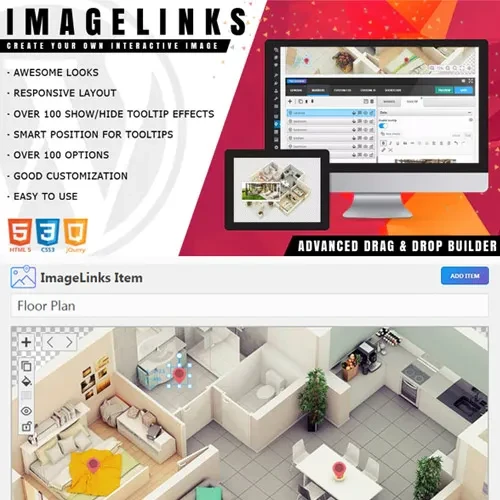
ImageLinks – Interactive Image Builder for WordPress helps transform ordinary images into engaging, clickable visual experiences. Add interactive hotspots, informative tooltips, multimedia popups, and custom links to images throughout your WordPress website. It is suitable for product presentations, infographics, interactive maps, educational content, and promotional visuals. With customizable hotspot designs and responsive layouts, ImageLinks provides a way to make visual content more informative and encourage visitors to explore specific products, features, and information. Depending on the available integration options, you can also connect interactive elements to WooCommerce products and relevant website pages.
ImageLinks – Interactive Image Builder for WordPress
ImageLinks – Interactive Image Builder for WordPress helps transform ordinary images into engaging, clickable visual experiences. Add interactive hotspots, informative tooltips, multimedia popups, and custom links to images throughout your WordPress website. It is suitable for product presentations, infographics, interactive maps, educational content, and promotional visuals.
With customizable hotspot designs and responsive layouts, ImageLinks provides a way to make visual content more informative and encourage visitors to explore specific products, features, and information. Depending on the available integration options, you can also connect interactive elements to WooCommerce products and relevant website pages.
Interactive Image Hotspots: Place clickable or interactive markers on images to highlight important areas.
Tooltips and Popups: Display additional information using text, images, videos, or supported embedded content.
Custom Links: Direct visitors to internal pages, product listings, external websites, or promotional offers.
Flexible Styling: Customize hotspot icons, colors, animations, and visual elements to complement your website design.
WooCommerce Integration: Connect image hotspots to relevant product pages and shopping content where supported.
Responsive Layouts: Create interactive visuals designed to adapt to different screen sizes and devices.
Multiple Hotspots: Add numerous interactive areas to a single image to present detailed information.
Shortcode Support: Embed published interactive images into supported WordPress content areas.
Developer-Friendly Options: Extend supported functionality using available customization options and developer tools.
Make your images more useful by adding hotspots that reveal additional information when visitors interact with them. Highlight individual product components, explain specific areas of an infographic, identify locations on a map, or provide extra context for educational illustrations.
Instead of relying on a separate block of text to explain every detail, you can present relevant information directly alongside the corresponding part of an image.
Provide visitors with more context through interactive tooltips and popup content. Depending on the supported content options, these elements can display descriptions, images, videos, and other embedded information.
This approach can be useful for product demonstrations, feature explanations, online learning materials, and visual guides that benefit from additional detail without overcrowding the main page.
ImageLinks can help present products in a more visual and engaging format. Add hotspots to product photographs, highlight individual features, and link visitors to relevant product pages or promotional destinations.
For WooCommerce stores, supported product links and details can help connect product imagery with shopping information, making it easier for customers to discover the items they want to explore.
Adapt hotspot appearances to suit your website's branding and visual style. Use available icon, color, animation, and styling options to create interactive elements that complement your content rather than distract from it.
Whether you are building a business website, online store, educational resource, or marketing landing page, customization helps maintain a consistent presentation.
Interactive images are designed for use across desktop computers, tablets, and smartphones. Responsive presentation helps visitors access image-based information on different screen sizes, although the final experience may depend on the selected layout, popup content, and theme configuration.
After creating and publishing an interactive image, use the plugin's provided shortcode to place it in supported WordPress pages, posts, or other compatible content areas. This gives you flexibility when incorporating interactive visuals into existing website layouts.
Feature | ImageLinks | Static Images | Basic Tooltip Plugins |
|---|---|---|---|
Interactive image hotspots | Supported | Not available by default | May be limited |
Tooltips and popups | Multimedia options | Not available by default | Often basic |
Custom destination links | Supported | Requires separate linking | Depends on plugin |
Hotspot styling | Customization options | Not applicable | Varies |
Responsive presentation | Designed for responsive use | Depends on implementation | Depends on plugin |
Product showcase applications | Suitable | Limited interactivity | Varies |
Get Support
Please Sign In to contact our support.