Exclusive Coupon — Use Code SAVE10 for Instant Savings! Apply at checkout for your special discount. Limited uses — grab it while you can.
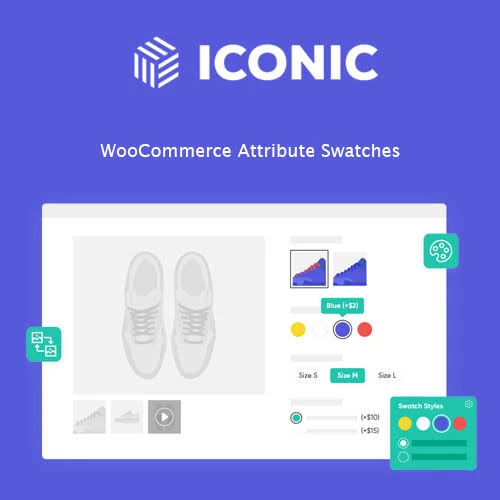
Iconic WooCommerce Attribute Swatches enhances the way customers select product variations by replacing traditional dropdown menus with visual attribute controls. Instead of asking shoppers to select options from plain text fields, store owners can present variations using colors, images, or labels. This makes product options easier to understand and can create a cleaner, more engaging product-page experience. For example, a clothing store can display different shirt colors as color swatches, while sizes can be represented using label-based buttons. Product styles, patterns, or finishes can also be represented with images where supported.
Iconic WooCommerce Attribute Swatches Feature Highlights 🎨 Visual Attribute Swatches – Replace standard variation dropdowns with attractive color, image, or text-label swatches. 👕 Ideal for Variable Products – Make product options easier to select for clothing, footwear, accessories, cosmetics, and other variable products. 📱 Responsive Interface – Present variation swatches in a layout designed for desktop, tablet, and mobile shoppers. ⚡ Smooth Variation Selection – AJAX-based interactions can provide a more seamless product-option selection experience where supported. 🛠 Simple Product Configuration – Manage attribute and swatch options directly through WooCommerce product settings. 🌐 WooCommerce Integration – Designed to integrate with WooCommerce variable products and common store configurations. 🔒 GPL Licensed – Distributed under the GNU General Public License, subject to the applicable licensing terms. 🔄 Lifetime Updates – Includes lifetime update access and limited email support according to the applicable package terms. Detailed Overview Iconic WooCommerce Attribute Swatches enhances the way customers select product variations by replacing traditional dropdown menus with visual attribute controls. Instead of asking shoppers to select options from plain text fields, store owners can present variations using colors, images, or labels. This makes product options easier to understand and can create a cleaner, more engaging product-page experience. For example, a clothing store can display different shirt colors as color swatches, while sizes can be represented using label-based buttons. Product styles, patterns, or finishes can also be represented with images where supported. The plugin is particularly useful for fashion stores, footwear shops, accessories, beauty products, furniture stores, and other WooCommerce websites that rely heavily on product variations. Key Benefits Replace Dropdowns with Visual Options Turn standard WooCommerce variation selectors into more visually recognizable swatches. Customers can identify available options without relying entirely on traditional dropdown menus. Color Swatches Use color-based selectors for products available in different colors, shades, or finishes. Common examples include: Clothing colors Shoe colors Furniture finishes Cosmetic shades Accessories Product finishes Image Swatches Use images to represent product attributes where a visual preview is more useful than text. Image-based attributes can be helpful for: Patterns Materials Designs Styles Textures Product variations with distinct appearances Label Swatches Display text-based options as clickable labels instead of conventional dropdown selections. This can be useful for attributes such as: Sizes Dimensions Product types Pack quantities Styles Other text-based variations Variable Product Support The plugin is designed around WooCommerce's variable-product functionality, allowing customers to interact with product attributes while choosing their preferred variation. Mobile-Friendly Experience Swatches are designed to work across different screen sizes, helping customers select product options from smartphones, tablets, and desktop computers. The final appearance can still depend on the active theme, product-page layout, and other frontend customizations. How Attribute Swatches Improve Product Selection Traditional dropdowns can make variation-heavy products feel less intuitive, especially when customers need to compare several visual options. Attribute swatches provide a more direct interface: Traditional Selection Choose Color → Open Dropdown → Find Option → Select Swatch Selection View Options → Click Desired Swatch → Select Variation This visual approach can make product attributes easier to scan and understand, particularly when the differences between variations are primarily visual.
Get Support
Please Sign In to contact our support.