🎃 Halloween Sale — Scary Good Deals, Up to 20% OFF! Don't be spooked by these prices — grab them before they disappear at midnight.
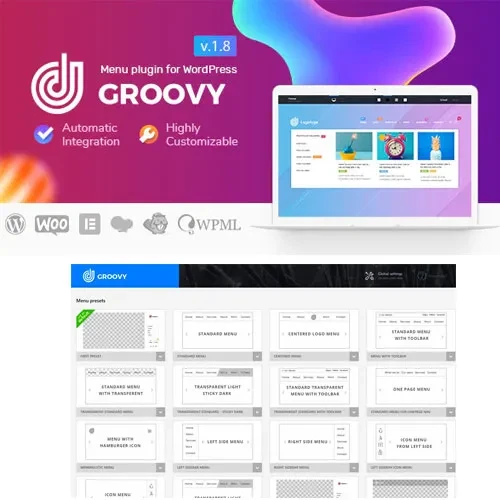
Groovy Mega Menu is a WordPress navigation plugin that helps website owners create modern, responsive mega menus with flexible layouts, visual elements, and customizable styling. It provides tools for organizing navigation links and presenting website content in structured menu designs that make it easier for visitors to explore different sections of a website. Whether you manage a business website, online store, portfolio, blog, or content-rich website, Groovy Mega Menu can help you build navigation menus that complement your website's design. With multi-column layouts, icons, images, widget integration, and responsive navigation options, you can create menu structures suited to different content types and screen sizes.
Groovy Mega Menu – Responsive WordPress Mega Menu Plugin
Groovy Mega Menu is a WordPress navigation plugin that helps website owners create modern, responsive mega menus with flexible layouts, visual elements, and customizable styling. It provides tools for organizing navigation links and presenting website content in structured menu designs that make it easier for visitors to explore different sections of a website.
Whether you manage a business website, online store, portfolio, blog, or content-rich website, Groovy Mega Menu can help you build navigation menus that complement your website's design. With multi-column layouts, icons, images, widget integration, and responsive navigation options, you can create menu structures suited to different content types and screen sizes.
Responsive Mega Menus – Create navigation menus designed to adapt to different screen sizes and supported devices.
Custom Menu Layouts – Organize navigation content into layouts that suit your website structure and design preferences.
Drag-and-Drop Menu Builder – Arrange supported menu elements through a visual building interface for a more convenient setup experience.
Multi-Column Menus – Divide menu content into multiple columns to organize links and related information clearly.
Custom Menu Items – Configure available menu elements to create navigation structures tailored to your website.
Icons and Images – Enhance menu presentation with supported visual elements that help distinguish navigation options.
Widget Integration – Incorporate compatible widgets into supported menu areas to display additional content or functionality.
Advanced Styling Options – Customize available design settings to align menus with your website's branding and appearance.
Mobile-Friendly Navigation – Configure navigation layouts for visitors accessing your website on smartphones and other mobile devices.
WordPress Integration – Add mega menu functionality to a WordPress website using the plugin's supported configuration options.
Mega menus allow you to present multiple navigation links within a larger dropdown area. This can be particularly useful for websites with many categories, product collections, service pages, or informational sections.
Use multi-column menu structures to group related links and make navigation easier to scan. A well-organized layout can help visitors locate relevant pages without browsing through a long list of individual menu items.
Icons and images can make navigation menus more engaging and help visitors identify different categories. Combine supported visual elements with custom menu layouts to create a consistent experience across your website.
Widget integration allows you to add supported content or features to menu areas where available. Depending on your configuration, this can help you present additional information alongside regular navigation links.
Responsive design options help you configure menu presentation for desktop and mobile visitors. Testing your menus on different screen sizes can help ensure that links remain accessible and the navigation structure is easy to use.
Groovy Mega Menu can be useful for:
Business and corporate websites
WooCommerce and online shopping websites
Blogs and online magazines
Portfolio and agency websites
Educational and information portals
Websites with large navigation structures
WordPress designers and developers
Businesses seeking customizable website navigation
Log in to your WordPress administration dashboard.
Navigate to Plugins → Add New Plugin.
Search for Groovy Mega Menu if available through your installation source, or upload the plugin package obtained from the relevant provider.
Install and activate the plugin.
Open the plugin's settings and configure the available menu options.
Create or customize a menu layout and arrange the supported elements.
Add columns, icons, images, or widgets where supported by your configuration.
Adjust styling and responsive settings to suit your website.
Preview and test the menu on desktop and mobile devices before publishing the changes.
The exact setup process, integrations, and available options may vary depending on the plugin version and your active WordPress theme.
Get Support
Please Sign In to contact our support.