🎃 Halloween Sale — Scary Good Deals, Up to 20% OFF! Don't be spooked by these prices — grab them before they disappear at midnight.
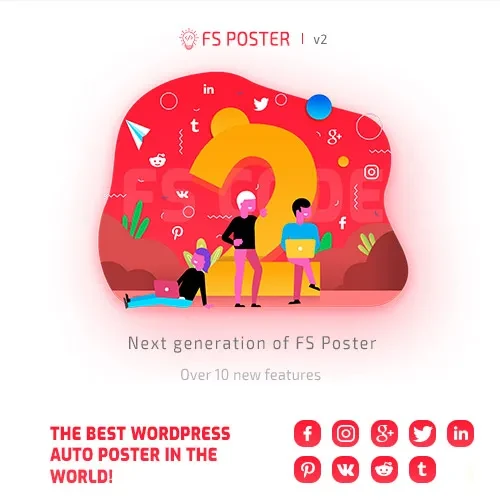
FS Poster is a WordPress social media automation plugin designed to simplify content sharing and publishing across supported social networks. It helps website owners schedule posts, automate content distribution, and manage social media publishing from a centralized dashboard. Whether you operate a blog, business website, online store, or content publishing platform, FS Poster can help streamline your social media workflow, reduce repetitive manual tasks, and maintain a more consistent publishing schedule.
FS Poster – WordPress Social Media Auto-Posting & Scheduling Plugin
FS Poster is a WordPress social media automation plugin designed to simplify content sharing and publishing across supported social networks. It helps website owners schedule posts, automate content distribution, and manage social media publishing from a centralized dashboard.
Whether you operate a blog, business website, online store, or content publishing platform, FS Poster can help streamline your social media workflow, reduce repetitive manual tasks, and maintain a more consistent publishing schedule.
📣 Automatic Social Media Posting – Share WordPress content automatically across connected social accounts and supported social platforms.
📅 Social Media Scheduling – Plan publishing times in advance to maintain a consistent social media presence.
🌐 Multiple Social Network Support – Connect supported social platforms and manage publishing activities from one dashboard.
⏰ Flexible Post Scheduling – Schedule content for future publication according to your marketing calendar.
📦 Bulk Social Sharing – Simplify the distribution of multiple posts where supported by the plugin’s available tools.
🔄 RSS Feed Auto-Publishing – Use supported RSS feed features to help automate content-sharing workflows.
📝 Custom Post Type Support – Share selected WordPress content types when compatible with the plugin’s settings.
🔗 URL Shortening – Use supported URL-shortening integrations to create compact links for social posts.
📊 Social Media Analytics – Review available publishing statistics and performance information to evaluate your social media activity.
🖥️ Centralized Social Media Management – Manage connected accounts, publishing schedules, and sharing settings through the WordPress dashboard.
FS Poster is designed for website owners and digital marketers who want to make social media publishing more efficient. Instead of manually copying every new article to each social network, users can configure supported accounts and automate selected publishing tasks through WordPress.
The scheduling features can help organize content distribution around a publishing calendar, while bulk-sharing tools may be useful when promoting older articles or managing larger content libraries. Depending on the supported integrations, users can also configure publishing for selected custom post types and use RSS feeds in their content workflows.
For the best results, review each social platform’s connection requirements, publishing permissions, content restrictions, and API limitations. Test your account connections and scheduled posts regularly because supported features can change as social networks update their services.
Feature | FS Poster | Manual Publishing |
|---|---|---|
Content sharing | Automates supported publishing tasks | Requires individual manual actions |
Post scheduling | Schedule supported posts in advance | Requires separate scheduling tools or manual posting |
Multiple social accounts | Manage supported connections centrally | Switch between social platforms |
Bulk sharing | Available where supported | Often requires repeating tasks |
RSS automation | Supported options depend on configuration | Usually requires a separate workflow |
Custom post types | Depends on plugin settings and compatibility | May require manual preparation |
Analytics | Displays available statistics and reports | Requires checking individual platform analytics |
Get Support
Please Sign In to contact our support.