🎃 Halloween Sale — Scary Good Deals, Up to 20% OFF! Don't be spooked by these prices — grab them before they disappear at midnight.
Flow-Flow is a WordPress social stream plugin that helps website owners collect and display social media content in attractive, customizable feeds. It allows you to showcase posts, images, videos, and updates from supported social networks in one place, making your website more interactive and content-rich. Whether you manage a business website, blog, portfolio, online store, or community platform, Flow-Flow can help you present social content in organized stream layouts and encourage visitors to explore your social media activity directly from your website.
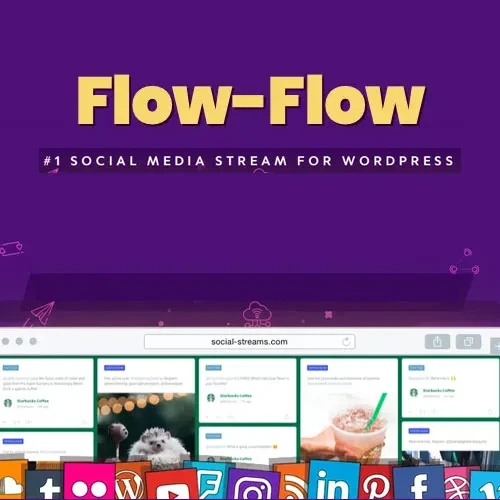
Flow-Flow – WordPress Social Media Feed Plugin
Flow-Flow is a WordPress social stream plugin that helps website owners collect and display social media content in attractive, customizable feeds. It allows you to showcase posts, images, videos, and updates from supported social networks in one place, making your website more interactive and content-rich.
Whether you manage a business website, blog, portfolio, online store, or community platform, Flow-Flow can help you present social content in organized stream layouts and encourage visitors to explore your social media activity directly from your website.
Social Media Feed Aggregation – Bring content from supported social media sources together in a unified feed.
Social Stream Management – Organize and manage social content displayed on your WordPress website.
Multiple Social Network Support – Connect supported social platforms to create feeds from different sources.
Facebook Feed – Display content from supported Facebook sources using the available integration options.
Instagram Feed – Showcase Instagram content in an engaging social stream.
YouTube Feed – Present supported YouTube videos and channel content on your website.
Twitter/X Feed – Display supported posts and updates from Twitter/X, subject to current integration requirements.
Social Post Display – Present social updates in an organized, visitor-friendly format.
Image and Video Content – Showcase supported visual media alongside social posts.
Customizable Stream Layouts – Adjust feed presentation to complement your website design.
Responsive Social Feeds – Display feeds in layouts designed to adapt to different screen sizes.
Feed Filtering – Organize displayed content using available filtering options.
Shortcode and Widget Support – Add social feeds to supported WordPress areas using the available embedding methods.
Social Content Caching – Use caching functionality to help reduce repeated content retrieval, depending on the configuration.
Easy WordPress Integration – Configure and display social streams within your WordPress website.
Maintaining an active social media presence across several platforms can produce a large amount of content. Flow-Flow helps bring supported social updates together into website feeds, giving visitors a convenient way to explore your social activity without leaving your site immediately.
Visual content can make website pages more engaging. With supported feed integrations, you can present social posts, images, and videos in layouts suitable for business websites, portfolios, blogs, and promotional pages.
Different websites require different presentation styles. Flow-Flow provides customizable stream layouts so you can arrange social content to better match your site's branding and page structure.
When multiple social sources are connected, filtering options can help organize the content visitors see. Available filters and management controls depend on the installed version and configured integrations.
Shortcode and widget support can make it easier to place social feeds in supported WordPress pages and layout areas. This gives you flexibility when adding social content to landing pages, sidebars, and other parts of your website.
Social feeds may need to retrieve information from external platforms. Caching can help limit repeated retrieval and support efficient content delivery, although actual performance depends on your hosting environment, cache settings, and external service limitations.
Feature | Flow-Flow | Standard Social Links |
|---|---|---|
Social content display | Shows supported posts in feed layouts | Usually directs visitors to social profiles |
Multiple content sources | Can combine supported social feeds | Often requires separate links |
Images and videos | Supports eligible visual content | Visitors generally view content on the social platform |
Layout customization | Offers feed presentation options | Depends on the website's design |
Feed filtering | Available filtering features may be used | Usually not available through basic links |
WordPress embedding | Supports available shortcode/widget options | Typically uses ordinary links or buttons |
Obtain the Flow-Flow plugin package from your chosen source.
Log in to your WordPress administration dashboard.
Navigate to Plugins → Add New Plugin → Upload Plugin.
Upload the plugin ZIP file and click Install Now.
Activate the plugin after installation.
Open the plugin's settings and configure the available social network integrations.
Select the social sources and content types you want to display.
Customize the feed layout and filtering settings as needed.
Add the feed to a supported page or widget area using the available embedding options.
Preview the feed on desktop and mobile devices to confirm that it displays correctly.
Get Support
Please Sign In to contact our support.