🎃 Halloween Sale — Scary Good Deals, Up to 20% OFF! Don't be spooked by these prices — grab them before they disappear at midnight.
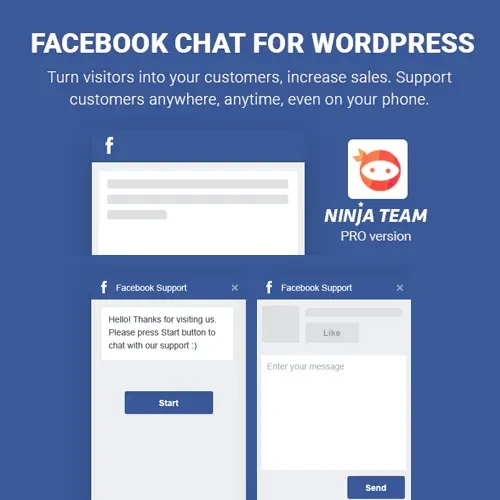
Facebook Chat for WordPress is a communication plugin designed to connect your WordPress website with Facebook Messenger-based chat functionality. It helps businesses and website owners provide visitors with a convenient way to start conversations, ask questions, and contact their team directly from the website. Whether you manage a business website, online store, service company, or customer support portal, Facebook Chat for WordPress can help make communication more accessible and provide visitors with another channel for customer assistance.
Facebook Chat for WordPress – Messenger Chat Integration Plugin
Facebook Chat for WordPress is a communication plugin designed to connect your WordPress website with Facebook Messenger-based chat functionality. It helps businesses and website owners provide visitors with a convenient way to start conversations, ask questions, and contact their team directly from the website.
Whether you manage a business website, online store, service company, or customer support portal, Facebook Chat for WordPress can help make communication more accessible and provide visitors with another channel for customer assistance.
Facebook Chat Integration – Connect your website with supported Facebook chat functionality.
WordPress Chat Support – Add a chat option to your WordPress website.
Website Messenger Integration – Provide visitors with a convenient way to reach your business through Messenger.
Direct Visitor Messaging – Allow users to initiate conversations using the configured chat interface.
Customer Communication – Make it easier for customers to ask questions and request information.
Facebook Messenger Support – Connect website visitors with your configured Messenger communication channel.
Chat Widget Display – Present a chat interface in a supported area of your website.
Visitor Engagement – Encourage visitors to contact your business while browsing your pages.
Real-Time Conversations – Support live conversations when Messenger connectivity and availability permit.
Responsive Chat Interface – Provide a chat experience designed for different screen sizes and devices.
Facebook Messenger can provide an additional communication channel for businesses and their customers. Facebook Chat for WordPress helps integrate supported Messenger functionality into your website, allowing visitors to begin a conversation without first searching for your social media profile.
Visitors may have questions about products, services, pricing, delivery, or general business information. A visible chat option can make it easier for them to contact your team while exploring your website.
A dedicated chat widget helps visitors identify where they can initiate a conversation. Depending on the plugin's available settings, you can configure its placement and presentation to suit your website layout.
Providing a direct communication channel can help visitors ask questions before making a purchase or submitting an inquiry. A convenient chat experience may support customer engagement, although results depend on response quality and availability.
The plugin is designed to connect visitors with Facebook Messenger for conversations. Actual messaging behavior depends on the integration method, Facebook account configuration, and the current availability of Meta's services.
Many visitors browse websites from smartphones and tablets. A responsive chat interface can make communication more convenient across different screen sizes. Test the widget with your active WordPress theme to confirm that it does not obstruct important page elements.
Feature | Facebook Chat for WordPress | Standard Contact Form |
|---|---|---|
Communication method | Messenger-based conversations | Form submissions |
Visitor interaction | Supports conversational messaging | Usually collects information for follow-up |
Response experience | Can support live conversations when available | Depends on how quickly submissions are handled |
Website integration | Adds supported chat functionality | Adds a form to selected pages |
Mobile access | Designed for responsive chat display | Depends on the form design |
External account | Requires compatible Messenger configuration | May work without a social account |
Obtain the Facebook Chat for WordPress plugin package from your chosen source.
Log in to your WordPress administration dashboard.
Navigate to Plugins → Add New Plugin → Upload Plugin.
Upload the plugin ZIP file and click Install Now.
Activate the plugin after installation.
Open the plugin settings and follow the available Facebook or Messenger connection instructions.
Configure the chat widget and any supported display options.
Check that the relevant Facebook Page or Messenger setup is correctly connected.
Visit your website in a separate browser session and test the chat interface.
Check the widget on mobile devices and confirm that visitors can start a conversation successfully.
Get Support
Please Sign In to contact our support.