What is Esthetic – Wedding Photography Gutenverse FSE WordPress Block Theme?
Esthetic – Wedding Photography Gutenverse FSE WordPress Block Theme
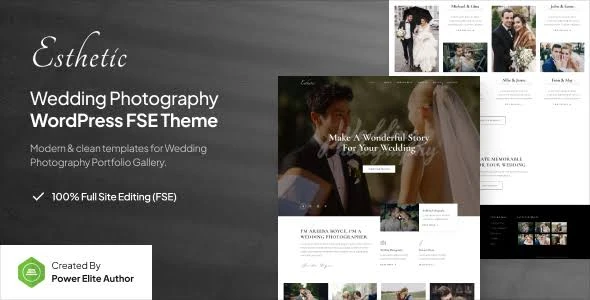
Esthetic – Wedding Photography Gutenverse FSE WordPress Block Theme is an elegant and contemporary WordPress design solution created for wedding photographers, photography businesses, event professionals, and creative studios. Developed around WordPress Full Site Editing (FSE), Gutenberg, and Gutenverse, this theme provides a flexible environment for building beautiful websites that highlight memorable moments and professional photography collections.
Whether you specialize in wedding ceremonies, engagement sessions, event photography, or creative visual projects, Esthetic helps you establish an attractive online portfolio. Its block-based editing capabilities make website customization straightforward, allowing you to create a distinctive digital presence without requiring advanced programming knowledge.
📸 Key Features of Esthetic Theme
WordPress Full Site Editing (FSE) with Gutenberg Block Support
Beautifully Designed Wedding Photography Portfolio Templates
Gutenverse Integration with Additional Creative Blocks
Responsive Layouts with Retina Display Compatibility
SEO-Friendly Structure and Performance-Conscious Design
One-Click Demo Import for Simplified Website Setup
Lightweight Architecture for Smooth Website Performance
Code-Free Website Editing and Layout Customization
📘 Detailed Theme Overview
Esthetic is developed for photography professionals and creative businesses that want to present their projects through an elegant and visually appealing website. Its carefully arranged page layouts provide an effective way to display wedding albums, memorable event photographs, photography services, and creative collections.
One of the main advantages of this theme is its integration with WordPress Full Site Editing. Using Gutenberg blocks, you can modify different parts of your website, including page content, headers, footers, and other supported template areas. The additional Gutenverse block collection expands your design possibilities with more creative elements and layout options.
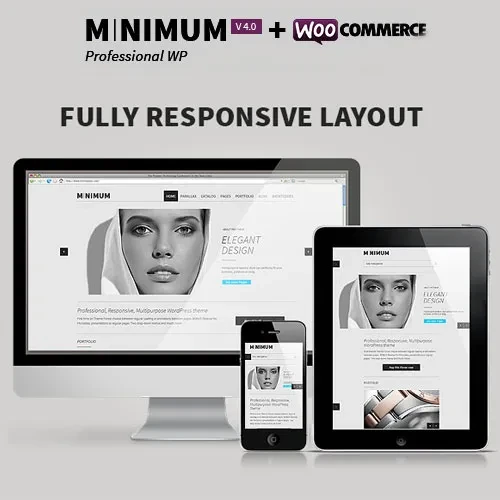
Esthetic also focuses on responsive presentation and website performance. Its mobile-friendly structure helps maintain a consistent browsing experience across smartphones, tablets, and desktop computers. The SEO-conscious framework provides a useful starting point for improving your website's visibility in search engines.
📊 Esthetic vs. Traditional Photography WordPress Themes
Features | Esthetic Theme | Traditional Photography Themes |
|---|
Website Editing | Full Site Editing (FSE) | Traditional Theme Customization |
Design Technology | Gutenberg + Gutenverse | Theme-Specific Editing Tools |
Customization | Block-Based Visual Editing | Options Vary by Theme |
Website Performance | Lightweight Design Approach | Performance Varies |
Portfolio Appearance | Elegant Photography Layouts | Standard Gallery Designs |
SEO Structure | SEO-Conscious Framework | SEO Features Vary |
⚙️ How to Install Esthetic WordPress Theme
Download the Esthetic theme ZIP package from 5ivecode.com.
Sign in to your WordPress administration dashboard.
Navigate to Appearance → Themes → Add New.
Select Upload Theme and choose the downloaded ZIP file.
Click Install Now and activate the theme after installation.
Install and activate the Gutenberg-related and Gutenverse plugins if required.
Use the One-Click Demo Import option to load the available sample website content.
Open the Full Site Editing interface to personalize templates, page layouts, headers, and footers.