Exclusive Coupon — Use Code SAVE10 for Instant Savings! Apply at checkout for your special discount. Limited uses — grab it while you can.
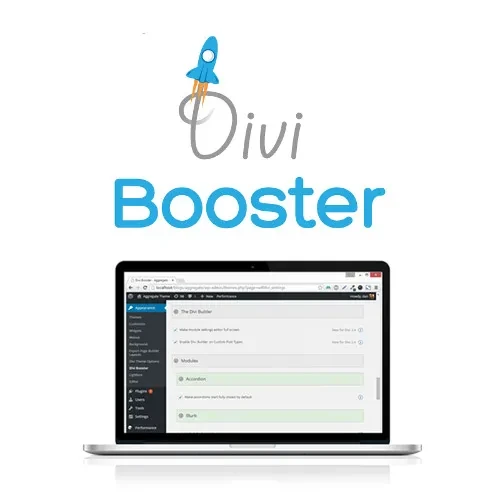
Divi Booster is a powerful WordPress plugin designed to expand the customization capabilities of the Divi Builder and Elegant Themes Divi Theme. It provides additional design controls, layout options, styling features, performance improvements, and convenient customization tools that help users enhance Divi-powered websites without relying heavily on custom coding. Whether you want to refine your headers, adjust blog layouts, customize WooCommerce elements, improve responsive presentation, or add advanced styling effects, Divi Booster gives you more control over your Divi website from within WordPress.
Divi Booster – Advanced Divi Customization & Enhancement Plugin
Divi Booster is a powerful WordPress plugin designed to expand the customization capabilities of the Divi Builder and Elegant Themes Divi Theme. It provides additional design controls, layout options, styling features, performance improvements, and convenient customization tools that help users enhance Divi-powered websites without relying heavily on custom coding.
Whether you want to refine your headers, adjust blog layouts, customize WooCommerce elements, improve responsive presentation, or add advanced styling effects, Divi Booster gives you more control over your Divi website from within WordPress.
Expand the standard customization capabilities of Divi with additional settings and controls. Fine-tune different areas of your website to create a more personalized design.
Access extended configuration options for Divi modules. Customize module behavior, appearance, and presentation beyond the default Divi settings.
Take greater control over your website header and navigation areas. Adjust available header elements and navigation presentation to better match your site's design.
Enhance the appearance and structure of your Divi website footer. Apply additional customization options to create a more polished and consistent footer design.
Customize the presentation of blog posts and content layouts. Adjust available blog and post design options to create a layout that fits your website's content style.
Improve how your Divi website appears across different screen sizes. Use responsive customization options to create a more consistent experience on desktops, tablets, and mobile devices.
Add custom styling when standard Divi controls are not enough. CSS customization options provide developers and advanced users with greater flexibility over specific website elements.
Access optimization-focused features designed to help improve the efficiency of Divi-powered websites. Reduce unnecessary customization overhead and work toward a smoother website experience.
Extend customization options for WooCommerce-powered Divi websites. Adjust supported store elements and design details to create a more consistent shopping experience.
Control when selected elements or customizations should be displayed. Conditional options provide greater flexibility for managing website content and presentation.
Add more visual flexibility to your Divi designs with additional animation and styling controls. Create engaging interfaces while maintaining control over the overall appearance.
Keep your Divi customization toolkit current with ongoing feature improvements and updates. Regular enhancements help maintain compatibility and provide access to new capabilities.
Divi Booster enhances the standard Divi website-building experience by adding extra customization features and convenient design controls. Instead of depending entirely on custom CSS or code modifications, users can access additional options for improving various sections of their Divi websites.
From navigation and footer adjustments to blog layouts, responsive settings, WooCommerce customization, and visual styling, Divi Booster provides a broader set of tools for Divi-based website development.
Divi already provides a flexible visual design environment, but some projects require additional customization. Divi Booster adds extra controls that can help users achieve design changes that may not be available through the standard Divi interface.
Create a more customized website structure by adjusting supported header and navigation settings. These options make it easier to align your site's navigation area with your branding and overall design.
Give your blog and post pages a more personalized appearance. Divi Booster provides additional controls for modifying supported blog and post layout settings, helping you create a presentation that suits your content.
Modern websites need to work well across multiple devices. Responsive controls help you fine-tune your Divi website's presentation for different screen sizes, including desktop, tablet, and mobile displays.
For users who need deeper control, custom CSS options provide additional styling flexibility. Developers can use CSS to refine specific elements and achieve more precise visual results.
If your Divi website includes an online store, WooCommerce customization options can help you maintain a consistent visual style across supported shopping-related elements and pages.
Conditional display settings, animation controls, and styling options provide additional ways to manage how website elements appear and behave. These tools can help create more interactive and visually appealing Divi websites.
Get Support
Please Sign In to contact our support.