🎃 Halloween Sale — Scary Good Deals, Up to 20% OFF! Don't be spooked by these prices — grab them before they disappear at midnight.
DeBlocker – Anti AdBlock for WordPress is a website monetization support plugin designed to help website owners identify visitors who use ad-blocking software and display customized messages or prompts. It gives publishers a way to communicate with visitors about advertising visibility and encourage them to support websites that rely on advertising revenue. Whether you operate a blog, news portal, online magazine, content website, or advertising-supported platform, DeBlocker can help you create a visitor messaging strategy around ad-blocking detection. With features such as customizable notifications, detection rules, popup messages, and responsive message layouts, you can tailor the experience to your website's audience and design.
DeBlocker – Anti AdBlock for WordPress Plugin
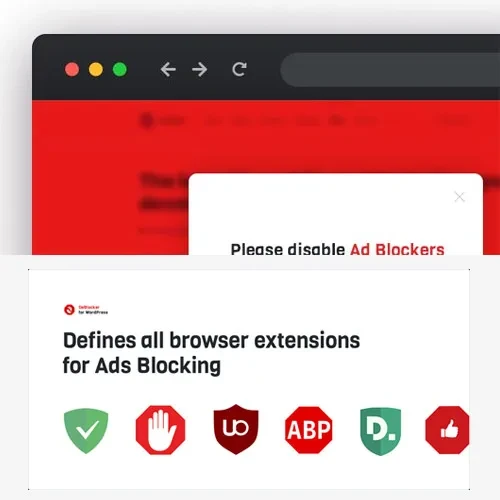
DeBlocker – Anti AdBlock for WordPress is a website monetization support plugin designed to help website owners identify visitors who use ad-blocking software and display customized messages or prompts. It gives publishers a way to communicate with visitors about advertising visibility and encourage them to support websites that rely on advertising revenue.
Whether you operate a blog, news portal, online magazine, content website, or advertising-supported platform, DeBlocker can help you create a visitor messaging strategy around ad-blocking detection. With features such as customizable notifications, detection rules, popup messages, and responsive message layouts, you can tailor the experience to your website's audience and design.
Instead of silently losing potential advertising impressions, website owners can use anti-adblock messaging to explain how advertising supports their content and invite visitors to consider adjusting their ad-blocking settings.
WordPress AdBlock Detection: Detect ad-blocking behavior using supported detection methods.
Anti AdBlock Functionality: Display messages to visitors when ad-blocking software is detected.
AdBlock User Detection: Identify likely ad-blocking activity according to the configured rules.
Custom Visitor Messages: Create messages that explain your website's advertising policy.
Ad Visibility Prompts: Encourage visitors to allow advertisements where appropriate.
Monetization Support: Help publishers communicate with audiences about advertising-supported content.
AdBlock Detection Rules: Configure available detection behavior according to your requirements.
Custom Popup Messages: Present notifications using supported popup options.
Visitor Engagement Controls: Adjust how messages are presented to visitors using available settings.
Responsive Message Design: Create notifications intended to display across different screen sizes.
Use supported detection methods to identify when ad-blocking software may be preventing advertisements from displaying correctly. This can help publishers understand when advertising visibility may be affected.
Detection is not guaranteed to identify every blocker, because ad-blocking tools and browser privacy settings can behave differently.
Display a notification when the plugin detects likely ad-blocking activity. You can use the message to explain that advertising helps fund your website and ask visitors to consider allowing ads.
A respectful message can communicate your request without creating an unnecessarily disruptive browsing experience.
Apply the plugin's available detection options to identify visitors whose browser environment appears to block advertisements. The results can help inform how your website responds to ad-blocking activity.
Actual detection behavior depends on the plugin's implementation, the visitor's browser, and the blocking tools in use.
Customize the text shown to visitors when ad-blocking behavior is detected. You might explain how advertisements support free articles, tutorials, research, or other resources published on your website.
Clear and concise messages can help visitors understand why you are asking them to allow advertisements.
Encourage visitors to adjust their ad-blocking settings if they wish to support your website. These prompts can be used to communicate your preferred advertising policy while allowing you to maintain a consistent brand voice.
Consider providing a straightforward explanation rather than relying on aggressive or misleading language.
Advertising can be an important revenue source for publishers and content creators. DeBlocker can support advertising-related communication by notifying visitors when ads may be blocked.
The plugin does not guarantee increased advertising revenue or ad impressions. Results depend on visitor responses, advertising configuration, traffic quality, and the policies of your advertising network.
Configure the detection behavior available in the plugin to suit your website. Appropriate rules can help determine when a message should appear and how the plugin responds to likely ad-blocking activity.
Test your configuration with different browsers and privacy settings before using it on a live website.
Use supported popup functionality to present ad-blocking notifications in a visible format. Customize the message to explain your request and help visitors understand the role of advertising on your website.
Avoid excessive popup frequency, since intrusive prompts may negatively affect the user experience.
Adjust available message display settings to create an appropriate balance between monetization goals and visitor comfort. Depending on the plugin version, these settings may affect how notifications are displayed or triggered.
A thoughtful approach can help maintain engagement while communicating your advertising preferences.
Design messages that remain readable on desktops, tablets, and smartphones. Test text wrapping, buttons, spacing, and popup behavior across different screen sizes to ensure that notifications do not unnecessarily obstruct website content.
Get Support
Please Sign In to contact our support.