🎃 Halloween Sale — Scary Good Deals, Up to 20% OFF! Don't be spooked by these prices — grab them before they disappear at midnight.
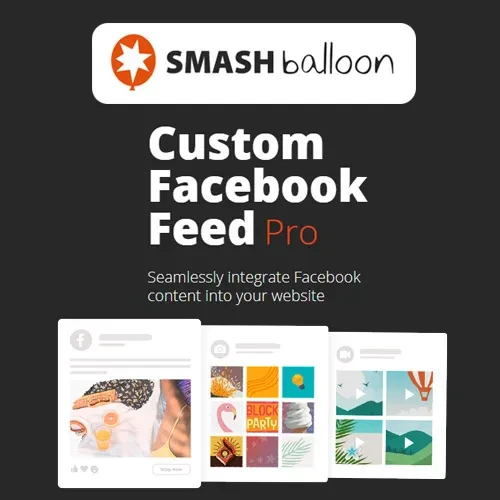
Custom Facebook Feed Pro by Smash Balloon is a WordPress plugin that allows website owners to display Facebook content directly on their websites. It helps integrate social media posts into website pages using customizable feed layouts and styling options, making it easier to showcase business updates, photos, videos, and other supported Facebook content. Whether you manage a business website, online store, blog, portfolio, or community platform, Custom Facebook Feed Pro can help connect your website with your Facebook presence and keep visitors informed about your latest social media activity.
Custom Facebook Feed Pro by Smash Balloon – WordPress Facebook Feed Plugin
Custom Facebook Feed Pro by Smash Balloon is a WordPress plugin that allows website owners to display Facebook content directly on their websites. It helps integrate social media posts into website pages using customizable feed layouts and styling options, making it easier to showcase business updates, photos, videos, and other supported Facebook content.
Whether you manage a business website, online store, blog, portfolio, or community platform, Custom Facebook Feed Pro can help connect your website with your Facebook presence and keep visitors informed about your latest social media activity.
🔗 Facebook Feed Integration – Connect supported Facebook sources and display their content on your WordPress website.
📰 Custom Facebook Feeds – Configure feed displays to suit your website’s content and presentation requirements.
🎨 Multiple Feed Layouts – Choose from available layout options to present Facebook posts in an organized and attractive format.
📝 Facebook Post Display – Showcase supported text posts, announcements, and other Facebook content directly on your website.
📸 Photo and Video Support – Display compatible images and video content from supported Facebook feeds.
🔍 Feed Filtering – Use available filtering options to control which supported posts appear in your feed.
⚙️ Customizable Feed Styling – Adjust supported design settings to complement your website’s branding and layout.
📱 Responsive Design – Present feeds in layouts designed to adapt to desktop, tablet, and mobile screens.
🔄 Multiple Feed Support – Configure multiple feeds where supported, allowing different Facebook sources or content displays across your website.
🌐 Social Media Content Display – Bring selected Facebook updates into your website to create a more connected visitor experience.
Custom Facebook Feed Pro by Smash Balloon is designed to make Facebook content easier to incorporate into WordPress websites. Rather than manually copying social media updates into website pages, administrators can configure supported feeds to display content from connected Facebook sources.
Businesses can use Facebook feeds to highlight announcements, product updates, event information, photographs, and other relevant posts. Bloggers and community websites can also use social feeds to keep visitors informed about updates shared through their Facebook presence.
The plugin’s available feed sources, post formats, filters, and display options depend on the installed version and Facebook’s current API permissions. Review the current documentation to confirm that your intended Facebook page and content types are supported.
Feature | Custom Facebook Feed Pro | Basic Facebook Embeds |
|---|---|---|
Feed integration | Displays supported Facebook content through configured feeds | Commonly displays individual embedded posts |
Layout customization | Offers configurable feed layouts | Limited control over presentation |
Post display | Can show multiple supported posts | Usually requires separate embeds |
Photo and video content | Supports compatible media | Depends on the embedded content |
Feed filtering | Available where supported | Generally limited |
Multiple feeds | Depends on supported configurations | Usually requires separate embed setups |
Website styling | Provides feed customization options | Styling control may be limited |
Obtain the Custom Facebook Feed Pro plugin ZIP file from a trusted source.
Sign in to your WordPress administration dashboard.
Navigate to Plugins → Add New Plugin → Upload Plugin.
Select the ZIP file and click Install Now.
Click Activate Plugin after installation is complete.
Open the Smash Balloon Facebook Feed settings area in your WordPress dashboard.
Connect the appropriate Facebook source using the available authentication process.
Select the feed source and configure the available layout, styling, and filtering options.
Add the feed to your required page or post using the supported block, shortcode, or embedding method.
Preview the feed on desktop and mobile devices to confirm that posts and media display correctly.
Get Support
Please Sign In to contact our support.