What is CSS Igniter Vignette WordPress Theme?
CSS Igniter Vignette WordPress Theme – GPL Download
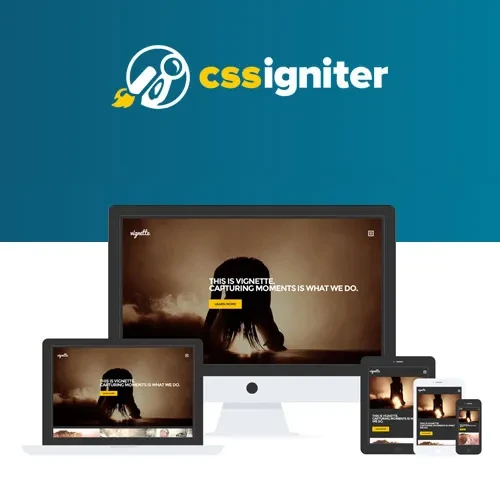
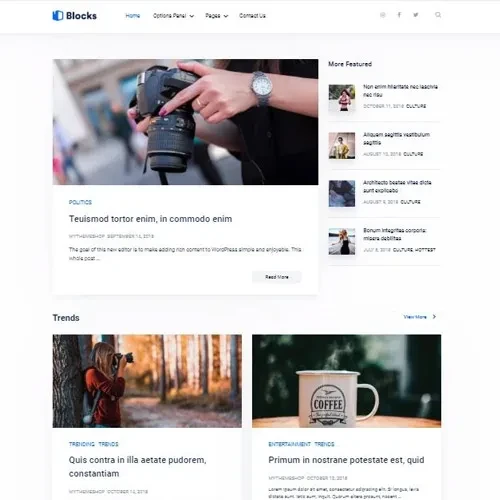
CSS Igniter Vignette is a beautifully crafted WordPress theme for bloggers, photographers, authors, and digital creators who prefer a distraction-free website design. Its elegant appearance and content-focused layouts provide an excellent way to publish articles, present photography, and share creative projects with an online audience.
Designed with responsive layouts and convenient customization settings, Vignette helps you establish a professional website without unnecessary design complexity. Get the GPL version through 5ivecode.com, with lifetime free updates and limited email support.
Key Features
✨ Elegant Minimalist Appearance – A simple and refined visual style that keeps your articles, photographs, and creative content in focus.
📱 Responsive Website Layout – Provides a comfortable browsing experience across smartphones, tablets, laptops, and desktop computers.
⚡ Performance-Conscious Design – Built with attention to loading efficiency and smooth website navigation.
🎨 Flexible Appearance Settings – Personalize supported colors, typography, and layout elements through the WordPress Customizer.
🖼️ Creative Content Presentation – Publish photographs, videos, articles, and portfolio material using attractive content layouts.
🧩 Useful Built-In Widgets – Add elements such as recent posts, social media feeds, and other available widgets to engage readers.
🔍 SEO-Friendly Foundation – Provides a structured theme design to support search engine optimization efforts.
🔄 Lifetime Free Updates – Keep your theme current with ongoing updates included through 5ivecode.com.
Detailed Theme Overview
Create a clean and engaging publishing platform with CSS Igniter Vignette, a WordPress theme designed to give your content the attention it deserves. Its minimalist styling makes it suitable for personal blogs, photography websites, writing portfolios, and creative publications.
Whether you want to publish regular blog articles, share professional photographs, or introduce your creative projects, Vignette offers a visually appealing way to organize your content.
The responsive design helps maintain a consistent appearance across different screen sizes, while the WordPress Customizer provides convenient options for adjusting your website's presentation. Its widget functionality also gives you additional ways to display recent articles and connect with your audience.
For creators who value simplicity, readability, and attractive content presentation, Vignette offers a practical starting point for building a WordPress website.
CSS Igniter Vignette vs Other Blog Themes
Feature | CSS Igniter Vignette | Typical Blog Themes |
|---|
Visual Style | Minimal and content-oriented | Some use crowded layouts |
Device Compatibility | Responsive presentation | Support varies |
Content Display | Clean layouts for creative publishing | Layout flexibility differs |
Customization | WordPress Customizer settings | Options vary by theme |
SEO Structure | SEO-conscious theme foundation | Optimization varies |
Updates | Lifetime free updates through 5ivecode.com | Renewal policies differ |
Installation Instructions
Download the CSS Igniter Vignette WordPress Theme ZIP package from 5ivecode.com.
Sign in to your WordPress administration dashboard.
Navigate to Appearance → Themes → Add New → Upload Theme.
Choose the downloaded ZIP archive from your computer.
Click Install Now and wait for WordPress to complete the installation.
Select Activate to start using the theme.
Configure your homepage, blog sections, and available content layouts.
Use the WordPress Customizer and widget settings to personalize your website.