🎃 Halloween Sale — Scary Good Deals, Up to 20% OFF! Don't be spooked by these prices — grab them before they disappear at midnight.
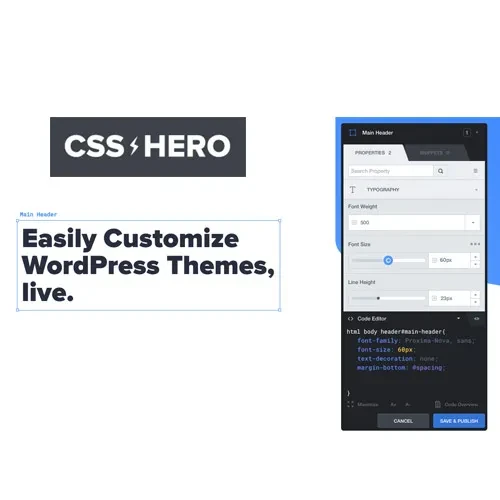
CSS Hero PRO is a visual styling tool for WordPress that helps website owners customize their website's appearance without needing to write extensive CSS code manually. Its visual editing interface makes it easier to adjust design elements such as colors, typography, spacing, backgrounds, and layouts to create a website that better matches your brand and design preferences. Whether you manage a business website, blog, portfolio, landing page, or online store, CSS Hero PRO provides a convenient approach to refining your website's visual presentation. By working with CSS-based styling options through a visual interface, you can make design adjustments and review the results as you customize your pages.
CSS Hero PRO – Visual CSS Editor for WordPress
CSS Hero PRO is a visual styling tool for WordPress that helps website owners customize their website's appearance without needing to write extensive CSS code manually. Its visual editing interface makes it easier to adjust design elements such as colors, typography, spacing, backgrounds, and layouts to create a website that better matches your brand and design preferences.
Whether you manage a business website, blog, portfolio, landing page, or online store, CSS Hero PRO provides a convenient approach to refining your website's visual presentation. By working with CSS-based styling options through a visual interface, you can make design adjustments and review the results as you customize your pages.
WordPress CSS Customization – Adjust the visual styling of your WordPress website through a dedicated editing interface.
Visual Style Editor – Modify supported design elements visually rather than writing every CSS rule manually.
No-Code Design Editing – Make common appearance adjustments with less reliance on direct CSS coding.
Typography Customization – Refine text styling, including supported font and typography settings.
Color and Background Controls – Personalize colors and background styles to create a consistent website appearance.
Spacing and Layout Options – Adjust supported spacing and layout properties to improve the presentation of page elements.
Custom CSS Styling – Work with CSS-based styling options for more specific design refinements.
Live Design Preview – Review visual changes during the editing process to help guide your design decisions.
Theme Appearance Editing – Customize supported theme styling and compatible website elements.
Responsive Design Controls – Refine supported styling for different screen sizes and create a more consistent browsing experience.
Customizing a WordPress website often involves editing CSS rules to change the appearance of individual elements. CSS Hero PRO offers a visual approach that can make common styling tasks more accessible, particularly for users who prefer working through an interface instead of editing stylesheets directly.
Typography and color choices play an important role in website branding and readability. Use the available styling controls to refine text appearance, adjust color schemes, and create a visual style that complements your website's identity.
Well-balanced spacing helps content look organized and easier to read. CSS Hero PRO supports visual adjustments to compatible layout and spacing properties, helping you refine the presentation of headings, paragraphs, buttons, and other page elements.
Being able to review styling changes while editing helps you evaluate the appearance of your website as you work. A live preview workflow can make it easier to compare design choices and refine details before finalizing your changes.
WordPress themes provide the foundation for a website's visual design, but their default appearance may not match every project's requirements. CSS Hero PRO can help customize supported theme elements, allowing you to personalize the design while retaining your existing website structure.
A website should remain usable and visually consistent across desktop computers, tablets, and mobile phones. Responsive design controls can help you refine supported styling for different screen sizes. Always test the finished design on your actual website, as results can depend on your theme, plugins, and layout.
CSS Hero PRO may be useful for:
WordPress website owners who want greater control over website styling.
Bloggers looking to personalize their website's appearance.
Freelance web designers working on WordPress projects.
Agencies customizing compatible themes for clients.
Small businesses refining their online brand presentation.
Developers who want a visual workflow for supported CSS adjustments.
Website administrators who prefer not to edit CSS files for every design change.
Log in to your WordPress dashboard.
Open the plugin installation area or prepare the plugin package for upload, depending on how it was obtained.
Install and activate CSS Hero PRO using the applicable installation method.
Open the plugin's available visual editing interface.
Select supported website elements and adjust their styling options.
Preview the changes and test the website on desktop and mobile devices.
The exact installation process, activation requirements, and available controls may vary depending on the plugin version and package.
Get Support
Please Sign In to contact our support.