What is Core Minimalist Photography Portfolio?
Core – Minimalist Photography Portfolio WordPress Theme (GPL)
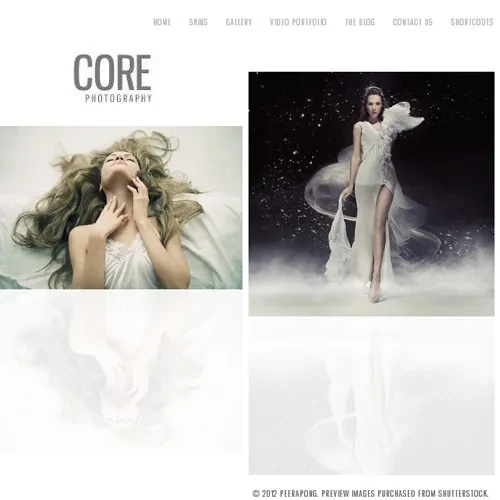
Core – Minimalist Photography Portfolio WordPress Theme is an elegant and professionally designed theme for photographers, artists, designers, and creative professionals who want to present their work through a beautiful online portfolio.
With its uncluttered layouts, fullscreen galleries, and flexible customization options, Core helps you create an impressive website where photographs and creative projects receive the attention they deserve.
Whether you are showcasing photography collections, artwork, design projects, or a creative studio, Core provides a clean visual foundation for your online presence.
Available at 5ivecode.com under the GPL license, this theme includes lifetime free updates and limited email support.
💡 Key Features
Minimalist Portfolio Design: Keep the focus on your photographs, artwork, and creative projects with clean layouts.
Responsive and Retina-Ready: Display your portfolio clearly across desktop, tablet, and mobile devices.
Fullscreen Image and Video Backgrounds: Create visually engaging website sections using fullscreen media backgrounds.
Multiple Gallery Styles: Present your work using grid, masonry, and slideshow gallery layouts.
Built-In Lightbox: Allow visitors to view portfolio images in an enlarged presentation.
Image Protection Features: Use the available image protection options to help protect displayed photography.
Custom Shortcodes and Widgets: Extend your website layouts with additional content elements.
SEO-Friendly Structure: Includes search-engine-friendly design considerations.
Translation and WPML Ready: Build multilingual portfolio websites using supported translation tools.
📖 Theme Overview
The Core WordPress Theme is built for creative professionals who prefer a sophisticated website without unnecessary visual distractions. Its minimalist presentation allows visitors to concentrate on your photography, artwork, and design projects.
Fullscreen media backgrounds and different gallery styles provide flexible ways to display visual content. You can organize your portfolio using grid layouts, masonry arrangements, or slideshows, depending on the presentation you prefer.
The built-in lightbox adds another way for visitors to explore your images, while custom shortcodes and widgets provide additional layout flexibility.
Whether you are an independent photographer, professional designer, artist, or creative studio, Core offers a practical starting point for building a distinctive portfolio website.
⚖️ Core vs. General Photography Portfolio Themes
Feature | Core Theme | General Portfolio Themes |
|---|
Design Style | Minimalist, photography-focused presentation | Design styles vary |
Gallery Options | Fullscreen, grid, masonry, and slideshow | Gallery choices vary |
Responsive Design | Responsive and retina-ready | Device support varies |
Media Backgrounds | Fullscreen image and video backgrounds | Availability varies |
Image Viewing | Built-in lightbox | Depends on theme features |
Customization | Shortcodes and widgets | Customization tools vary |
SEO Structure | SEO-friendly structure | SEO features vary |
GPL License | GPL-licensed version | License conditions vary |
Updates | Lifetime free updates with this offer | Update policies vary |
⚙️ Installation Guide
Download Core – Minimalist Photography Portfolio WordPress Theme (GPL Version) from your 5ivecode.com account.
Log in to your WordPress administration dashboard.
Navigate to Appearance → Themes → Add New.
Click Upload Theme and select the downloaded .zip file.
Choose Install Now and activate the theme after installation.
Install any recommended plugins included with the theme package.
If demo content is provided, use the available demo import option to recreate the sample website.
Open the theme options panel to personalize portfolio settings, colors, typography, and other available design elements.
Add your photographs, videos, gallery collections, and portfolio projects.