🎃 Halloween Sale — Scary Good Deals, Up to 20% OFF! Don't be spooked by these prices — grab them before they disappear at midnight.
Cool Timeline Pro is a WordPress timeline plugin designed to present events, milestones, stories, and historical information in visually organized chronological layouts. It helps website owners transform text-based information into engaging timelines that make important dates, achievements, and sequences of events easier for visitors to understand. With vertical and horizontal timeline layouts, customizable styles, and responsive presentation, Cool Timeline Pro can be used for company histories, personal biographies, project milestones, educational content, and other stories that benefit from chronological organization.
Cool Timeline Pro – WordPress Timeline Plugin
Cool Timeline Pro is a WordPress timeline plugin designed to present events, milestones, stories, and historical information in visually organized chronological layouts. It helps website owners transform text-based information into engaging timelines that make important dates, achievements, and sequences of events easier for visitors to understand.
With vertical and horizontal timeline layouts, customizable styles, and responsive presentation, Cool Timeline Pro can be used for company histories, personal biographies, project milestones, educational content, and other stories that benefit from chronological organization.
WordPress Timeline Plugin – Present chronological information in an organized and visually appealing format.
Chronological Timeline Layouts – Arrange events and stories in date-based sequences to improve content flow.
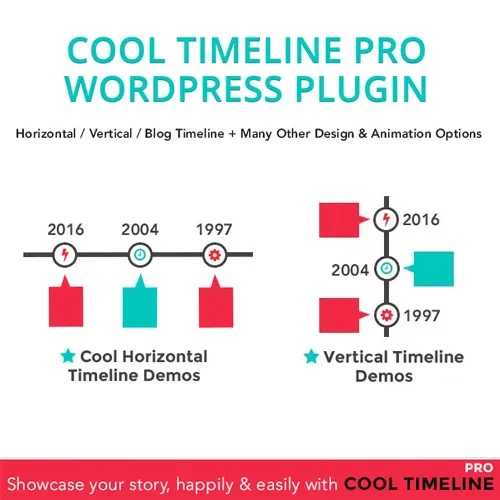
Vertical Timeline Design – Display milestones and events in a vertical layout that guides visitors through a timeline.
Horizontal Timeline Layouts – Present supported timeline content in a horizontal format for an alternative browsing experience.
Event and Milestone Display – Highlight important dates, achievements, project stages, and memorable occasions.
Historical Story Presentation – Organize historical information, biographies, and organizational stories into a chronological sequence.
Timeline Content Management – Manage timeline entries and maintain an organized presentation of relevant information.
Custom Timeline Styles – Personalize supported visual elements to complement your website's design.
Timeline Navigation – Help visitors follow the sequence of events and explore timeline content more conveniently.
Responsive Timeline Design – Support a readable timeline presentation across desktop computers, tablets, and mobile devices.
A timeline makes it easier to understand how events unfold over time. Cool Timeline Pro helps organize important dates and related information into a structured sequence, allowing visitors to follow a story without having to interpret scattered details across multiple sections.
Different websites have different presentation needs. Vertical timelines are suitable for displaying a sequence of milestones, while horizontal layouts can provide an alternative way to explore events. Choose the available layout that best fits your content and page design.
Use timeline entries to present company achievements, product launches, project stages, educational milestones, anniversaries, and other significant events. A clear chronological structure helps readers recognize progress and understand the importance of individual milestones.
Historical content often contains many dates, people, and events. Organizing this information in a timeline can make it easier for visitors to follow a sequence of developments, explore a person's life journey, or understand an organization's history.
A timeline should complement the overall look of your website. Custom styling options can help you create a presentation that fits your theme and content, subject to the design controls available in your installed version.
Visitors may access your website from a range of devices. Responsive timeline presentation helps keep chronological information accessible across different screen sizes, although the final appearance may depend on your WordPress theme and configuration.
Cool Timeline Pro can be useful for:
Businesses: Display company histories, achievements, and organizational milestones.
Bloggers and publishers: Present historical stories and chronological articles.
Educational websites: Organize historical events, lessons, and learning resources.
Portfolio websites: Showcase professional experience and career development.
Agencies and freelancers: Create timeline sections for client websites.
Project teams: Illustrate project stages, progress, and key dates.
Personal websites: Present biographies, life stories, and memorable occasions.
Log in to your WordPress administration dashboard.
Open the plugin installation area or prepare the plugin package for upload, depending on how it was obtained.
Install and activate Cool Timeline Pro using the applicable installation method.
Open the plugin's settings or timeline management interface.
Add your event details, dates, descriptions, and other supported content.
Select a suitable timeline layout and customize the available styling options.
Preview the timeline on your website and check its appearance on desktop and mobile devices.
Installation steps and available settings may vary depending on the plugin version and package.
Get Support
Please Sign In to contact our support.