🎃 Halloween Sale — Scary Good Deals, Up to 20% OFF! Don't be spooked by these prices — grab them before they disappear at midnight.
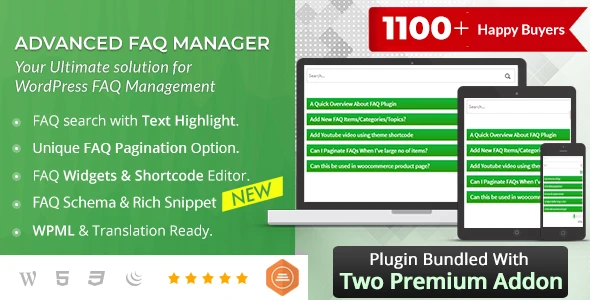
BWL Advanced FAQ Manager is a WordPress plugin designed to help website owners create, organize, and publish frequently asked questions in a clear and accessible format. With features such as accordion layouts, live search, category management, and flexible display options, it helps visitors find answers quickly while reducing repetitive customer support inquiries. Whether you manage an eCommerce store, business website, SaaS platform, service-based website, or blog, BWL Advanced FAQ Manager can help you build an organized knowledge section that improves website usability and makes essential information easier to find.
BWL Advanced FAQ Manager – WordPress FAQ Management Plugin (GPL)
BWL Advanced FAQ Manager is a WordPress plugin designed to help website owners create, organize, and publish frequently asked questions in a clear and accessible format. With features such as accordion layouts, live search, category management, and flexible display options, it helps visitors find answers quickly while reducing repetitive customer support inquiries.
Whether you manage an eCommerce store, business website, SaaS platform, service-based website, or blog, BWL Advanced FAQ Manager can help you build an organized knowledge section that improves website usability and makes essential information easier to find.
Unlimited FAQ Creation – Create and manage FAQ entries according to your website's requirements.
Categories and Tags – Group related questions to make information easier to organize and browse.
AJAX Live Search – Help visitors find relevant answers quickly through live search functionality.
Accordion and Toggle Layouts – Present questions and answers in interactive, space-saving formats.
Drag-and-Drop Sorting – Arrange FAQ entries in a preferred order using the available sorting tools.
Shortcode Support – Display FAQ content on supported WordPress pages and posts.
Widget Support – Place FAQs in supported widget areas, such as sidebars.
Responsive Design – Provide a browsing experience suited to desktop, tablet, and mobile screens.
Translation Readiness – Support multilingual website workflows where compatible translation features are available.
SEO-Friendly Content Organization – Structure useful question-and-answer content to improve accessibility and support search visibility.
Build a dedicated FAQ section to answer common questions about your products, services, policies, and website. A centralized collection of answers can help visitors find information without contacting your support team for every routine query.
Group questions by topic, product, service, or department. Categories and tags can make large FAQ collections easier to navigate and help visitors locate the information relevant to their needs.
Help visitors discover answers without manually browsing every question. Live search functionality can make FAQ sections more convenient, particularly on websites containing extensive documentation or support information.
Use interactive accordion or toggle-style layouts to present questions in a compact format. Visitors can open the questions they want to read while keeping other answers collapsed, helping pages remain organized.
Arrange questions in a logical order to highlight important topics or frequently requested information. A well-structured FAQ list can improve readability and make essential answers easier to discover.
Display FAQ content in suitable areas throughout your WordPress website. Depending on the plugin's available options, shortcodes and widgets can help you include relevant questions on product pages, service pages, blog posts, and sidebars.
Make your question-and-answer content easier to access across different screen sizes. A responsive interface is particularly valuable for visitors who browse product information and support content on mobile devices.
Support multilingual website workflows where the plugin version and your chosen translation tools are compatible. Translating FAQ content can help businesses serve visitors who prefer different languages.
Well-written FAQ content can address specific customer questions and improve the usefulness of your website. Clear headings, descriptive answers, appropriate internal links, and accessible page structure can support SEO efforts. Search engines determine rankings using many factors, so using an FAQ plugin alone does not guarantee improved positions or rich search results.
Answer common questions about shipping, returns, product usage, pricing, account access, or service procedures in one convenient location. This can help visitors resolve straightforward issues independently and allow your support team to focus on more complex requests.
Get Support
Please Sign In to contact our support.