Exclusive Coupon — Use Code SAVE10 for Instant Savings! Apply at checkout for your special discount. Limited uses — grab it while you can.
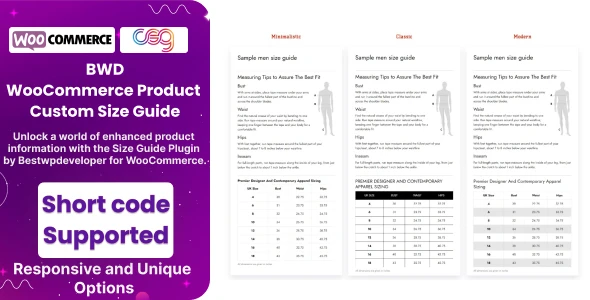
BWD Product Custom Size Guide for WooCommerce is a flexible WooCommerce plugin for creating and displaying customized sizing information directly on product pages. It helps store owners present measurements, fit details, sizing instructions, and visual size references in an easy-to-understand format. Whether you operate an apparel store, footwear shop, accessories business, jewelry website, or another WooCommerce store where product dimensions and sizing are important, custom size guides can give shoppers useful information before they place an order.
BWD Product Custom Size Guide for WooCommerce – GPL Download BWD Product Custom Size Guide for WooCommerce is a flexible WooCommerce plugin for creating and displaying customized sizing information directly on product pages. It helps store owners present measurements, fit details, sizing instructions, and visual size references in an easy-to-understand format. Whether you operate an apparel store, footwear shop, accessories business, jewelry website, or another WooCommerce store where product dimensions and sizing are important, custom size guides can give shoppers useful information before they place an order. With support for multiple guides, product- and category-based assignment, tables, images, and text, the plugin provides a practical way to organize sizing information across your catalog. The package is available through 5ivecode.com under GPL terms, with lifetime package updates and limited email support. 🚀 Feature Highlights Create multiple custom size guides for different products and collections. Assign a specific guide to individual WooCommerce products. Apply size guides to product categories where applicable. Build charts using tables, text, and images. Display sizing information through a product-page button or tab, depending on the available configuration. Provide customers with measurements and fit information before purchase. Use responsive layouts designed for desktop, tablet, and mobile screens. Manage size guides through a straightforward WordPress administration interface. Suitable for stores selling apparel, shoes, rings, accessories, and other size-dependent products. Lightweight plugin structure intended for practical WooCommerce use. Integrates with WooCommerce product pages. GPL-based package with access to the plugin source for permitted customization. 📖 Detailed Overview Choosing the correct size can be one of the most important considerations when shopping online. Customers may hesitate when product measurements, international sizing, or fit instructions are unclear. BWD Product Custom Size Guide for WooCommerce gives store administrators a dedicated way to publish this information alongside their products. Instead of placing the same sizing information across every product, you can organize different guides for different product types. For example, a clothing store could maintain separate charts for shirts, trousers, dresses, and footwear. Flexible Size Guide Management Create separate guides according to your catalog structure. A store can maintain different measurement charts for different product categories or assign a particular guide to selected products. Tables, Images & Text Present sizing information in a format that makes sense for your customers. Depending on your configuration, a guide can contain measurement tables, explanatory text, and images that demonstrate where measurements should be taken. Product-Level & Category-Level Assignment Store owners can associate guides with individual products or broader categories. This is useful when multiple products share the same measurement system. Product Page Display Make the sizing information accessible directly from the product page. Depending on the plugin configuration and compatible WooCommerce setup, customers can access the guide through a dedicated button or product tab. Responsive Customer Experience Sizing information should remain readable regardless of screen size. The responsive design helps charts and supporting content adapt to mobile and desktop shopping environments.
Get Support
Please Sign In to contact our support.