🎃 Halloween Sale — Scary Good Deals, Up to 20% OFF! Don't be spooked by these prices — grab them before they disappear at midnight.
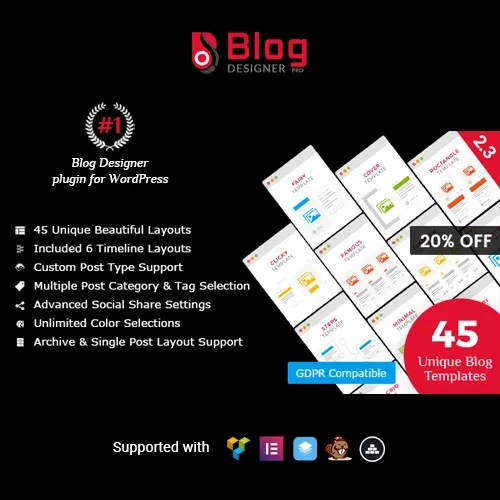
Blog Designer PRO for WordPress is a versatile WordPress plugin designed to help you create visually appealing, responsive, and professionally organized blog pages. It provides a variety of layout styles, flexible design settings, and content display options, allowing you to present blog posts in a way that matches your website’s appearance and structure. Whether you run a personal blog, business website, news portal, magazine, or content-focused website, Blog Designer PRO helps you customize how your posts are displayed without requiring extensive coding knowledge. With multiple layouts, typography controls, filtering options, and shortcode integration, you can build a more engaging blog browsing experience for your visitors
Blog Designer PRO for WordPress – Customizable Blog Layouts and Design
Blog Designer PRO for WordPress is a versatile WordPress plugin designed to help you create visually appealing, responsive, and professionally organized blog pages. It provides a variety of layout styles, flexible design settings, and content display options, allowing you to present blog posts in a way that matches your website’s appearance and structure.
Whether you run a personal blog, business website, news portal, magazine, or content-focused website, Blog Designer PRO helps you customize how your posts are displayed without requiring extensive coding knowledge. With multiple layouts, typography controls, filtering options, and shortcode integration, you can build a more engaging blog browsing experience for your visitors.
Multiple Blog Layouts: Choose from different layout styles to suit your website.
Grid and Masonry Layouts: Display posts in organized grids or staggered content arrangements.
List and Timeline Layouts: Present articles in list-based or chronological timeline formats.
Responsive Design: Create blog pages that adapt to different screen sizes.
Custom Post Layouts: Adjust how blog posts and their content appear.
Category and Tag Filtering: Help visitors browse posts by relevant topics.
Pagination Options: Organize posts across multiple pages.
Load More Support: Provide an alternative way to display additional posts.
Customizable Typography: Adjust text styling to complement your website design.
Advanced Styling Options: Customize the visual presentation of blog sections.
Social Sharing Support: Make it easier for readers to share blog content.
Shortcode Integration: Place blog layouts in supported areas of your WordPress website.
Present your articles using different blog layout styles. Choose a design that suits your content type, website branding, and preferred reading experience.
Arrange blog posts in a grid for a structured appearance or use a masonry-style layout for a more dynamic presentation. These options are useful for websites that publish articles with featured images and varied content.
Display articles in a straightforward list or organize them in a timeline format. These layouts can help visitors follow published content and browse posts in a more structured way.
Build blog pages intended to adapt to desktop computers, tablets, and mobile devices. A responsive presentation helps maintain readability and usability across different screen sizes.
Customize how blog entries are presented to visitors. Depending on the available settings, you can adjust the arrangement of post information to create a layout that complements your website.
Help visitors discover articles by topic using category and tag filtering options. This is particularly useful for websites that publish content across multiple subjects.
Organize large collections of blog posts into separate pages. Pagination can make content easier to navigate and help keep individual blog pages organized.
Offer a Load More option to let visitors display additional posts without relying exclusively on traditional pagination. The exact loading behavior depends on the plugin’s available configuration.
Adjust typography settings to maintain a consistent visual style across your website. Appropriate font styling can improve readability and help distinguish headings from other post details.
Use the available styling controls to customize blog layouts and align their appearance with your website’s design. This flexibility is useful for creating a consistent look across different content sections.
Give readers options to share blog content through supported social sharing features. Social sharing can make articles easier to distribute across social platforms.
Use shortcode integration to display supported blog layouts in compatible WordPress pages or posts. This offers flexibility when adding a customized blog section to an existing website.
Get Support
Please Sign In to contact our support.