🎃 Halloween Sale — Scary Good Deals, Up to 20% OFF! Don't be spooked by these prices — grab them before they disappear at midnight.
Beaver Builder Professional is a WordPress page-building solution designed to help users create professional, responsive websites through an intuitive drag-and-drop interface. With reusable layouts, flexible content modules, and customizable design controls, it provides a visual workflow for building and managing website pages without requiring extensive coding knowledge. Whether you are developing a business website, portfolio, landing page, blog, agency website, or online store, Beaver Builder Professional offers tools to organize content, customize layouts, and create a consistent website design.
Beaver Builder Professional – WordPress Page Builder Plugin
Beaver Builder Professional is a WordPress page-building solution designed to help users create professional, responsive websites through an intuitive drag-and-drop interface. With reusable layouts, flexible content modules, and customizable design controls, it provides a visual workflow for building and managing website pages without requiring extensive coding knowledge.
Whether you are developing a business website, portfolio, landing page, blog, agency website, or online store, Beaver Builder Professional offers tools to organize content, customize layouts, and create a consistent website design.
Drag-and-Drop Page Builder: Build page layouts by arranging supported content elements visually within the editor.
Frontend Visual Editing: Customize page content and layouts through a visual editing interface.
Responsive Design Controls: Adjust supported elements and layouts to improve presentation across desktops, tablets, and mobile devices.
Reusable Page Templates: Save supported page designs and reuse them when creating additional website pages.
Reusable Rows and Modules: Organize commonly used content sections and elements for consistent design across your website.
Advanced Content Modules: Enhance pages with a selection of content-building elements for presenting text, images, buttons, and other supported content.
Custom CSS Support: Apply additional styling to supported elements when more precise design control is required.
Theme Compatibility: Work with compatible WordPress themes to incorporate page-building features into your existing website.
WooCommerce Support: Use supported integration features as part of a WooCommerce website-building workflow.
Multisite Support: Work within compatible WordPress Multisite installations, subject to the applicable license and configuration.
Translation Ready: Use supported translation tools to adapt website content for different languages.
Developer-Friendly API: Explore supported developer interfaces and extension options for customized website-building workflows.
Beaver Builder Professional makes website design more accessible through its visual page-building workflow. Users can arrange content elements into sections and columns, adjust page structure, and refine layouts through the editor.
This approach can simplify the creation of landing pages, service pages, company profiles, portfolios, and other common website layouts without manually writing all the underlying page code.
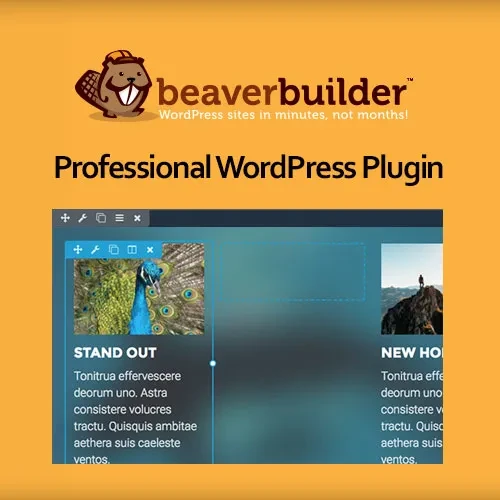
The visual editing interface allows you to work on page layouts while viewing their presentation. You can update supported content elements, rearrange sections, and modify available design settings to suit your requirements.
This makes it easier to refine page structure and review how content fits together during the website development process.
A professional website should provide a usable experience across different screen sizes. Beaver Builder Professional includes responsive design controls for supported elements, helping you adjust layouts for desktop computers, tablets, and smartphones.
Testing your pages on different devices remains important to ensure that text, images, columns, and other elements display correctly.
Reusable design elements can reduce repetitive work when building multiple pages. Page templates provide a starting point for new layouts, while reusable rows and modules help maintain consistent presentation across a website.
These features are particularly useful for agencies, freelancers, and businesses that need to build multiple pages with similar structures and branding.
Content modules provide building blocks for creating different types of page sections. Depending on the available modules, users can incorporate text, images, buttons, and other supported elements into their layouts.
By combining these elements, you can create structured pages that present business information, services, product details, and promotional content in a clear and organized format.
For users who require more detailed styling, custom CSS support offers an additional way to refine the appearance of supported elements.
Developers can use CSS to adjust selected visual properties and align page layouts with specific branding requirements. Custom styles should be tested carefully to prevent conflicts with the active theme or other plugins.
Beaver Builder Professional is designed for use within WordPress and can work with compatible themes. This allows users to build custom page layouts while maintaining their existing website setup.
For WooCommerce websites, supported integration features can contribute to store-related page-building workflows. Specific capabilities depend on the installed versions, available integrations, and website configuration.
Get Support
Please Sign In to contact our support.