🎃 Halloween Sale — Scary Good Deals, Up to 20% OFF! Don't be spooked by these prices — grab them before they disappear at midnight.
Beaver Builder Pro is a WordPress page builder plugin that helps users create professional, responsive websites through a visual drag-and-drop interface. It offers flexible page layouts, reusable templates, advanced design controls, and content-building tools that make website development more accessible without requiring extensive coding knowledge. Whether you are building a business website, landing page, portfolio, agency website, blog, or online store, Beaver Builder Pro provides a visual editing workflow for designing page layouts and organizing content to suit your website's needs.
Beaver Builder Pro – Advanced WordPress Page Builder Plugin
Beaver Builder Pro is a WordPress page builder plugin that helps users create professional, responsive websites through a visual drag-and-drop interface. It offers flexible page layouts, reusable templates, advanced design controls, and content-building tools that make website development more accessible without requiring extensive coding knowledge.
Whether you are building a business website, landing page, portfolio, agency website, blog, or online store, Beaver Builder Pro provides a visual editing workflow for designing page layouts and organizing content to suit your website's needs.
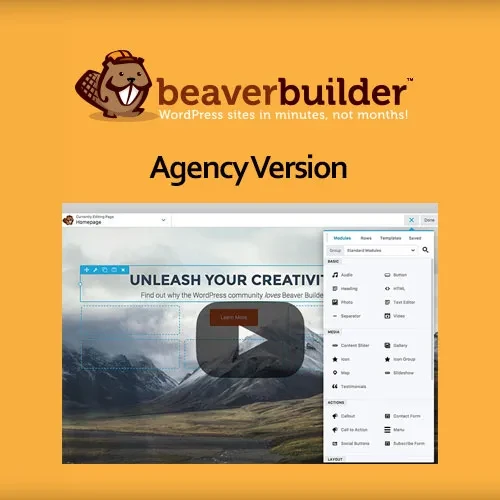
Drag-and-Drop Page Builder: Create and arrange page layouts by moving supported content elements into position through a visual editor.
Frontend Visual Editing: Preview and customize page designs directly within the frontend editing experience.
Responsive Design Controls: Adjust supported layouts and elements to help your website display effectively on desktop computers, tablets, and mobile devices.
Reusable Templates: Save and reuse supported page layouts to simplify website creation and maintain consistent designs.
Global Rows and Modules: Reuse shared design elements across supported pages and update global elements where the relevant functionality is available.
Advanced Content Modules: Build page sections using a range of content elements for text, images, buttons, and other supported content types.
Custom CSS Controls: Apply custom CSS where supported to fine-tune layouts and styling beyond the standard design settings.
WordPress Theme Compatibility: Work with compatible WordPress themes to create and customize page content within your existing website.
WooCommerce Integration: Support website-building workflows for WooCommerce stores, subject to the available integration features and installed versions.
Multisite Support: Use supported functionality in compatible WordPress Multisite environments, depending on your license and configuration.
Translation Ready: Work with supported translation tools to adapt website content for multilingual audiences.
Developer-Friendly API: Use developer-oriented interfaces and extensibility options to customize or extend functionality where supported.
Beaver Builder Pro makes page creation more accessible by allowing users to organize content through a visual interface. You can arrange supported elements into different sections, columns, and layouts while refining the page's appearance.
This workflow can reduce the need to build every layout from scratch and help website owners make design changes without editing theme files directly.
The visual editing experience allows you to work with page content while seeing how the design is taking shape. You can adjust supported elements, reorganize sections, and refine spacing or styling using the available controls.
This can be especially helpful when developing landing pages, service pages, business websites, and other layouts where presentation and content structure are important.
A website should remain usable across different screen sizes. Beaver Builder Pro provides responsive design controls for supported elements and layouts, helping you adapt page content for desktop, tablet, and mobile visitors.
Testing your pages on different devices is still important to ensure that text, images, columns, buttons, and other elements display as intended.
Reusable templates help simplify the process of building multiple pages with a consistent layout. You can save supported designs and use them as a starting point for additional pages.
Global rows and modules can also help maintain consistency when the same design element appears in multiple locations. Where global editing is supported, updating a shared element can reduce the need to make repeated changes manually.
Content modules provide building blocks for creating different sections of a website. Depending on the available modules, you can arrange text, images, buttons, and other elements into layouts that suit your content strategy.
Combining these building blocks allows you to create different page structures for business information, product presentations, service descriptions, and promotional content.
For users who need additional control over their layouts, custom CSS options can help refine visual details beyond the standard settings.
Developers can use CSS to adjust supported styling properties and align page elements with a website's design requirements. Custom code should be tested carefully to avoid conflicts with themes, plugins, or future design changes.
Beaver Builder Pro is designed to work within the WordPress ecosystem and supports compatible themes. This allows users to incorporate visual page-building tools into an existing website setup.
For online stores, supported WooCommerce integration can help with page-building workflows related to store content. Specific product, checkout, and store-layout capabilities depend on the installed versions and available integrations.
Developers can benefit from reusable layouts and supported extensibility options when building websites for clients or managing multiple projects. Developer-oriented APIs may provide ways to extend the builder or integrate custom functionality.
Multisite compatibility can also be useful for organizations managing multiple WordPress sites from a single network installation. Availability may depend on the selected license and configuration.
Get Support
Please Sign In to contact our support.