Exclusive Coupon — Use Code SAVE10 for Instant Savings! Apply at checkout for your special discount. Limited uses — grab it while you can.
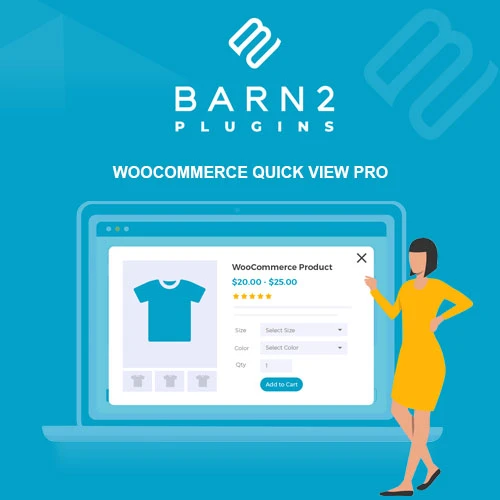
Barn2 Media WooCommerce Quick View Pro is a WooCommerce enhancement plugin that lets shoppers preview product information directly from shop, category, and product listing pages without having to open each product's full-page view. The plugin can display important product information inside a Quick View popup, helping customers review details and, where supported, select options and add products to their cart without leaving the current listing page. It is suitable for WooCommerce store owners, ecommerce businesses, freelancers, agencies, and WordPress developers looking for a more convenient product-browsing experience.
Barn2 Media WooCommerce Quick View Pro – WordPress Plugin
Barn2 Media WooCommerce Quick View Pro is a WooCommerce enhancement plugin that lets shoppers preview product information directly from shop, category, and product listing pages without having to open each product's full-page view.
The plugin can display important product information inside a Quick View popup, helping customers review details and, where supported, select options and add products to their cart without leaving the current listing page.
It is suitable for WooCommerce store owners, ecommerce businesses, freelancers, agencies, and WordPress developers looking for a more convenient product-browsing experience.
The package supplied through 5ivecode.com includes lifetime free updates and limited email support, according to the package offering.
Quick View Product Popups – Let shoppers open product information in a popup or lightbox from product listing pages.
Product Information Preview – Display relevant product details such as images, descriptions, pricing, and purchasing options.
Ajax Add to Cart – Where supported by the product configuration, customers can add products to the cart without a full page reload.
Variable Product Support – Designed to work with WooCommerce variable products and their available options.
Multiple Product Types – Supports common WooCommerce product types including simple, variable, grouped, and external products, subject to configuration.
Customizable Quick View Design – Adjust available popup, button, typography, colors, and overlay settings to better match your storefront.
Flexible Quick View Placement – Enable Quick View functionality on relevant shop and product archive/listing areas.
Responsive Layout – Designed for desktop, tablet, and mobile shopping environments.
WooCommerce Integration – Built specifically around WooCommerce product and purchasing workflows.
Translation & RTL Support – Designed to accommodate multilingual stores and right-to-left language layouts where supported by the plugin and site configuration.
Browsing a WooCommerce catalog can involve repeatedly opening individual product pages just to check basic information. Barn2 Media WooCommerce Quick View Pro provides an alternative by allowing shoppers to open a compact product preview directly from a listing page.
A shopper can click the Quick View control associated with a product and view information without necessarily leaving the current shop or category page.
This approach can be particularly useful for stores with large product catalogs where customers need to compare several products quickly.
The Quick View popup can provide access to relevant product information such as:
Product image
Product title
Product description
Product price
Product purchasing controls
Product variations where applicable
Add-to-cart functionality
The exact information available can depend on the plugin configuration, product type, WooCommerce setup, and theme.
For supported products and configurations, shoppers can add an item to their cart directly from the Quick View interface.
Ajax-based cart interactions can reduce the need for a complete page refresh during the shopping process. However, behavior can vary when custom themes, checkout extensions, product add-ons, or other WooCommerce plugins modify the standard cart functionality.
Quick View functionality is particularly useful for variable products because shoppers may be able to inspect available product choices without immediately navigating to the full product page.
Depending on the configuration, customers can review available variations such as:
Size
Color
Material
Style
Other WooCommerce attributes
The actual variation-selection experience depends on the product configuration and compatible WooCommerce functionality.
The plugin provides configuration options for adapting the Quick View interface to your storefront.
Depending on the available settings, administrators can customize elements such as:
Quick View button appearance
Button colors
Typography
Popup styling
Overlay appearance
Layout-related options
Product information displayed
Matching the Quick View interface to the existing website design can help maintain a consistent storefront appearance.
Get Support
Please Sign In to contact our support.