🎃 Halloween Sale — Scary Good Deals, Up to 20% OFF! Don't be spooked by these prices — grab them before they disappear at midnight.
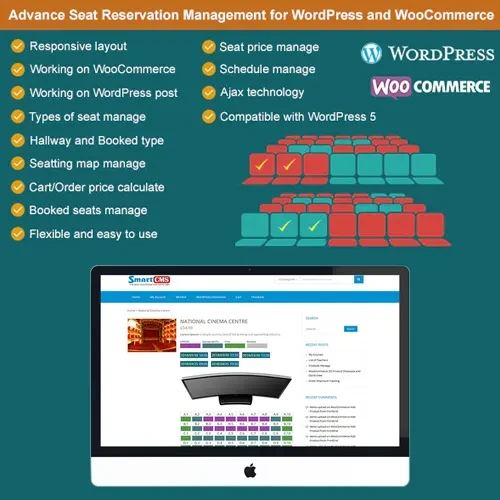
Advanced Seat Reservation Management for WooCommerce adds dedicated seat-selection capabilities to WooCommerce-based ticketing stores. Instead of offering customers only a standard ticket purchase option, the plugin allows them to select a specific seat through a visual and interactive seating map. This makes it suitable for a wide range of businesses and booking services, including cinemas, theaters, concerts, buses, trains, flights, and other events.
Advanced Seat Reservation Management for WooCommerce (GPL) Feature Highlights 🎟️ Flexible Seat Booking – Let customers select their preferred seats for theaters, concerts, buses, cinemas, flights, and other ticket-based services. 🗺️ Interactive Seating Layout – Create visual seat maps that make it simple for customers to view and select available seats. 🛒 WooCommerce Integration – Connect seat selection directly with the WooCommerce cart and checkout process. 📊 Easy Seat Administration – Manage available, reserved, occupied, and unavailable seats from the WordPress dashboard. ⚡ Live Seat Availability – Keep seat information updated to reduce the possibility of duplicate reservations. 🎨 Seat Categories & Colors – Organize seats into categories such as VIP, Premium, Regular, Economy, and more. 📱 Mobile-Friendly Interface – Provide a consistent seat-selection experience across desktops, tablets, and smartphones. 🔓 GPL License – Use the plugin across unlimited websites with lifetime updates through 5ivecode.com. Detailed Overview Advanced Seat Reservation Management for WooCommerce adds dedicated seat-selection capabilities to WooCommerce-based ticketing stores. Instead of offering customers only a standard ticket purchase option, the plugin allows them to select a specific seat through a visual and interactive seating map. This makes it suitable for a wide range of businesses and booking services, including cinemas, theaters, concerts, buses, trains, flights, and other events. The plugin works alongside WooCommerce so that selected seats can be incorporated into the normal shopping and checkout workflow. Store administrators can configure seating arrangements, organize seat categories, set pricing, and control seat availability according to their requirements. Comparison Table Feature Advanced Seat Reservation Default WooCommerce Seat Selection ✔️ Interactive seat map with categories ❌ No dedicated seat-selection system Live Availability ✔️ Helps manage availability and reduce duplicate bookings ❌ No built-in seat management Seat Customization ✔️ Configure layouts, categories, and pricing ❌ Limited standard product options WooCommerce Integration ✔️ Works with cart, checkout, and payments ✔️ Standard WooCommerce purchasing Suitable For ✔️ Events, cinemas, theaters, buses, trains, flights, and ticketing ❌ Primarily designed for standard products Installation Guide Download the Advanced Seat Reservation Management for WooCommerce GPL plugin from 5ivecode.com. In WordPress, navigate to Dashboard → Plugins → Add New → Upload Plugin. Upload the plugin package and activate it. Configure your seat layout and reservation settings. Create or edit WooCommerce ticket products and enable the appropriate seat-selection functionality. Set up seat categories, pricing rules, and availability according to your booking requirements. Test the complete customer flow from seat selection through WooCommerce checkout. Licensing Information Advanced Seat Reservation Management for WooCommerce is distributed under the GNU General Public License (GPL). The GPL licensing model allows the software to be used according to the permissions provided by the license. Through 5ivecode.com, customers can access the GPL package along with the applicable update and support offerings. Frequently Asked Questions ❓ Can I use the plugin for bus or transportation reservations? ✔️ Yes. The seating system can be configured for transportation services such as buses, trains, and similar booking systems where customers need to choose individual seats. ❓ Is it suitable for concerts and theaters? ✔️ Yes. You can create custom seating arrangements for different types of events, including concerts, theaters, performances, and other ticketed venues. ❓ Does it work with WooCommerce checkout? ✔️ Yes. The selected seats can be incorporated into the WooCommerce purchasing process, allowing customers to continue through the standard cart and checkout workflow. ❓ Can administrators make specific seats unavailable? ✔️ Yes. Administrators can control seat availability and mark particular seats as unavailable, reserved, or blocked when necessary. ❓ Can I create different seat categories? ✔️ Yes. You can organize seats into different categories, such as VIP, Premium, Regular, or Economy, depending on your business model. ❓ Is the seat layout responsive? ✔️ Yes. The interface is designed to provide a convenient experience across desktop computers, tablets, and mobile devices. Why Choose Advanced Seat Reservation Management? For WooCommerce stores that sell tickets or reservations, a dedicated seat-selection system can provide a more convenient purchasing experience than standard product variations alone. Advanced Seat Reservation Management for WooCommerce combines visual seat selection, seat categorization, availability management, pricing controls, and WooCommerce checkout integration in one solution. Whether you operate a cinema, theater, concert venue, bus booking service, transportation website, or event ticketing platform, the plugin can help turn a standard WooCommerce store into a more capable reservation system. Get Advanced Seat Reservation Management for WooCommerce Enhance your WooCommerce ticketing website with an interactive seat reservation experience. Visit 5ivecode.com to learn more about the GPL plugin and its available features.
Get Support
Please Sign In to contact our support.