Reed Fleet - PHP Logistics Management System

Reed Fleet is a premium, self-hosted PHP shipment tracking system built for logistics businesses, couriers, and the web developers who serve them. Taking just 1 minutes to install on any shared hosting environment, it integrates seamlessly with WordPress, custom HTML, or any existing website.

Total
$30
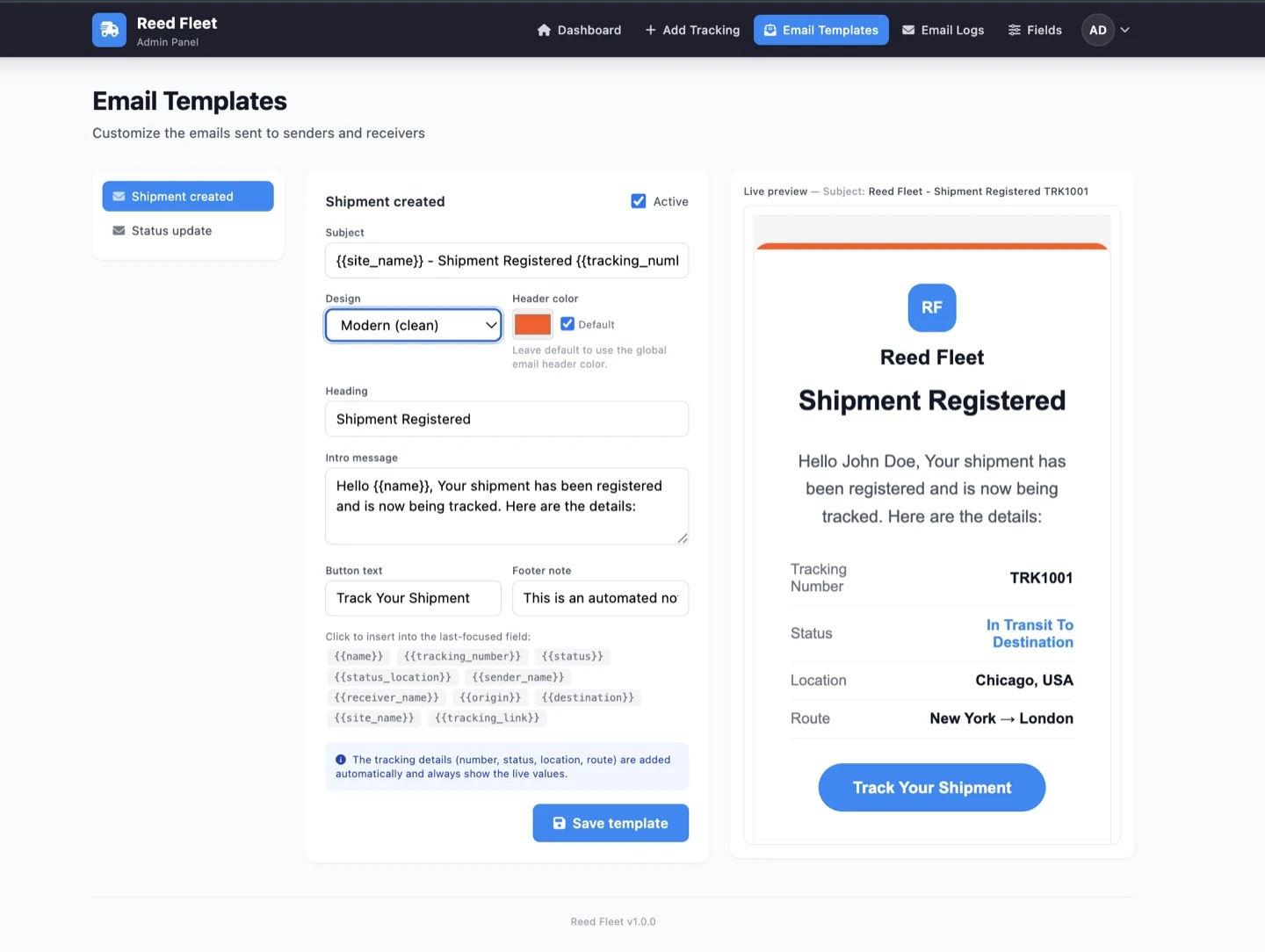
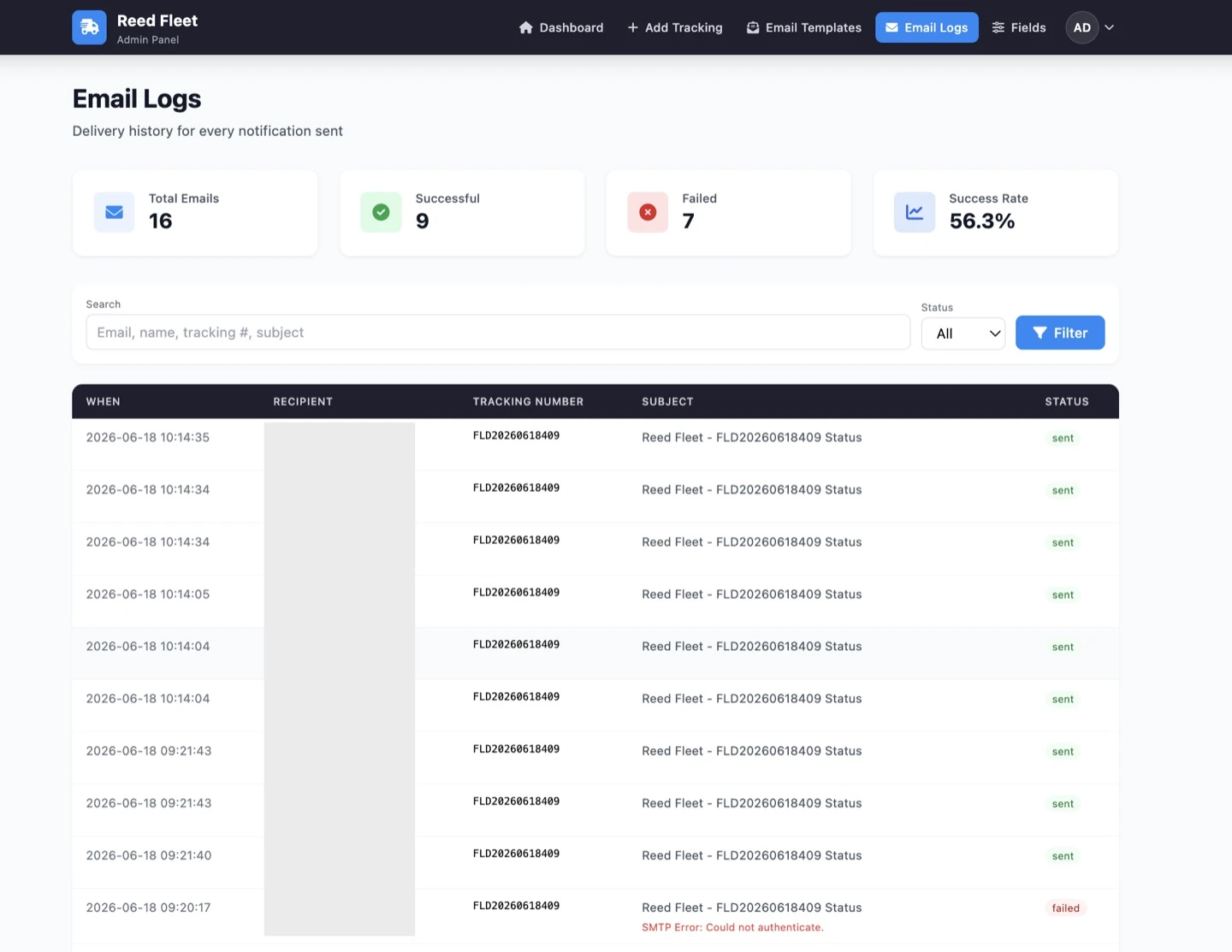
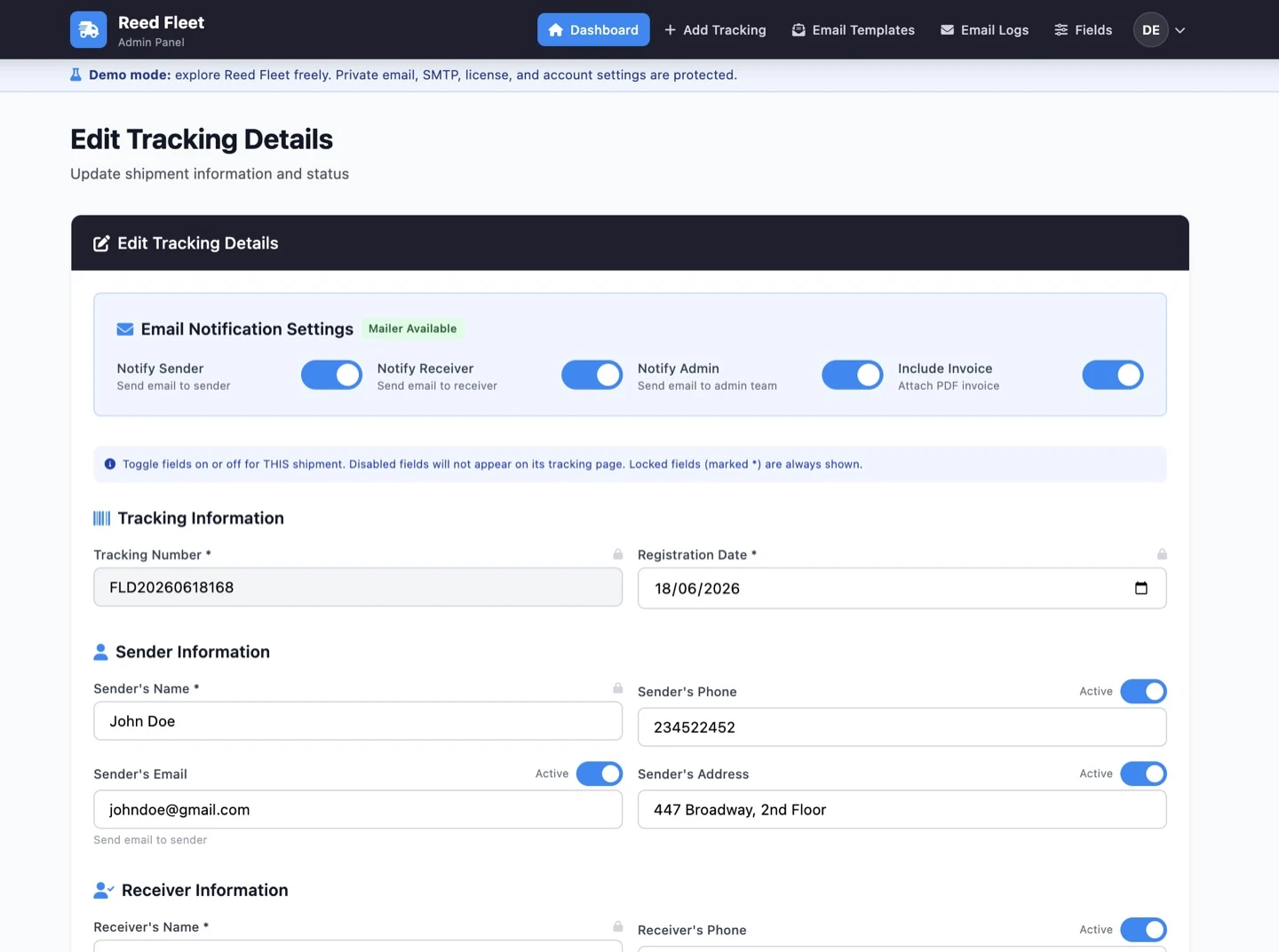
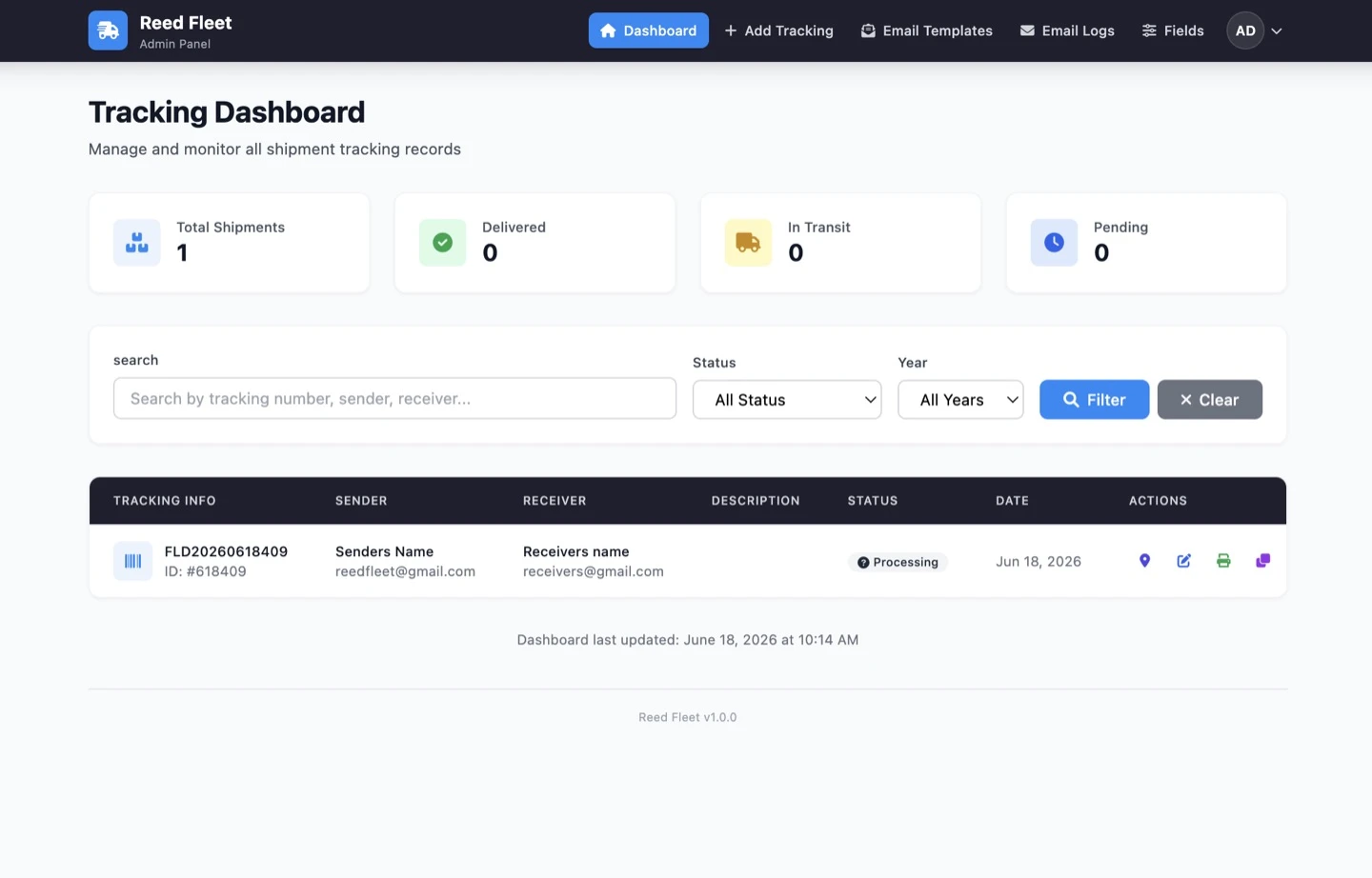
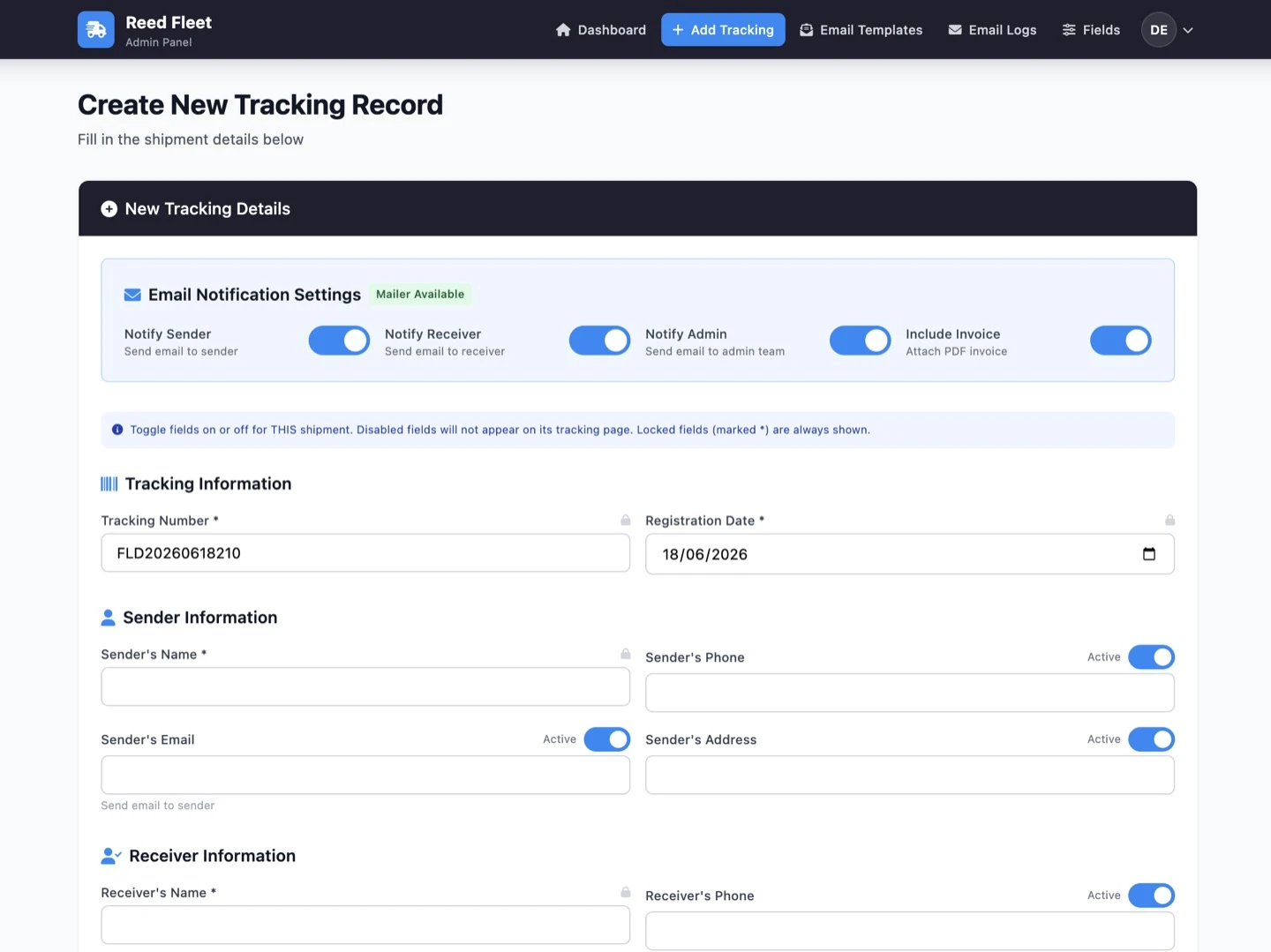
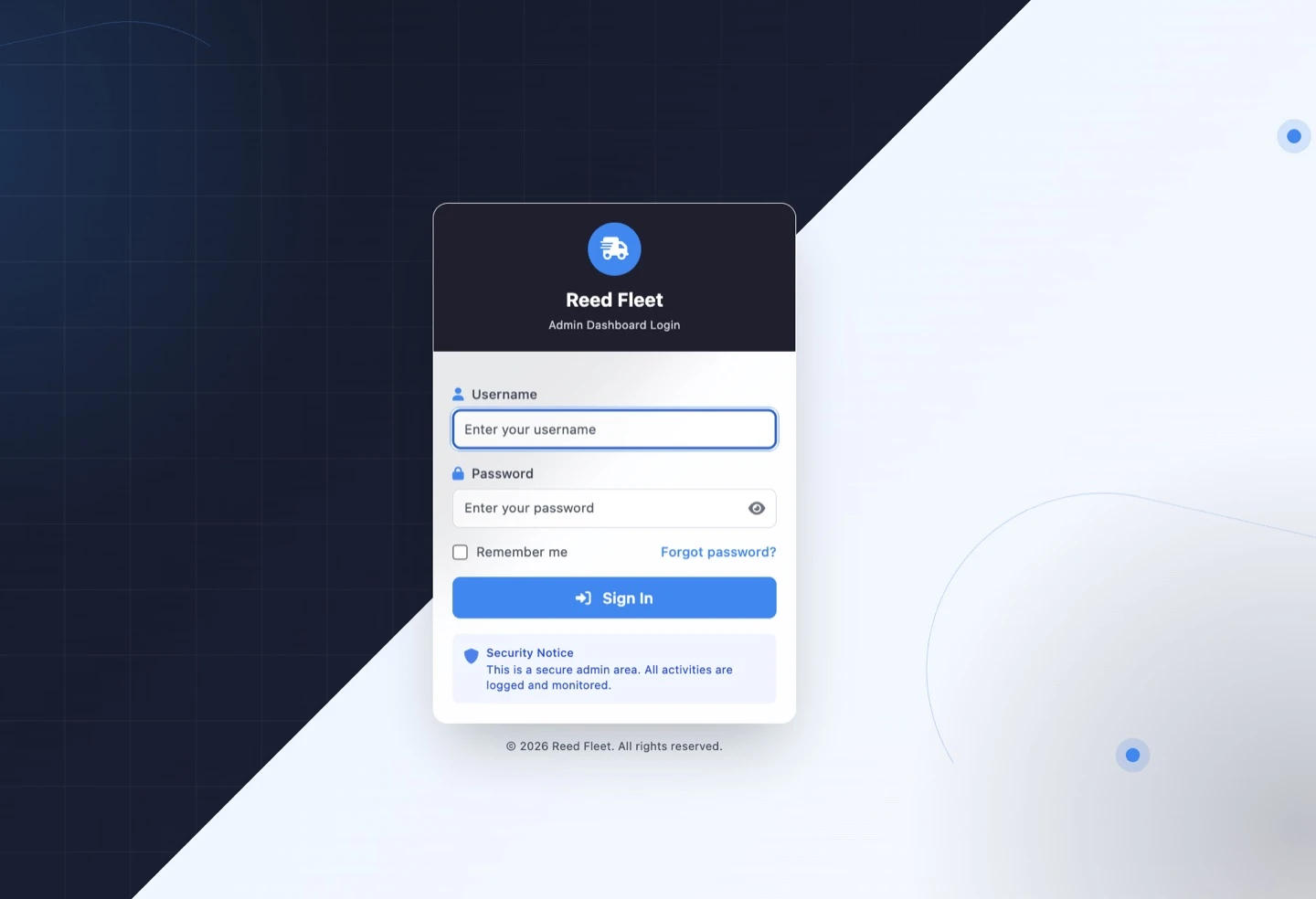
Launch a professional white-label shipment tracking portal in minutes with Reed Fleet. Reed Fleet is a self-hosted PHP logistics management and shipment tracking system built for courier companies, freight forwarders, cargo agencies, delivery businesses, logistics startups, developers, and web agencies. Install it on compatible PHP hosting, customize it from the dashboard, create and manage shipments, notify customers by email, generate PDF invoices, display shipment routes, and provide a branded public tracking experience—without depending on a mandatory monthly SaaS subscription. Whether you operate a logistics business or build tracking portals for clients, Reed Fleet gives you a complete foundation without requiring you to develop the system from scratch. ## 🚀 Experience the Live Demo Test Reed Fleet from both the administrator and customer perspectives. **Admin Dashboard:** https://demo.5ivecode.com/reedfleet/admin/login.php **Username:** `demo` **Password:** `demo123` **Public Tracking Sample:** https://demo.5ivecode.com/reedfleet/shipment-status.php?track=RF-DEMO-1001 **Full Documentation:** https://demo.5ivecode.com/reedfleet/documentation.html ## Why Choose Reed Fleet? ### ⚡ Guided Installation in Minutes No framework configuration, command-line deployment, or manual SQL import is required. Upload the files, create an empty MySQL or MariaDB database, open Reed Fleet in your browser, and complete the guided installation wizard. The installer handles server checks, database configuration, administrator path, branding, Website Home URL, language, maps, email, license activation, administrator credentials, tracking widgets, and secure installer cleanup. ### 💼 Fully White-Label Customize Reed Fleet for your own company or rebrand it for a client. Branding options include company name, website name, logo, primary color, tracking-page header colors, email identity, email design, interface language, Website Home URL, and public tracking-page template. Install Reed Fleet on a dedicated tracking subdomain such as: `https://tracking.yourcompany.com` The configurable Website Home URL ensures that the tracking-page logo and Back to Home buttons return visitors to the correct company website. ### 🌐 Works With Existing Websites Connect Reed Fleet to WordPress, Elementor, HTML, PHP, React, Next.js, Vite, Vue, Shopify themes, Vercel-hosted frontends, and custom website builders using ready-to-copy tracking forms, buttons, or links. Your main website can remain on its existing platform while Reed Fleet runs separately on compatible PHP hosting. > Reed Fleet does not currently provide automatic Shopify order synchronization. Shopify websites can connect visitors to Reed Fleet using tracking links, forms, or permitted custom HTML. ## 🧩 Built-In Tracking Widget Generator Add professional shipment tracking to an existing website without designing the forms manually. Choose from five responsive tracking forms—Clean Horizontal, Logistics Banner, Footer Strip, Hero Overlay, and Simple Underline—plus six professional tracking buttons. Generate ready-to-copy code for WordPress, Elementor, HTML, React, Next.js, and Vite. Reed Fleet automatically inserts the installed tracking URL, configured brand color, responsive styling, hover effects, and correct tracking parameters. Widget tools include live preview, code editing, reset, copy, WordPress output, HTML output, and React output. After installation, Reed Fleet immediately provides a default Hero Overlay form and Track Shipment button. Additional designs are available from Tracking Widgets under Settings. ## 📦 Centralized Shipment Management Manage shipment operations from one organized administrator dashboard. Administrators can create, edit, delete, duplicate, search, filter, and review shipment records. The dashboard also includes statistics, pagination, status management, transit points, sender and receiver details, package information, route details, notification controls, invoice controls, and shipment-location updates. Each shipment receives a unique tracking number and shareable public tracking URL. ## 🔍 Professional Public Tracking Experience Customers can enter a tracking number and view available shipment information, including tracking number, current status, current location, sender, receiver, package description, quantity, weight, origin, destination, transport mode, carrier, vessel, transit points, departure date, expected arrival, status date and time, route map, and custom information. The public tracking page also supports responsive layouts, shareable tracking links, copy-to-share tools, printing, PDF invoice access, configurable fields, multilingual labels, and Back to Home navigation. ## 🎨 Multiple Tracking Page Templates Choose from four professionally designed public tracking layouts: Default, Standard, Sleek, and Compact. Administrators can configure the tracking-page template, primary color, logo, header background, header text color, map provider, visible fields, language, and Website Home URL. ## ✉️ Automated Email Notifications Send branded email notifications when an administrator creates or updates a shipment. For each shipment, administrators can choose whether to notify the sender, receiver, administrator, or any combination of recipients. PDF invoice attachments can also be enabled or disabled per shipment. Email features include SMTP support, PHP mail fallback where available, custom sender name, custom sender email, shipment-created notifications, shipment-updated notifications, test email functionality, delivery reporting, and email logs. > Notifications are triggered when administrators create or update shipment information. Reed Fleet does not currently receive automatic package-movement events from external courier APIs. ## 📨 Editable Email Templates Customize notification emails without changing application code. Template options include email subject, design, header color, heading, introductory message, action-button text, footer note, and active status. Templates can be previewed and restored to the default content for the selected language. ## 📊 Email Delivery Logs Review email activity directly from the administrator dashboard. Email logs include recipient, subject, tracking number, template, delivery status, error details, date, total emails, successful emails, failed emails, and success rate. ## 📄 Branded PDF Invoices Generate professional PDF shipment invoices using information stored in Reed Fleet. Invoices can be opened from the administrator dashboard, accessed through the tracking workflow, printed, downloaded, and attached to shipment-notification emails. Invoice attachments can be controlled individually for each shipment. ## 🧱 Dynamic Custom Fields Adapt Reed Fleet to different logistics workflows. Administrators can enable optional fields, disable unnecessary fields, add custom fields, duplicate fields, delete custom fields, use quick presets, edit labels, select field types, organize field groups, control field order, and decide which information appears publicly. Protected core fields prevent accidental damage to essential tracking functionality. ## 🔄 Custom Shipment Statuses Customize shipment statuses to match your workflow while preserving the essential Pending, In Transit, and Delivered categories required for dashboard statistics, badges, and status calculations. ## 🗺️ Flexible Maps and Shipment Routes Choose the mapping option that works for your business. **Free API-Keyless Map:** Display shipment routes without configuring a Google Maps key. This option uses external mapping and routing services and requires internet access. **Google Maps:** Add a Google Maps API key through Settings for the classic Google Maps experience. **No Map:** Disable maps when route visualization is unnecessary. ## 🌍 Multilingual Support Reach customers worldwide with nine included languages: 🇬🇧 English, 🇫🇷 French, 🇪🇸 Spanish, 🇵🇹 Portuguese, 🇷🇺 Russian, 🇸🇦 Arabic, 🇨🇳 Chinese, 🇮🇳 Hindi, 🇧🇩 Bengali. Language support covers the installation wizard, administrator dashboard, public tracking pages, settings, shipment forms, email templates, tracking widgets, maps, route labels, and installer cleanup screens. Arabic includes right-to-left interface support. ## ☁️ Shared Hosting Compatible Deploy Reed Fleet on compatible shared hosting, cPanel, Plesk, DirectAdmin, hPanel, CloudPanel, or a properly configured VPS. A costly VPS is not required for typical small and medium shipment operations. Install Reed Fleet in a domain root, subfolder, or tracking subdomain. Its path-aware URL system automatically adapts to the installation location. ## 🔑 Custom and WordPress-Safe Admin Path Choose a custom administrator URL during installation. Example: `https://tracking.yourcompany.com/operations/` The installer detects common WordPress environments and helps avoid conflicting paths such as `/admin` or `/wp-admin`. ## 🏠 Configurable Website Home URL Reed Fleet can run separately from the company’s main website. Configure the Website Home URL during installation or later under Settings. The configured URL controls tracking-page logo links, Back to Home buttons, and tracking-number-not-found navigation. This supports root installations, subfolders, tracking subdomains, websites hosted on another platform, and completely separate company domains. ## 🔓 Administrator Password Recovery Configure a recovery email and restore administrator access through the Forgot Password workflow. The recovery process includes a temporary verification code, reset validation, and secure password replacement. ## 🔐 Security-Focused Architecture Reed Fleet includes PDO prepared statements, secure password hashing, CSRF protection, hardened session cookies, session ID regeneration, output escaping, POST-only destructive actions, protected application directories, protected configuration files, license validation, encrypted local license-token storage, administrator authentication, password recovery, installer locking, and safe installer-folder cleanup. After installation, Reed Fleet can remove its installer folder and display a branded completion screen with links to the dashboard, tracking page, and company website. ## 👨‍💼 For Logistics Businesses Operate a professional shipment tracking portal using infrastructure you control. Manage shipments, customize branding, notify customers, generate invoices, display routes, and provide public tracking without relying on a mandatory hosted subscription platform. ## 👨‍💻 For Developers and Web Agencies Deliver branded shipment portals to clients without rebuilding common logistics functionality. Use Reed Fleet to configure client branding, connect existing websites, generate WordPress and React tracking widgets, configure maps and email, create custom fields, and hand over a complete administrator dashboard. ## Ideal For Courier companies, freight forwarders, cargo agents, delivery businesses, logistics startups, warehouse dispatch teams, shipping coordinators, import/export businesses, e-commerce delivery operations, web agencies, freelance developers, and software companies delivering client tracking portals. ## Main Feature Summary - Guided browser installation - Self-hosted PHP and MySQL architecture - White-label branding - Custom Website Home URL - Custom administrator path - Shipment creation, editing, deletion, and duplication - Search, filters, statistics, and pagination - Sender and receiver management - Package and cargo information - Transit points and route maps - Custom shipment statuses - Custom and optional fields - Four tracking-page templates - Five tracking-form widgets - Six tracking-button designs - WordPress, HTML, and React widget output - SMTP email notifications - Sender, receiver, and administrator notification controls - Editable email templates - Email delivery logs - PDF invoices - Optional invoice email attachments - Password recovery - Nine languages - Responsive layouts - Shared-hosting compatibility - License activation - Installer security cleanup ## Installation Overview 1. Upload Reed Fleet to a domain, subdomain, or subfolder. 2. Create an empty MySQL or MariaDB database. 3. Ensure the configuration folder is writable. 4. Open the Reed Fleet installation URL. 5. Select a language. 6. Complete the server check. 7. Enter database credentials. 8. Choose the administrator path. 9. Configure branding and Website Home URL. 10. Select the map provider. 11. Configure email and SMTP. 12. Activate the license. 13. Create the administrator account. 14. Copy the default tracking widget or button. 15. Delete the installer folder securely. 16. Open the dashboard and create the first shipment. ## System Requirements PHP 8.1+, MySQL or MariaDB, PDO MySQL, GD, Mbstring, cURL, OpenSSL, Sodium, outbound HTTPS access, and a writable configuration directory during installation. SMTP is recommended for reliable email delivery. ## 📖 Complete Documentation Read the full Reed Fleet documentation: https://demo.5ivecode.com/reedfleet/documentation.html The documentation covers hosting requirements, installation, license activation, branding, maps, SMTP, tracking widgets, shipment management, email templates, PDF invoices, security, maintenance, and troubleshooting. ## 🛠️ Custom Features, Add-Ons, and Professional Services Need functionality that is not currently included? Contact the Reed Fleet development team for custom features, private add-ons, third-party integrations, installation assistance, server migration, advanced reporting, business-specific workflows, and custom tracking designs. Available custom services may include SMS notifications, WhatsApp notifications, WooCommerce integration, Shopify integration, custom APIs, React or Next.js integration, staff roles and permissions, customer portals, advanced analytics, branding, deployment, and server configuration. Custom development, integrations, installation, and server work are quoted separately. **Development and Custom Feature Requests:** dev@5ivecode.com When contacting the development team, include your company name, Reed Fleet purchase or license information, requested feature, desired workflow, external platform or API involved, and expected timeline. ## Support Scope Standard product support may cover built-in feature questions, confirmed product bugs, installation issues on compatible hosting, and general configuration guidance. Custom development, third-party integrations, server administration, training, and business-specific modifications may require a separate quotation. ## Launch Your Shipment Tracking Portal Reed Fleet gives logistics businesses, developers, and agencies a professional foundation for launching a branded shipment tracking system without rebuilding the core infrastructure from scratch. Install it on compatible PHP hosting, configure your branding, connect it to an existing website, create shipment records, notify customers, and deliver a professional tracking experience in minutes. **Live Admin Demo:** https://demo.5ivecode.com/reedfleet/admin/login.php **Username:** `demo` **Password:** `demo123` **Public Tracking Sample:** https://demo.5ivecode.com/reedfleet/shipment-status.php?track=RF-DEMO-1001 **Documentation:** https://demo.5ivecode.com/reedfleet/documentation.html **Custom Features and Development:** dev@5ivecode.com

Get Support

Please Sign In to contact our support.

Related Products

Top